Maintenance 5. Firmware Update
RC620 Rev.8 143
5.4 Firmware Initialization Procedure
The firmware initialization procedure described in this section.
(1) Turn ON the Controller.
(2) Shutdown the development software EPSON RC+ 6.0.
(3) Copy the content of “firmware CD-ROM” to the USB memory and insert the USB
memory to the controller USB port.
(4) Execute “Ctrlsetup60.exe”.
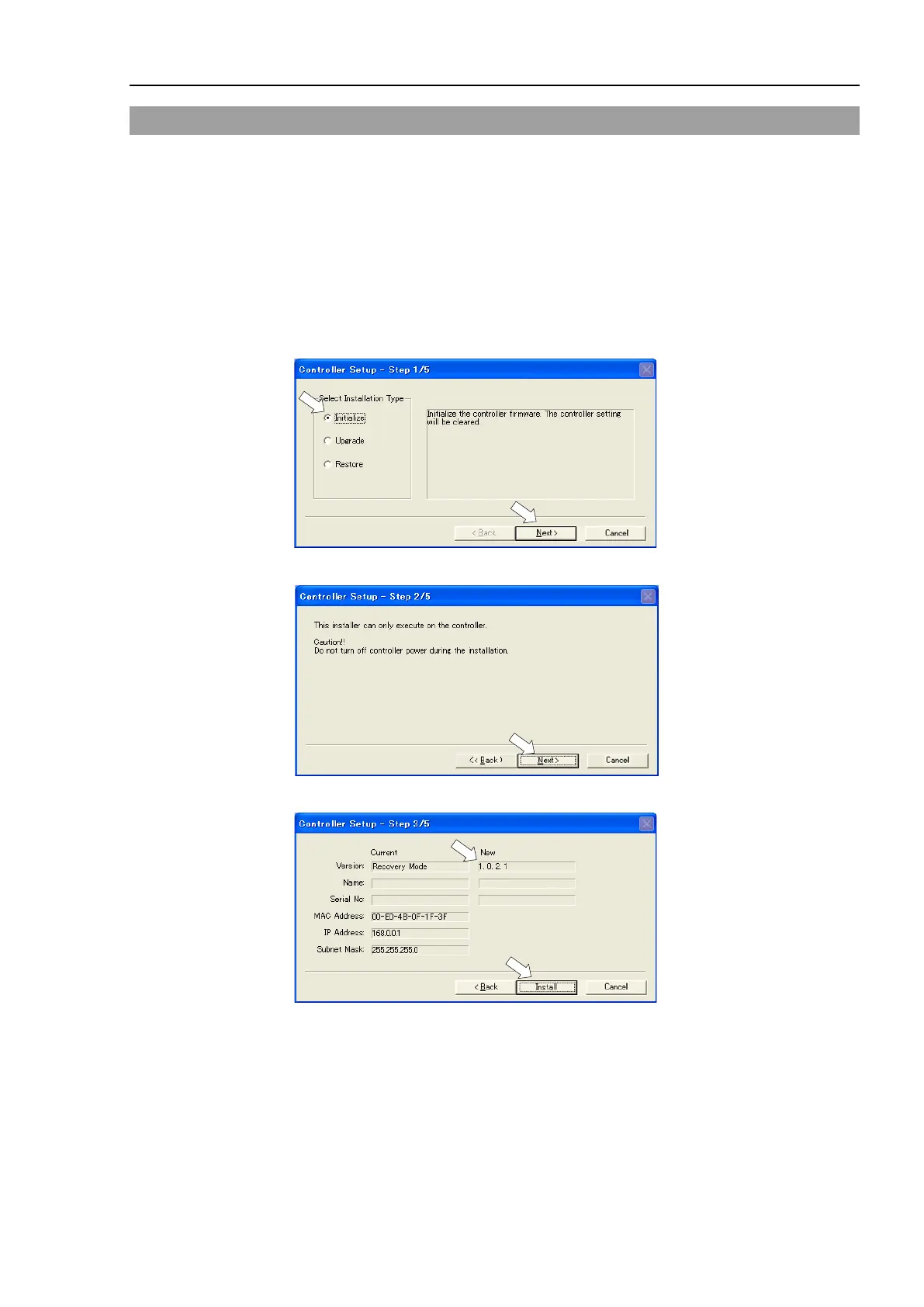
(5) Select the <Initialize> option button and click the <Next> button.
(6) Confirm the message shown below and Click the <Next> button.
(7) Check the version information and click the <Install> button.



 To Next Page