Setup & Operation 14. Option : Teach Pendant TP1
RC620 Rev.8 115
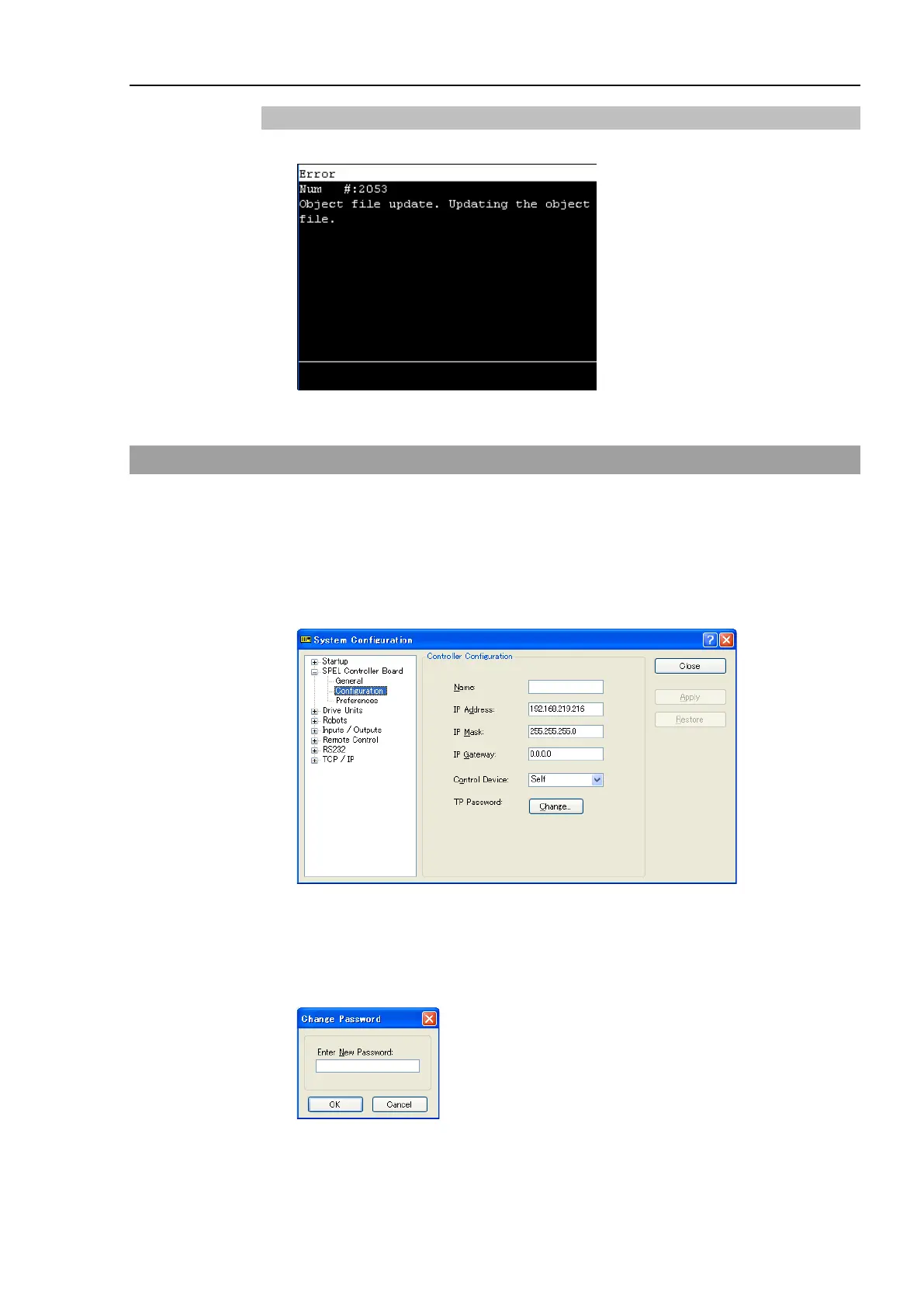
14.4.10 Error
Error # and Error message appears when an error occurs
Moves to the screen before the error occurred.
14.5 Password Setup
Setup a password to limit operators for the brake equipment (6-axis robot only).
TEACH mode ........ [Jog&Teach]-[Brake] 6-Axis robot only
Follow the procedure below to set the password.
(1) Select EPSON RC+6.0 menu-[Setup]-[System Configuration]-[SPEL Controller
Board]-[Configuration] to display the following screen.
(2) Click the <Change> button at “TP Password.”
(3) The following dialog appears.
Enter a password within 16 alphanumeric characters from the keyboard and click the
<OK> button.
(4) Click the <Apply> button and reboot the Controller.



 To Next Page