Setup & Operation 3. Installation
RC620 Rev.8 27
3.3.2 AC Power Cable
WARNING
Make sure that cable manufacturing and connection are done by a qualified personal.
When proceeding, b
e sure to connect the earth wire of the AC power cable colored
on the Controller to the earth terminal of the factory power supply. The
equipment must be grounded properly at all times to avoid the risk of electric shock.
Always use a power plug
and receptacle for power connecting cable
. Never connect
the Controll
er directly to the factory power supply. (Field wiring)
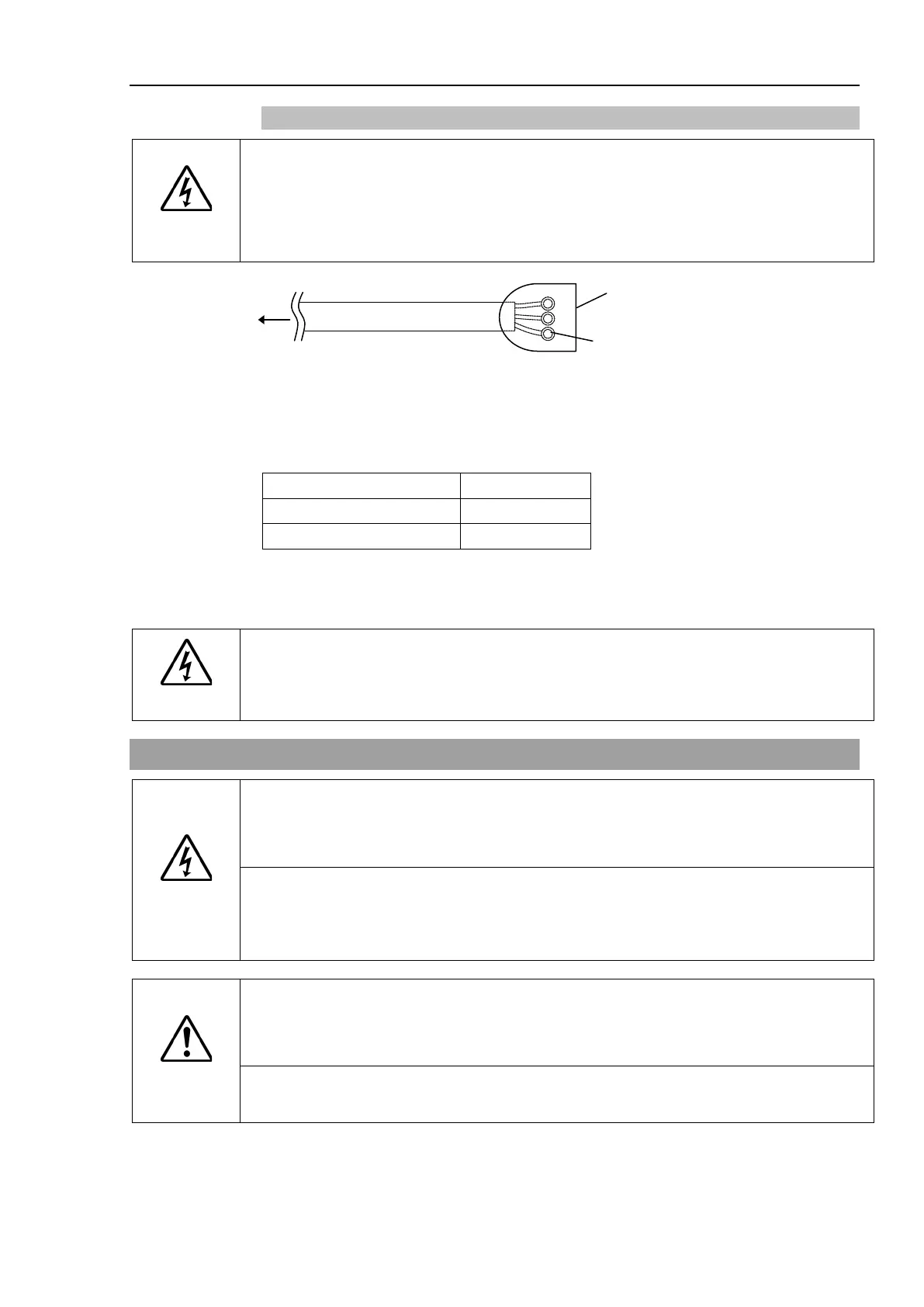
To controller
The previous
connection
M4 Ring solderless terminal
(RC620-UL: M5 Ring solderless terminal)
The AC plug in not attached to the AC power cable delivered at shipment.
Refer to the wire connection specification and attach a proper plug to the cable that is
suitable for the factory power supply. (A plug is prepared as option.)
Cable Wire Connection Specification
Purpose Color
Ground wire Green / Yellow
Cable length : 3 m (Standard)
For RC620-UL
WARNING
Branch Circuit protection (Rated current: 15 A or less) shall be installed in the external
AC power supplying side in accordance with the National Electrical Code.
A disconnecting means shall be installed in accordance with the National Electrical
Code and provide the ability for lockout and tagout.
3.4 Cable Connection
WARNING
Make sure that the power to the Controller is turned OFF and the power plug is
disconnected
before connecting or disconnecting any cables.
Connecting or
disconnecting
any cables with the power ON is extremely hazardous and may result in
lfunction of the Controller.
the cables properly. Do not allow unnecessary strain on the cables.
(Do not put heavy objects on the cables. Do not bend or pull the cables forcibly.) The
unnecessary strain on the cables may result in damage to the cables, disconnection,
and/or contac
t failure. Damaged cables, disconnection, or contact failure is extremely
hazardous and may result in electric shock and/or improper function of the system.
CAUTION
The serial number of the Manipulator that should be connected is indicated on the
on the Controller. Connect the Controller and the Manipulator
Improper connection between the Controller and the Manipulator may cause
not only improper function of the robot system but also safety problems.
Before connecting the connector, make sure
that the pins are not bent. Connecting
the pins bent may damage the connector and result in malfunction of the robot



 To Next Page