Setup & Operation 12. Option Slots
62 RC620 Rev.8
12.2.3 Confirmation of Operation Using EPSON RC+ 6.0
When an expansion I/O board is mounted to the option unit, the Controller software
automatically identifies the expansion I/O board. Therefore, no software configuration is
needed.
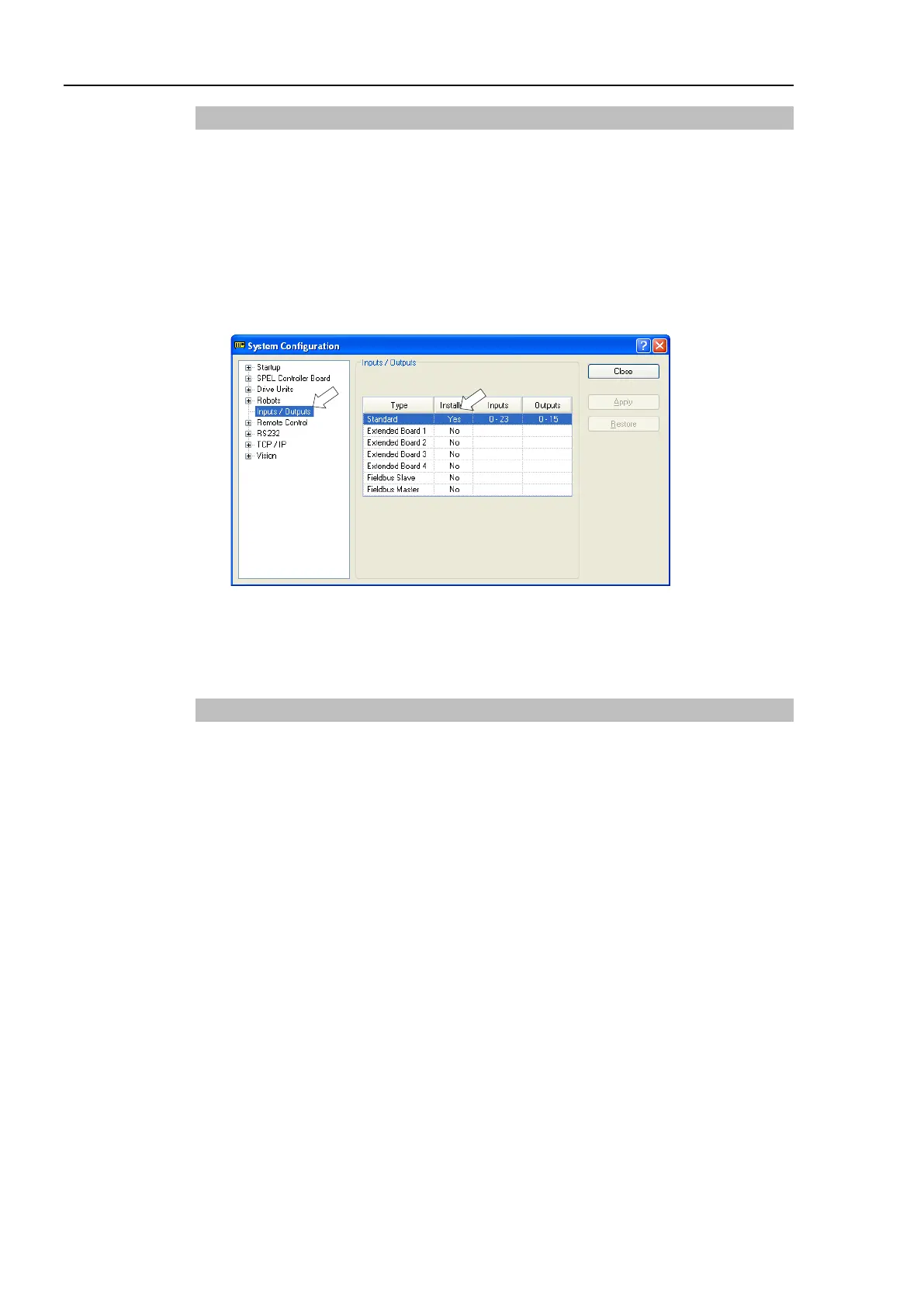
Correct identification can be confirmed from EPSON RC+ 6.0.
(1) Select the EPSON RC+ 6.0 menu-[Setup]-[System Configuration] to display the
[System Configuration] dialog.
(2) Select the [Inputs / Outputs].
(3) Make sure that “Yes” is displayed in the Installed column.
The expansion I/O board is identified by the Controller software. Corresponding
Input and Output is available.
12.2.4 Input Circuit
Input Voltage Range : + 12 V to 24 V ±10%
ON Voltage : + 10.8 V (Min.)
OFF Voltage : + 5 V (Max.)
Input Current : 10 mA (TYP) at + 24 V input
Two types of wiring are available for use with the two-way photo coupler in the input
circuit.



 To Next Page