Setup & Operation 14. Option : Teach Pendant TP1
110 RC620 Rev.8
14.4.2 I/O Monitor
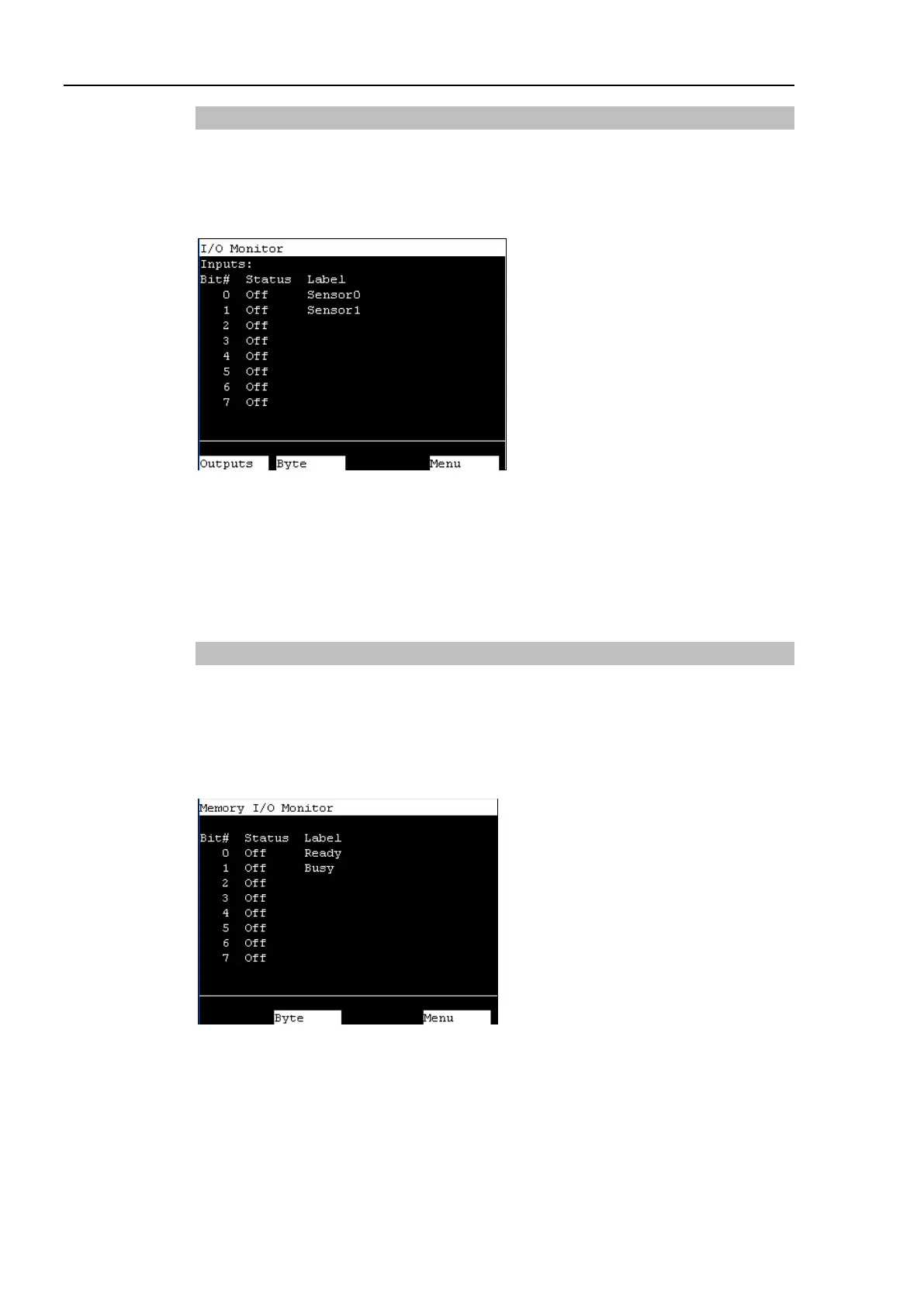
This screen displays the bit status of I/O.
In the [Main Menu] screen, move the cursor to [1 I/O Monitor], and press the <OK> key.
Displays the item Bit #, Status # and label in this order from the left.
I/O status (Inputs, bit units)
“*” (asterisk) is displayed before the label name for remote setting display to separate
remote setting and I/O label.
Switches between Inputs and Outputs.
Switches the I/O status display (Bit units or Byte units).
The [Main Menu] screen appears.
14.4.3 Memory I/O Monitor
This screen displays the bit status of memory I/O.
In the [Main Menu] screen, move the cursor to [2 Memory I/O Monitor], and press the
<OK> key.
Displays the item Bit#, Status, and Label in this order from the left.
Memory I/O status (bit units)
Switches the I/O status display (Bit units or Byte units).
The [Main Menu] screen appears.



 To Next Page