Setup & Operation 12. Option Slots
68 RC620 Rev.8
12.4 RS-232C Board
12.4.1 About the RS-232C Board
The RS-232C option accepts four ports expansion per board. A maximum of two boards,
eight ports expansion is available for RS-232C board.
Port numbers are assigned as follows.
Port No. Supported hardware
#1 to #4 First RS-232C board
#5 to #8 Second RS-232C board
12.4.2 Board Setup (RS-232C)
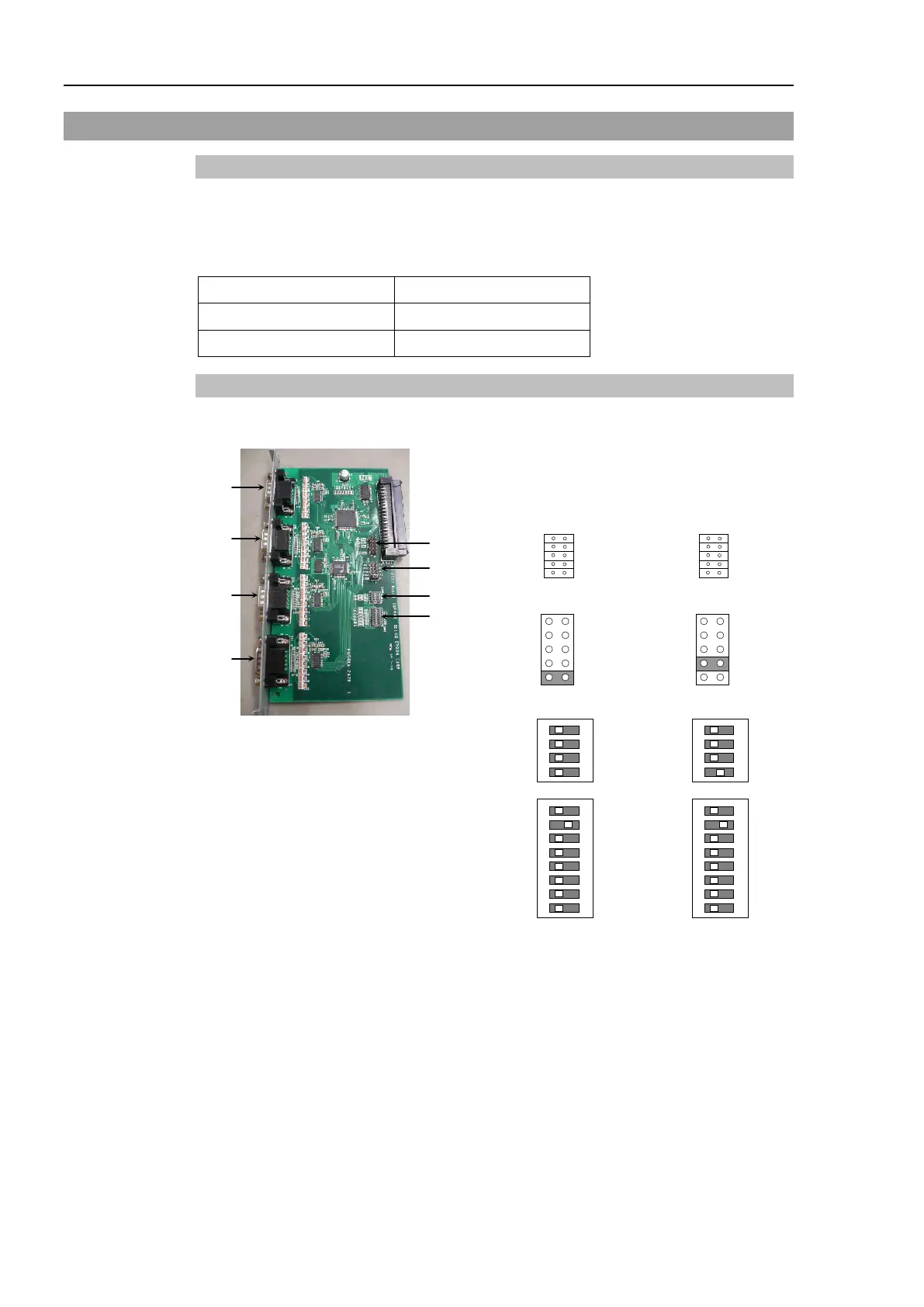
Switch and Jumper Configuration
Set DSW1, DSW2 and JMP1.
SW8
SW7
SW6
SW5
SW4
SW3
SW2
SW1
IRQ15
IRQ11
IRQ10
IRQ7
IRQ5
SW8
SW7
SW6
SW5
SW4
SW3
SW2
SW1
IRQ15
IRQ11
IRQ10
IRQ7
IRQ5



 To Next Page