Maintenance 6. Maintenance Parts Replacement Procedures
RC620 Rev.8 149
6.1.3 Replacing the Small Fan
Controller.
Refer to Maintenance: 6.1.2 Replacing the Large Fan.
the UPS Battery.
Refer to Maintenance: 6.2.2 Replacing the UPS Battery.
4)
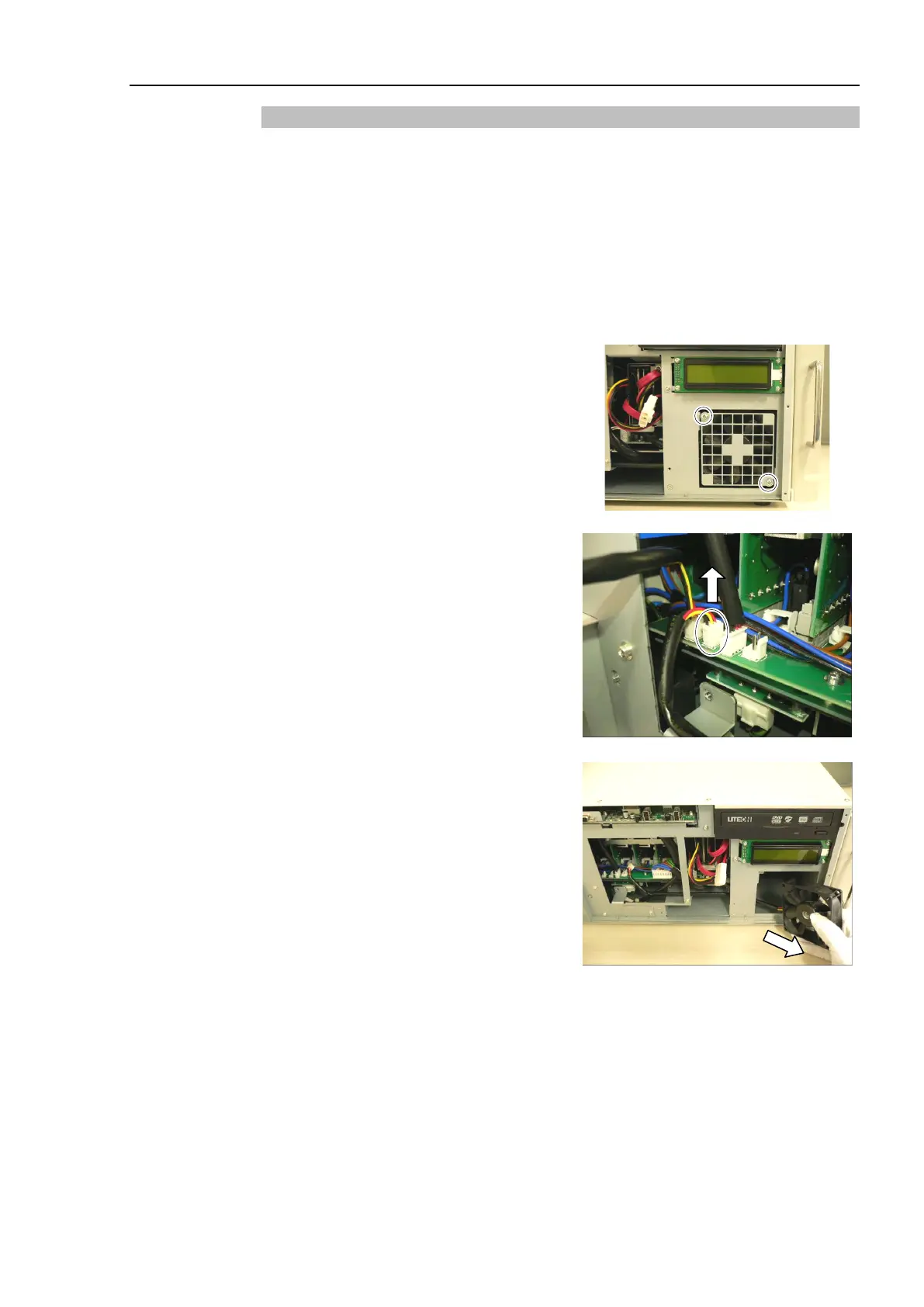
Remove 2 screws securing the Small
Fan and fan cover (Small).
the fan cover (Small).
Pull out the cable connector of Small
Fan from the
DMB board to the
shown in the photo.
6)
Remove the Small Fan from the
Controller and
pull out the fan cable to
the direction shown in the photo.
Be sure to pull the Small Fan slowly
and a
void the other cables to prevent
fan connector from being trapped.



 To Next Page