Maintenance 6. Maintenance Parts Replacement Procedures
150 RC620 Rev.8
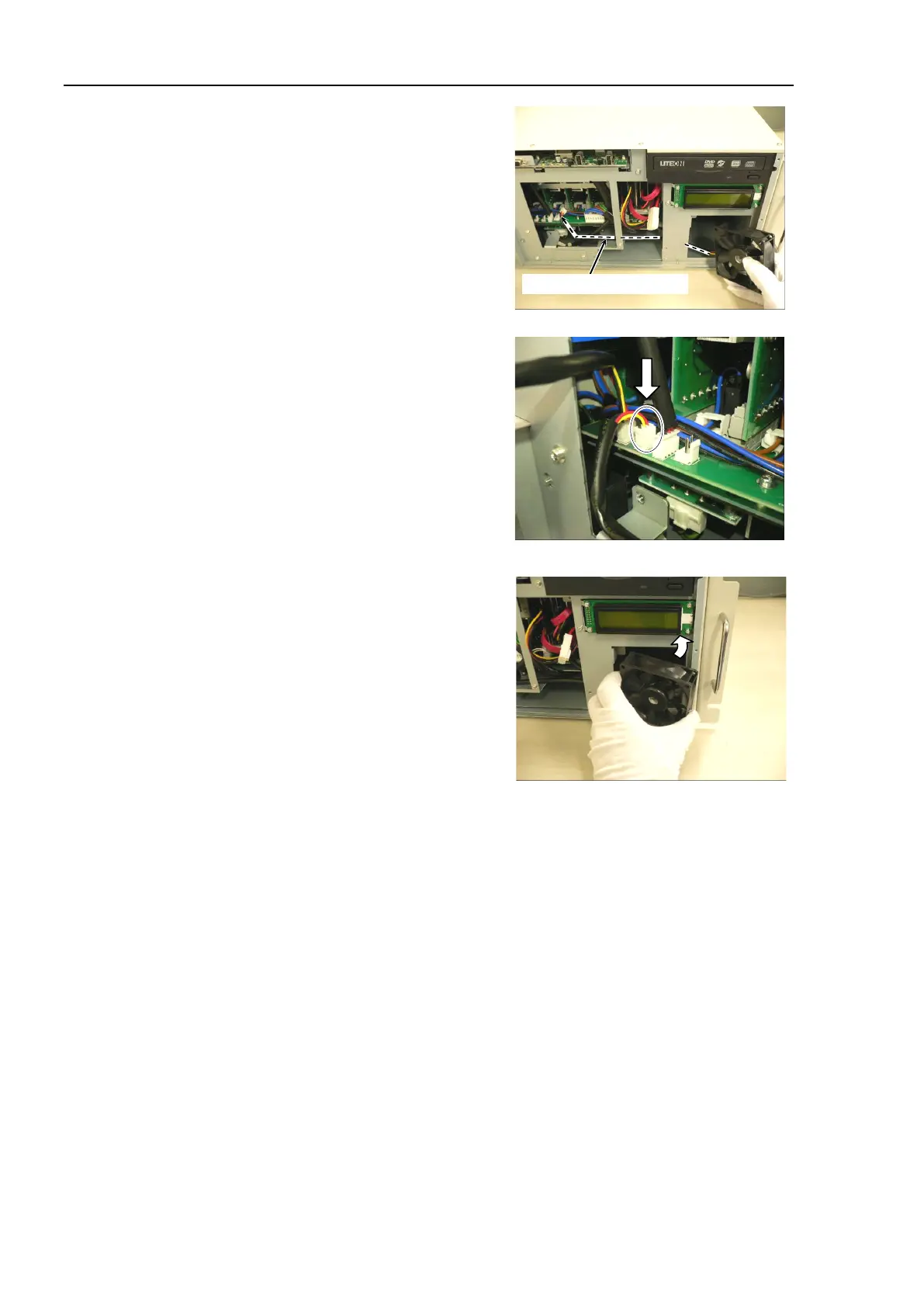
the cable of Small Fan through the
Avoid the peripheral cables because the
fan connector can be caught in the
cables.
Connect the connector of Small Fan to
the
DMB.
the Small Fan into the chassis in
the direction shown in the photo.
Be careful not to catch the cable
between the
chassis and fan.
Attach the fan cover (Small) to the Small Fan and secure
them using 2 screws.
UPS battery.
Refer to Maintenance: 6.2.2 Replacing the UPS Battery.
Refer to Maintenance: 6.1.2 Replacing the Large Fan.
Secure the front panel using 6 screws.
If you removed the cables from
TP port and USB port, connect them again.
the power connector. Turn ON the Controller and make sure that the
Controller starts properly without any vibration or abnormal noise.



 To Next Page