Maintenance 4. Backup and Restore
138 RC620 Rev.8
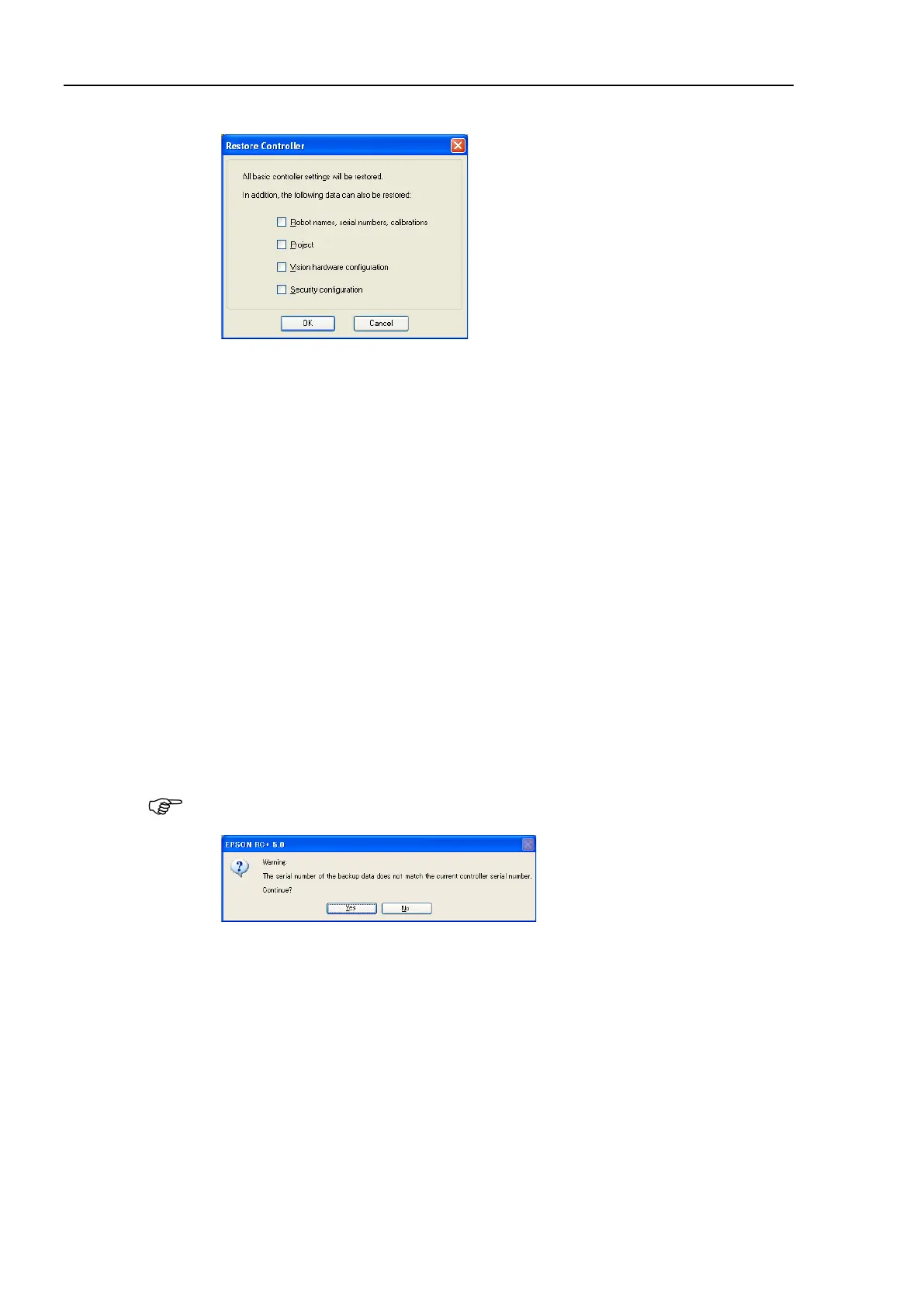
(4) Click the <OK> button to display the dialog to select the restore data.
Robot name, serial #, calibration
This checkbox allows you to restore the robot name, robot serial number, Hofs data,
and CalPls data. Make sure that the correct Hofs data is restored. If the wrong Hofs
data is restored, the robot may move to wrong positions.
The default setting is unchecked.
Project
This checkbox allows you to restore the files related to projects.
The default is unchecked.
When a project is restored, the values of Global Preserve variables are loaded.
For details about Global Preserve variable backup, refer to EPSON RC+ 6.0 User’s
Guide 5.10.10 Display Variables Command (Run Menu).
Vision hardware configuration checkbox
This checkbox allows you to restore the vision hardware configuration.
For details, refer to the EPSON RC+ 6.0 option: Vision Guide 6.0.
This is not checked by the default setting.
Security configuration checkbox
This checkbox allows you to restore the security configuration.
For details, refer to 14. Security.
This is not checked by the default setting.
(5) Click the <OK> button to restore the system information.
Restore the system configuration saved using Backup Controller only for the same
system.
When different system information is restored, the following warning message appears.
Click the <No> button (do not restore data) except for special situations such as
controller replacement.



 To Next Page