Parameters
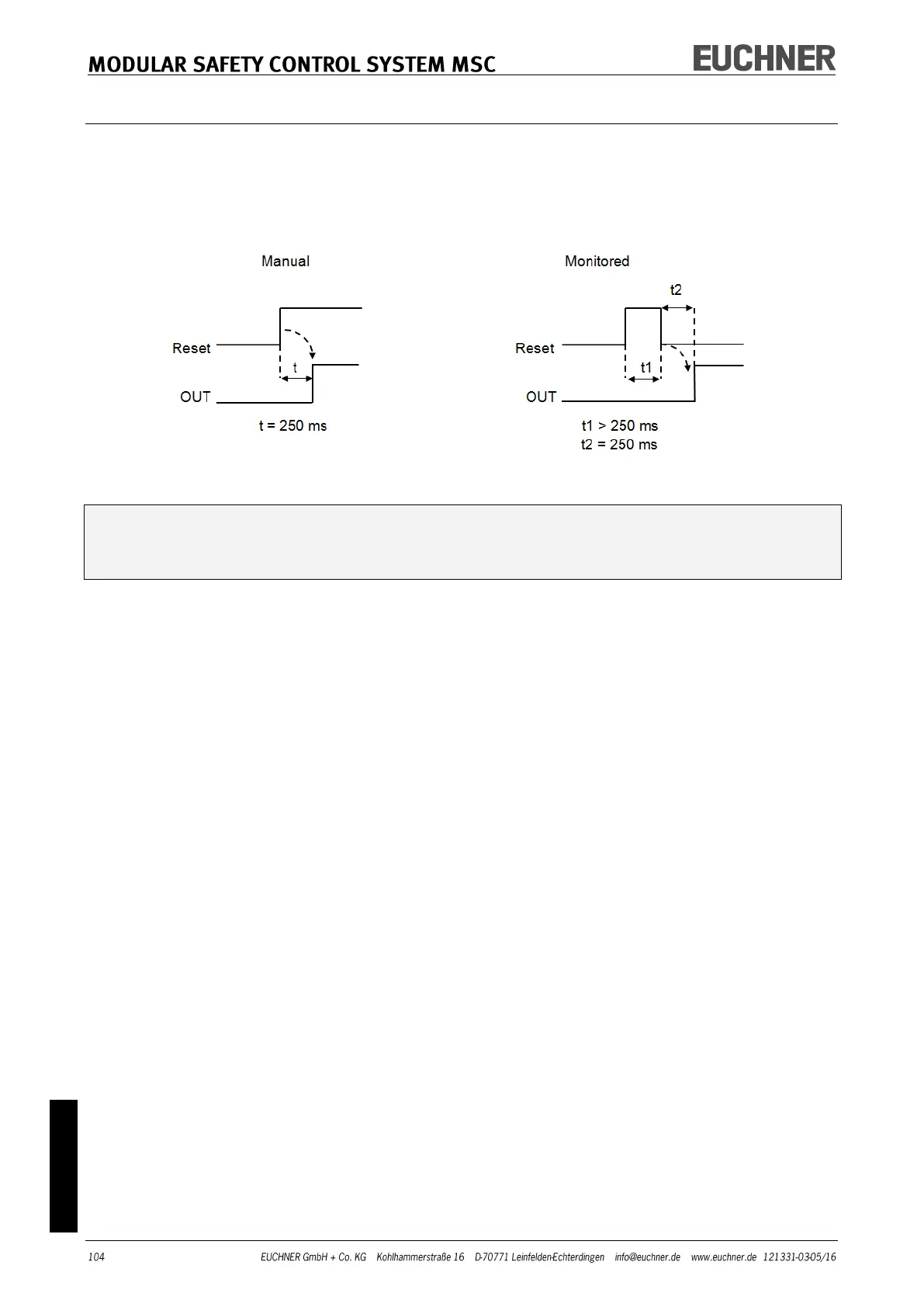
Manual Reset: If selected, a reset can be requested on every activation of the device. Oth-
erwise the activation of the output will correspond directly to the input conditions. There
are two types of reset: "Manual" and "Monitored". On the selection of the manual reset,
the system only checks the signal transition from 0 to 1. With the monitored reset the
double transition from 0 to 1 and then back to 0 is checked.
WARNING: If reset is activated, the input after the inputs used by the function block
must be used. Example: If Input1 and Input2 are used for the function block, Input3
must be used for the reset.
StartUp Test: If selected, the test is undertaken on switching on the device. This test re-
quires the activation and deactivation of the device to carry out one complete function
test and to activate the output. This test is only requested on starting the machine
(switching on the module).
Filter (ms): Makes it possible to filter the signals that are received from the device. The
filter can be set to between 3 and 250 ms and removes any contact bounce. The time set
for the filter affects the calculation of the total response time of the module.
With Contemporaneity: If selected, the simultaneous switching of the signals received
from the device is checked.
Contemporaneity (ms): This control is only available if the previous parameter has been
selected. Defines the maximum permissible time (ms) between the switching of the two
different signals that are received from the sensor.
Enable Error Out: If selected, an error detected by the function block is signaled.
Item Description: Makes it possible to add a functional description of the component.
This text is displayed in the upper part of the symbol.



 To Next Page