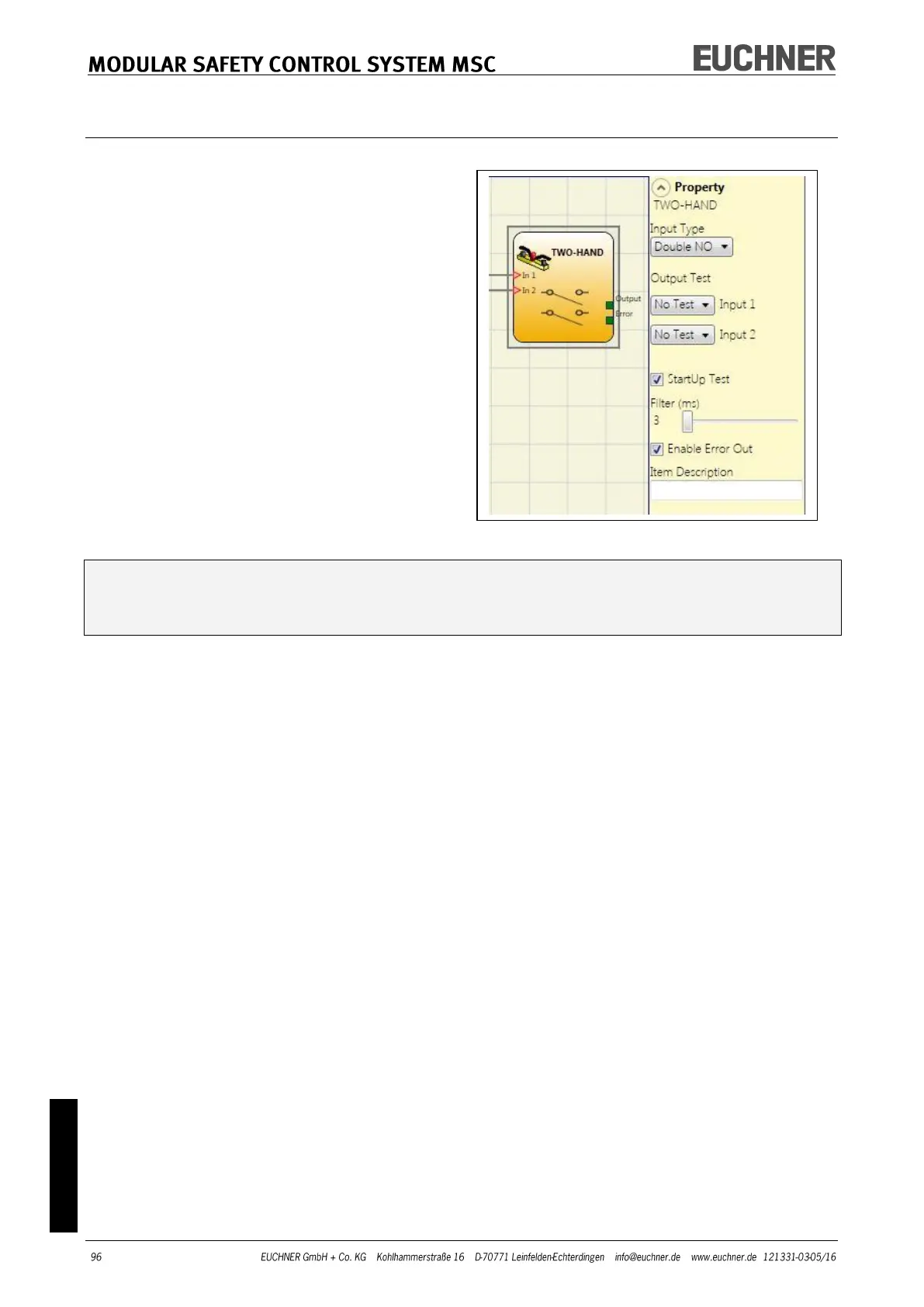
TWO-HAND
Using the TWO-HAND function block the sta-
tus of the inputs for a two-hand control
switch is checked. Only if both pushbuttons
are pressed within 500 ms, is the OUTPUT
output "1" (TRUE), otherwise the OUTPUT
output is "0" (FALSE).
Input Type:
- Double NO – makes it possible to connect
a two-hand switch with one normally open
contact for each pushbutton
(EN 574 III A).
- Quadruple NC/NO – makes it possible to
connect a two-hand switch with a dual-
channel normally closed/normally open
contact for each pushbutton
(EN 574 III C).
Connect inactive input (OUTPUT output is "0" (FALSE)) as follows:
- NO contact to terminal that has been assigned to the input IN1.
- NC contact to terminal that has been assigned to the input IN2.
Output Test: Using this option you can select which test output signals are to be sent to
the component contacts. Short circuits between the wires can be detected and rectified by
means of this additional check. For this purpose it is necessary to configure the test out-
put signals (from the test output signals available).
StartUp Test: If selected, the test is undertaken on switching on the external components.
This test is undertaken by pressing (within 500 ms) and releasing both pushbuttons to
carry out one complete function test and to activate the output. This test is only request-
ed on starting the machine (on switching on the module).
Filter (ms): This parameter makes it possible to filter the signals that are received from
the operating mode selector switch. The filter can be set to between 3 and 250 ms and
removes any contact bounce. The time set for the filter affects the calculation of the total
response time of the module.
Enable Out Error: If selected, an error detected by the function block is signaled.
Item Description: Here you can enter a functional description for the component. The text
is displayed in the upper part of the symbol.



 To Next Page