EasyManua.ls Logo

EUCHNER MSC - 8.4. Fault diagnostics; 8.4.1. Base unit MSC-CB (Figure 27)

EUCHNER MSC
148 pages
Print Icon
To Next Page IconTo Next Page
To Previous Page IconTo Previous Page
Loading...
English
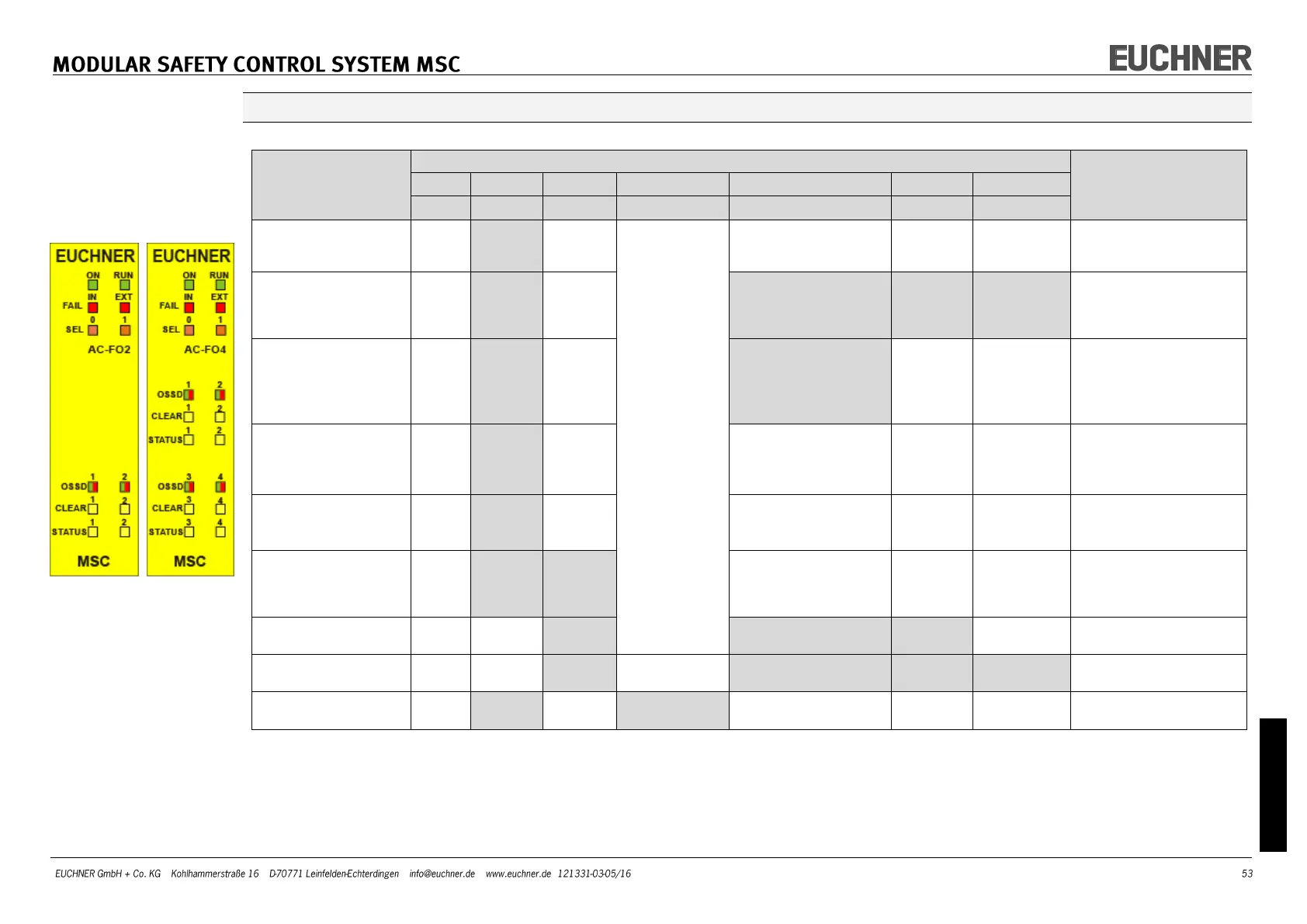
AC-FO2/AC-FO4 (Figure 24)
SIGNIFICANCE
LED
RECTIFICATION
MEASURE
RUN
IN FAIL
EXT FAIL
SEL
OSSD1/4
CLEAR1/4
STATUS1/4
GREEN
RED
RED
ORANGE
RED/GREEN
YELLOW
YELLOW
Internal fault
OFF
Flashes
2 / 3
times
OFF
Indicates the
physical ad-
dress of the
module
Red
OFF
OFF
Send module to EUCHNER
for repair
Compatibility error
OFF
Flashes
5 times
OFF
Flashes 5 times
Flashes 5
times
Flashes 5
times
Firmware version not
compatible with MSC-CB.
Send to EUCHNER for
firmware upgrade.
OSSD output error
OFF
Flashes
4 times
OFF
Flashes 4 times
(only the LED corre-
sponding to the out-
put in the ERROR
mode)
OFF
OFF
Check OSSD1/2 connec-
tions
If the problem persists,
send AC-FO2/AC-FO4 to
EUCHNER for repair.
Error during commu-
nication with base
unit
OFF
Flashes
5 times
OFF
OFF
OFF
OFF
Restart system.
If the problem persists,
send AC-FO2/AC-FO4 to
EUCHNER for repair.
Error in another ex-
pansion module or
MSC-CB
OFF
ON
OFF
OFF
OFF
OFF
Restart system.
Check which module is in
the ERROR mode.
Expansion module of
the same type with
the same address de-
tected
OFF
Flashes
5 times
Flashes
5 times
OFF
OFF
OFF
Change address of the
module (see NODE_SEL)
Power supply failed on
OSSD3/4 (only AC-FO4)
ON
OFF
ON
Red flashing
Flashing
OUTPUT
state
Connect terminal 13 and
14 to power supply
STATUS output over-
load or short circuit
OFF
OFF
ON
OSSD state
CLEAR
state
Flashing
Check STATUS cable
Internal node
detection error
OFF
Flashes
3 times
OFF
Flashes 3
times
OFF
OFF
OFF
Send AC-FO2/AC-FO4 to
EUCHNER for repair
Table 41 Troubleshooting AC-FO2/AC-FO4
Figure 24
AC-FO2/AC-FO4

Table of Contents

Other manuals for EUCHNER MSC