Menu bar
The menu bar shown below is also available as an alternative.
Figure 30
Creating a new project (configuring MSC system)
To start a new project, select the button on the default toolbar. The window for the
project information is displayed (Figure 31).
Figure 31
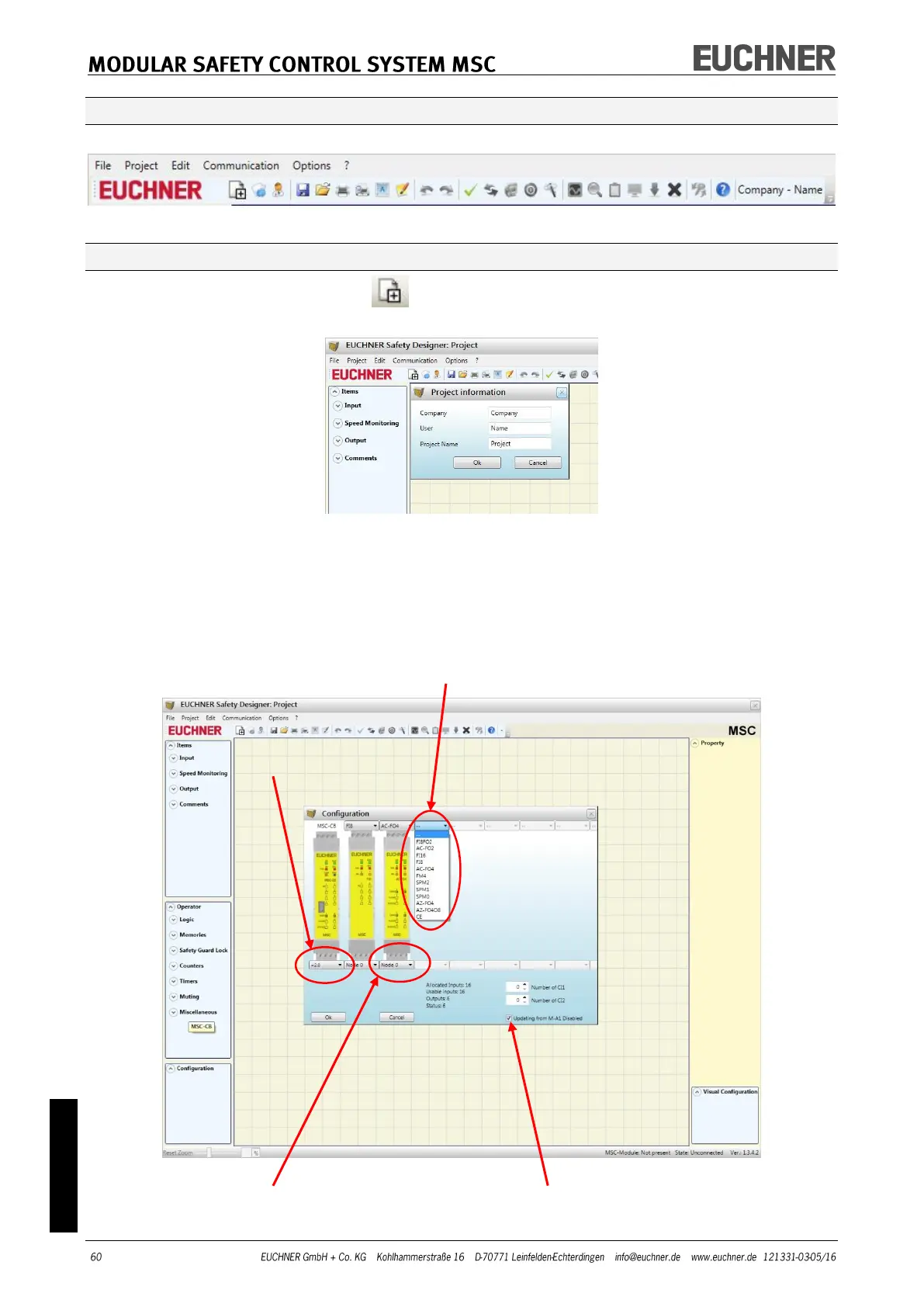
Then a window appears in EUCHNER Safety Designer in which only the module MSC-CB is
shown.
Using the list boxes at the top of the screen (select expansion module) you can add the
modules necessary for the system. The node can be selected using the list box at the bot-
tom of the screen.
SELECT EXPANSION MODULE (to add to the configuration)
Figure 32
SELECT NODE (from 0 to 3) Select to deactivate updating from M-A1



 To Next Page