System layout
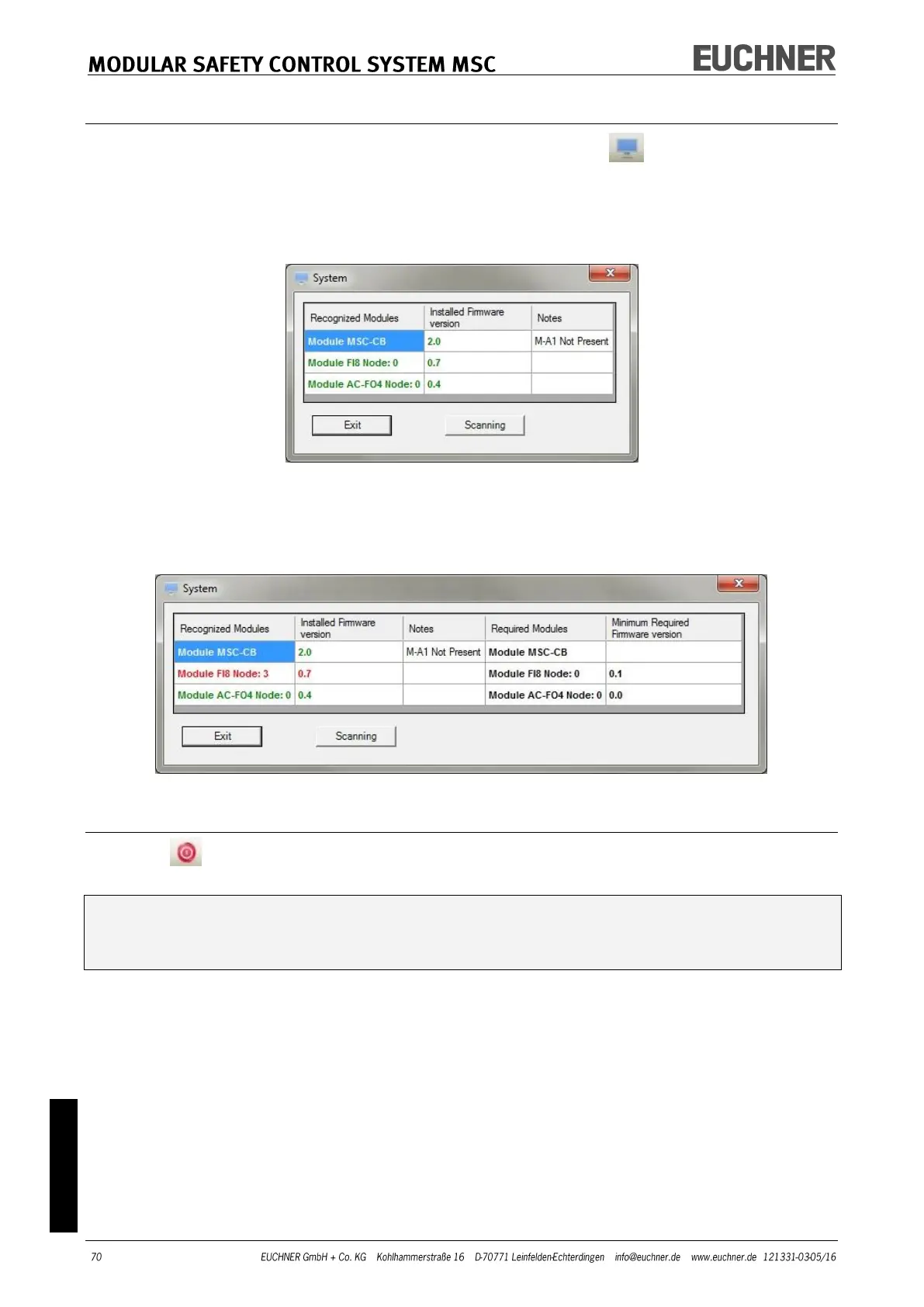
The actual layout of the MSC system can be checked using the button (password re-
quired: level 1). A pop-up window with the following content appears:
- Modules connected
- Firmware version for the individual modules
- Node number (physical address) of the individual modules.
Figure 41
If there is an error in one of the modules detected, the following window appears.
In the example below the node number of module FI8 is not correct (indicated by
red text).
Figure 42
Disconnecting the system
Click the button to disconnect the PC from the MSC-CB. After the disconnection of
the system, then system is reset and restarted with the project transferred.
If the system does not comprise all the modules foreseen in the configuration, this
incompatibility is indicated on the module MSC-CB and the module is not started.
(See SIGNALS).



 To Next Page