Selection SENSOR
Blind Time: Only if "Muting Close" = "Curtain": Blind Time should be selected if, for in-
stance, it is known that after the end of the muting, objects may protrude beyond the pal-
let and may occupy the light curtain, as a result the input is set to "0" (FALSE). During the
blind time the input remains "1" (TRUE). The blind time can be between 250 ms and 1 s.
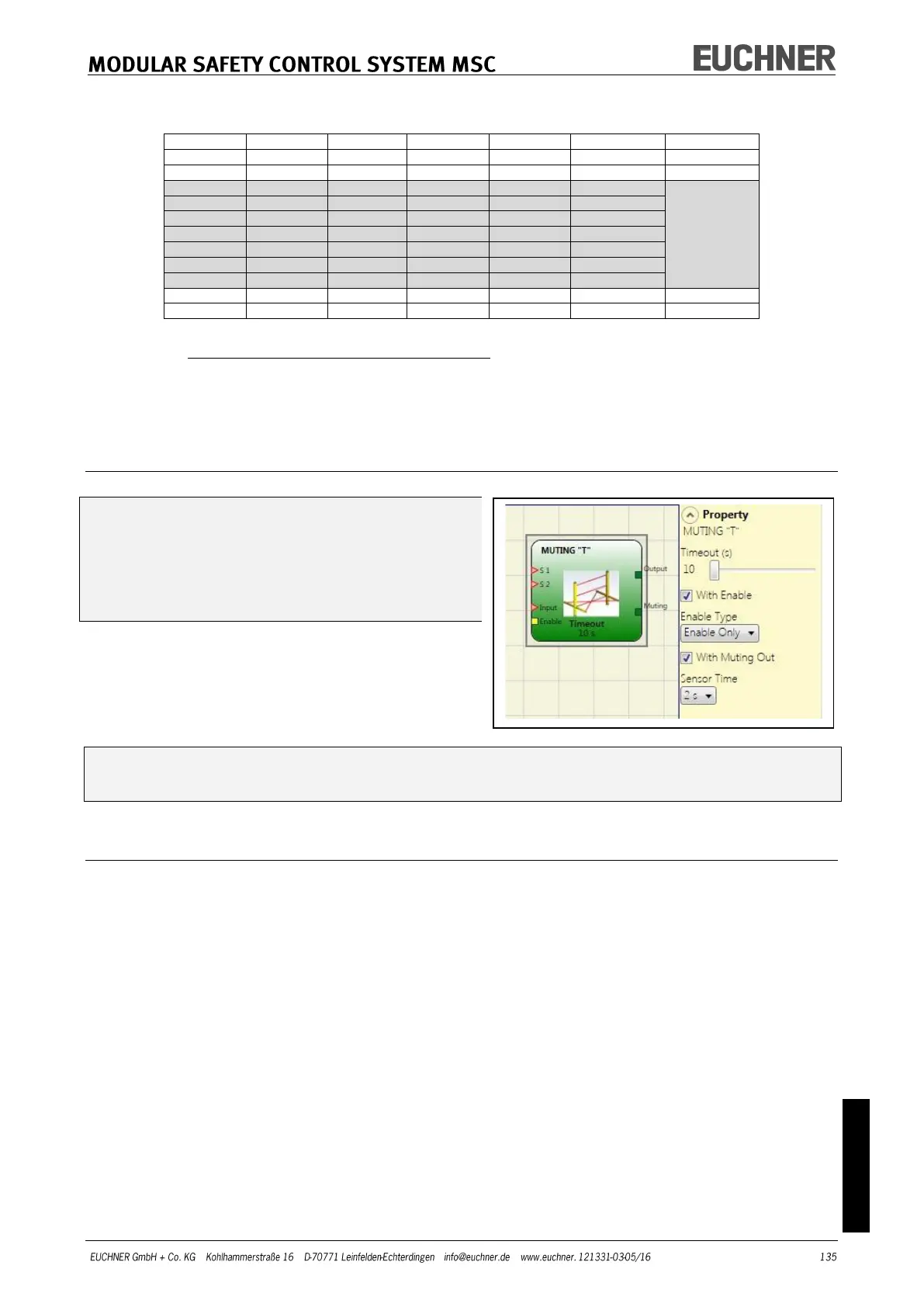
MUTING "T"
The muting function is activated after the in-
terruption of the sensors S1 and S2 (the se-
quence is irrelevant) within a period defined
by the user of between 2s and 5s.
The muting status ends after both sensors
have been cleared.
The MUTING operator with "T" logic makes it
possible to mute the input signal via the sen-
sor inputs S1 and S2.
Prerequisite: The muting cycle can only start if S1 and S2 are "0" (FALSE) and the
INPUT input is "1" (TRUE).
Parameters
Timeout (s): Sets the time within which the muting cycle is to be ended from 10 s to infi-
nite. If the cycle is not complete at the end of this time, the muting is interrupted imme-
diately.
With Enable: If selected, it is possible to enable or not enable the muting function. Other-
wise the muting function is always enabled.
There are two enable modes: „Enable/Disable“ and „Enable Only“. On the selection of „En-
able/Disable“ the muting cycle cannot be started if "Enable" is set to "1" (TRUE) or "0"
(FALSE), instead it is only activated with a rising edge. To deactivate the muting, set "Ena-
ble" to "0" (FALSE). In this mode the muting is deactivated on a falling edge, irrespective
of the state. On the selection of „Enable Only“ the muting cannot be deactivated. "Enable"
must be set to "0" (FALSE) to make possible a new rising edge for the next muting cycle.
Sensor Time: Defines the maximum time (between 2 s and 5 s) between the activation of
two muting sensors.



 To Next Page