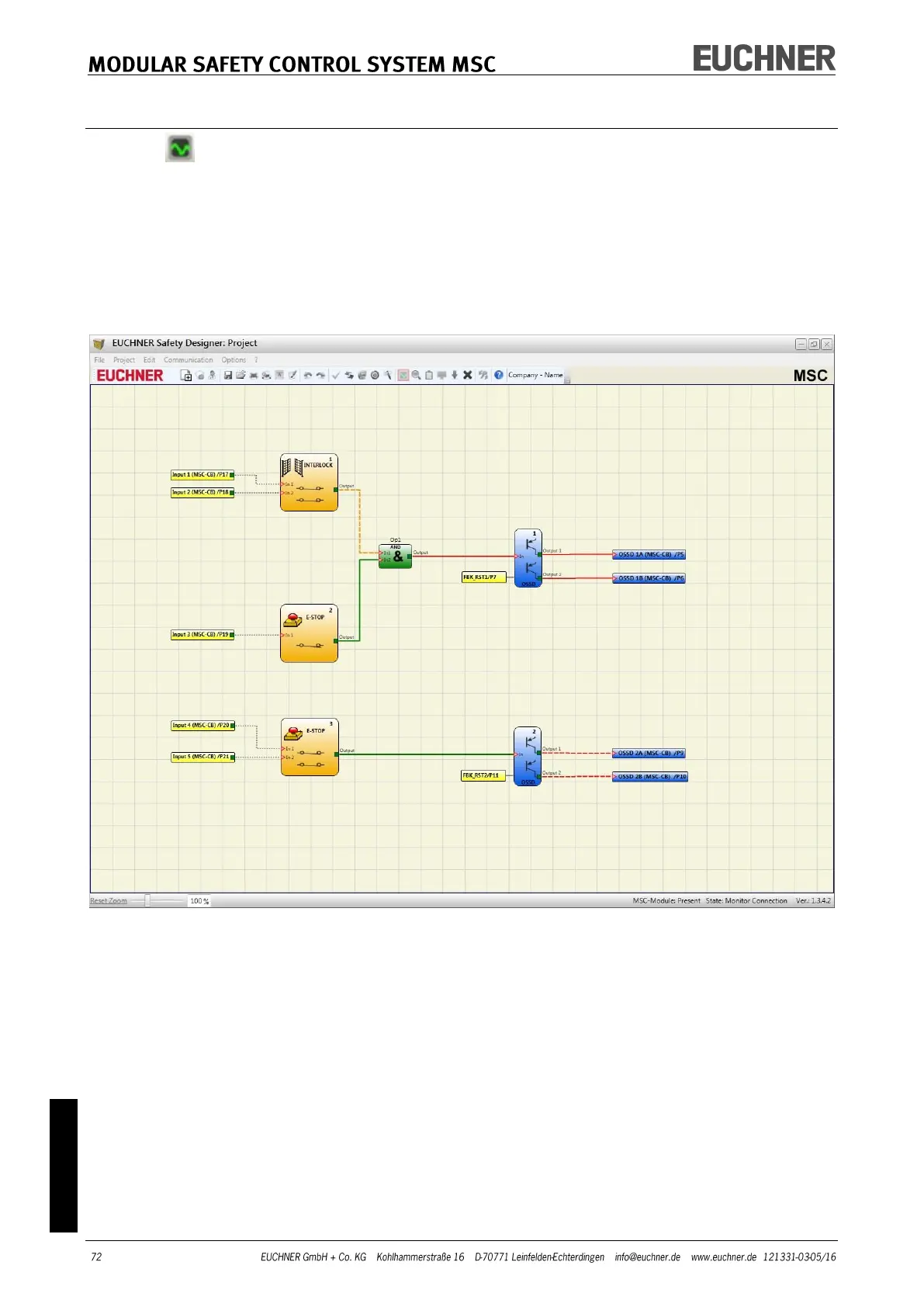
MONITOR (real-time I/O status – text – graphic)
Click the button to activate/deactivate the monitor (password required: level 1).
Based on the color of the links (Figure 33) the diagnostics can be read (in real-time) as
follows:
RED = OFF
GREEN = ON
DASHED ORANGE = Connection error
DASHED RED = ENABLE pending (e.g. RESTART)
Position the mouse pointer on the link to display the diagnostics.
Figure 44 – Monitor (graphic)



 To Next Page