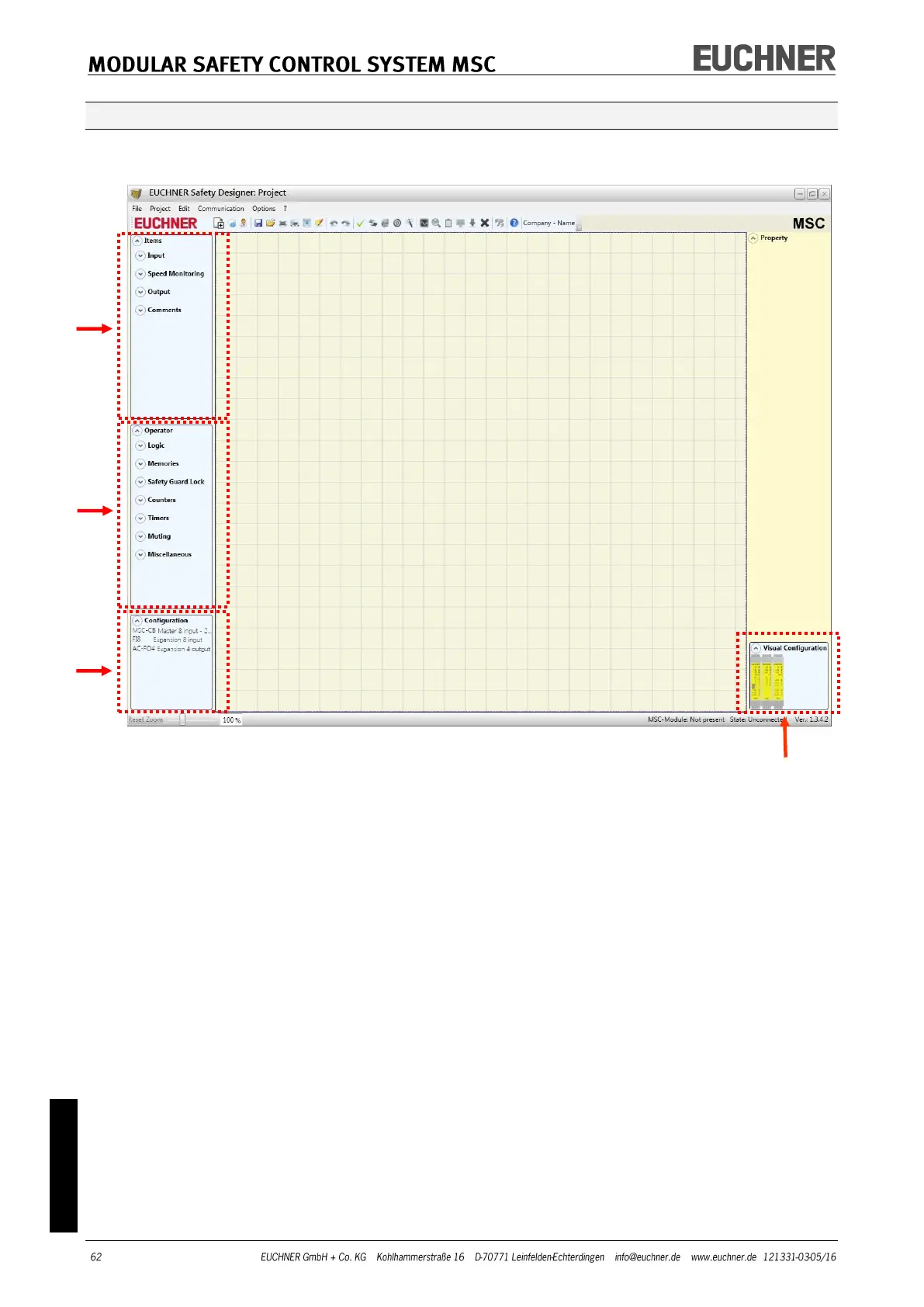
Tool windows for ITEMS, OPERATORS, CONFIGURATION
Four large tool windows are displayed on the left and right side of the main win-
dow (see Figure 34):
Figure 34
4
1 > "ITEMS" tool window
This window contains the various function blocks that make up the project.
These blocks are divided into four different types:
- Input - Speed monitoring
- Output - Comments
2 > "OPERATOR" TOOL WINDOW
This window contains the various function blocks for linking the objects in point
1. These blocks are divided into seven different types:
- Logic - Timer
- Muting - Guard lock
- Memories - Miscellaneous
- Counters
3 > "CONFIGURATION" TOOL WINDOW
This window contains the description of the project layout.
4 > "VISUAL CONFIGURATION" TOOL WINDOW
This window contains the graphic illustration of the project layout.



 To Next Page