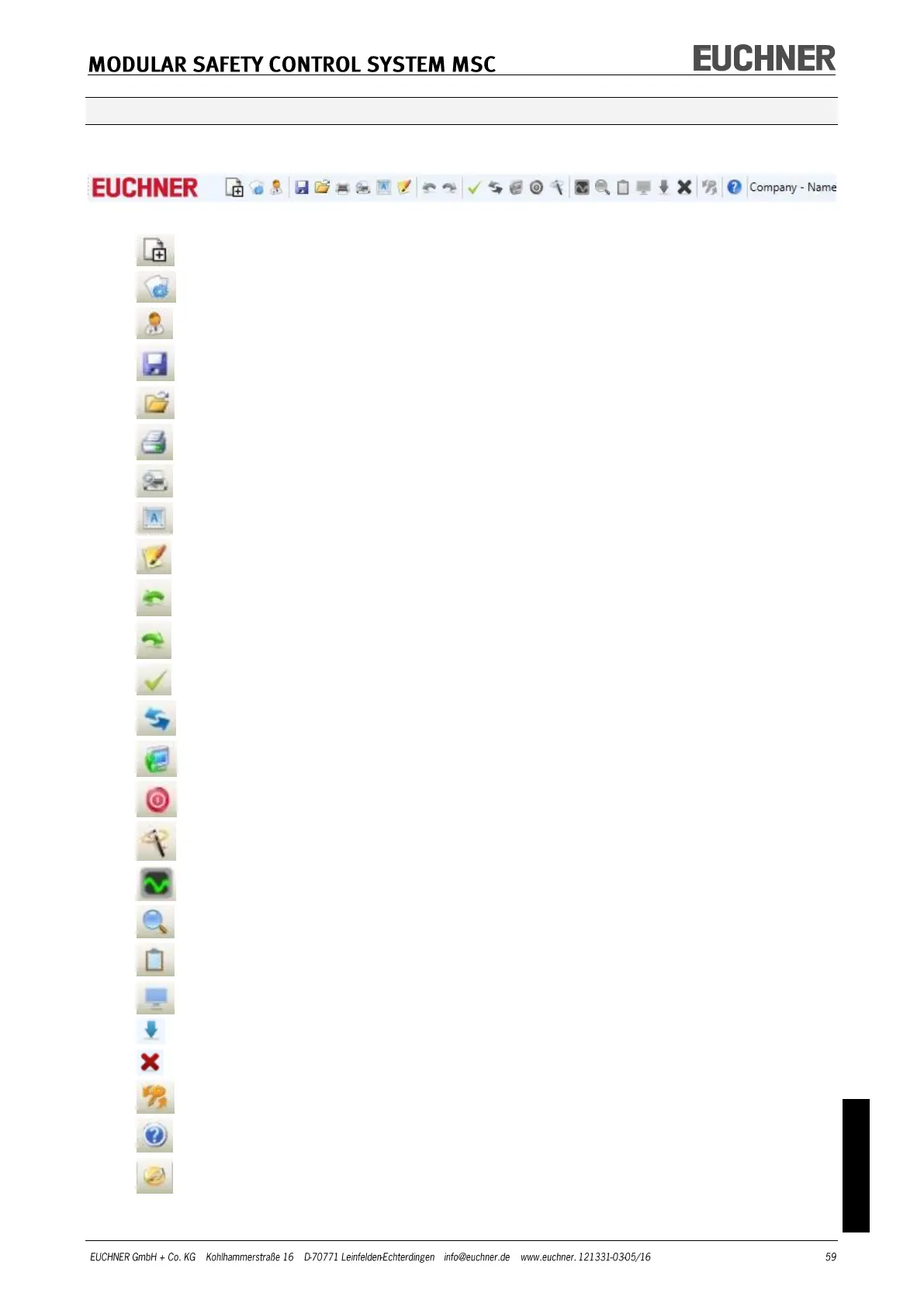
Default toolbar
The default toolbar is shown in Figure 29. The significance of the buttons is given in the
following:
Figure 29
1 -> CREATE NEW PROJECT
2 -> EDIT CONFIGURATION (layout of the various modules)
3 -> EDIT USER PARAMETERS (name, company, etc.)
4 -> SAVE ACTUAL PROJECT
5 -> LOAD EXISTING PROJECT (FROM PC)
6 -> PRINT PROJECT SCHEMATIC
7 -> PRINT PREVIEW
8 -> PRINT AREA
9 -> PRINT PROJECT REPORT
10 -> UNDO (REVERSE LAST COMMAND)
11 -> REDO (RESTORE LAST ACTION UNDONE)
12 -> VALIDATE PROJECT
13 -> CONNECT TO MSC
14 -> SEND PROJECT TO MSC
15 -> DISCONNECT FROM MSC
16 -> DOWNLOAD EXISTING PROJECT (FROM MSC)
17 -> MONITOR (real-time I/O status – graphic)
18 -> MONITOR (real-time I/O status – text)
19 -> DOWNLOAD LOG FILE
20 -> SHOW SYSTEM CONFIGURATION
21 -> SHOW ERROR HISTORY
22 -> DELETE ERROR HISTORY
23 -> CHANGE PASSWORD
24 -> ONLINE HELP
25 -> RESTORE PASSWORD



 To Next Page