CHAPTER 53
PAGE 11
PAGE DATE: 1. March 2011
MAINTENANCE MANUAL EXTRA 330LX
53-00-04 Bottom Fuselage Cover
Removal
1 Remove engine cowling as per chapter 71, the landing gear
cuffs and main fuselage cover in accordance with this chap-
ter.
2 Pull the plug of the optional OAT sensor wiring, if appli-
cable.
3 Disconnect the antenna wirings.
4 Remove bottom fuselage cover by removing the attachment
screws.
Installation
I M P O R T A N T The cockpit area must be thoroughly sealed and thus
separated from the engine compartment. Gases or flu-
ids could get into the cockpit area.
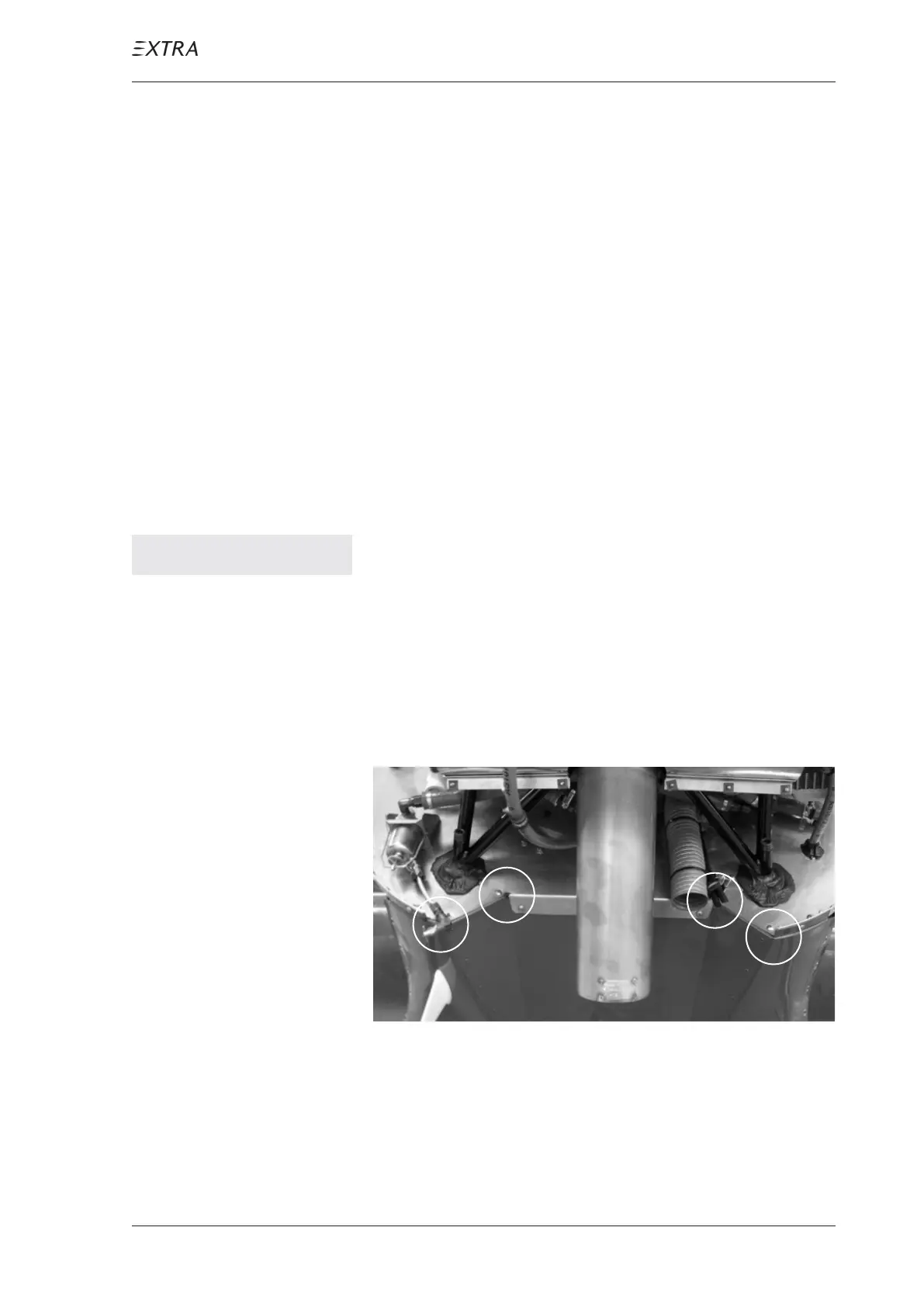
Critical areas to be observed are the following:
Position A and D of figure 7, where different parts converge
(firewall, aluminium profile, bottom fuselage cover and
exhaust area covering sheet) Position B and C, where a bent
corner ends in a bore hole.
A
B
C
D
Figure 7 Forward View on Bottom Side Firewall
1 Position bottom fuselage cover in its original position.
2 Plug the optional OAT sensor wiring, if applicable.
3 Connect the antenna wirings.



 To Next Page