FaroArm® Quantum
August 2017
64
Chapter 3: Operation
Collect all of the points in this method by holding down the green Front button.
The Quantum will collect points as fast as possible (“scanning”) until you release
the green Front button.
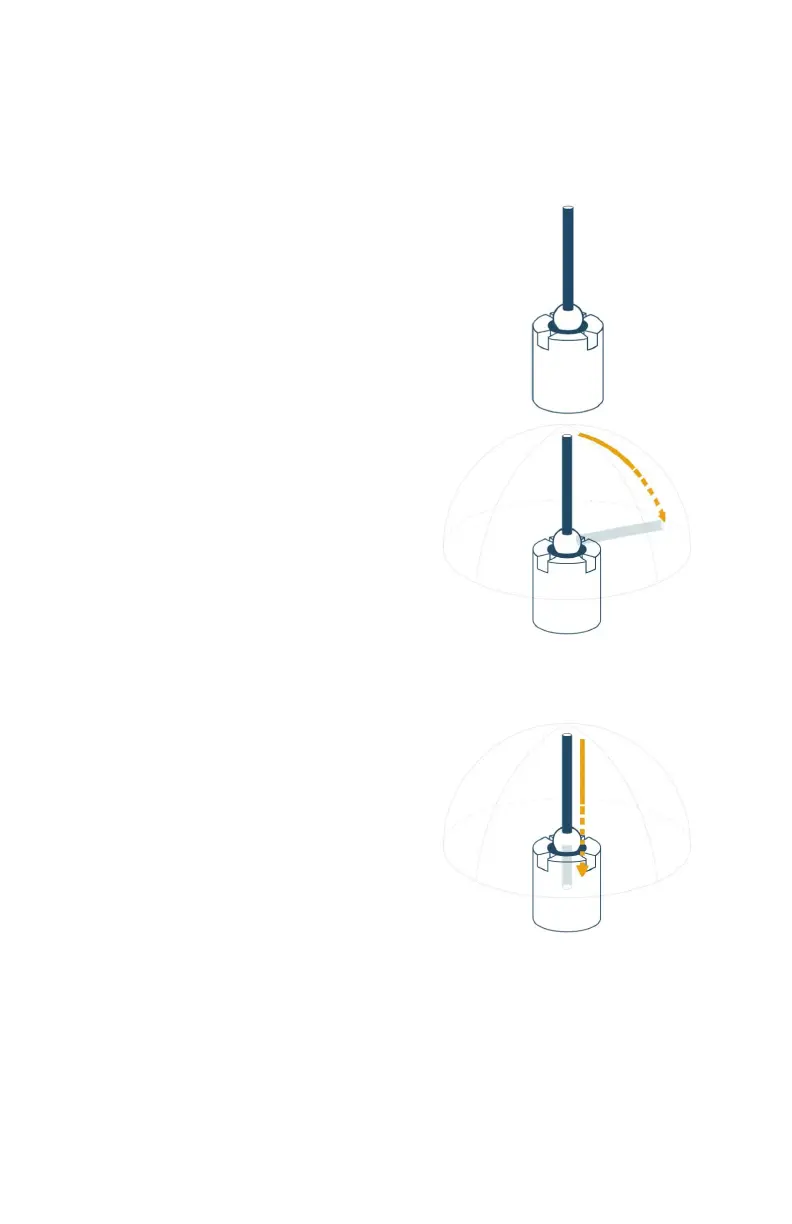
1. Place the ball probe in the compensation
cone. Start in a vertical position.
2. Digitize points in the compensation
cone and sweep to position #1.
• Press and hold the green Front
button and move the handle down
until the shaft of the probe is
parallel with the top of the cone.
3. Release the green Front button and move to the next position.
NOTE: To remove any unwanted points, press and hold the red Back
button.
4. Digitize points in the compensation
cone and sweep to position #2.
• Press and hold the green Front
button and move the handle down
until the shaft of the probe is
parallel with the top of the cone.
5. Release the green Front button and move to the next position.
08m80e00_FaroArm_Quantum.book Page 64 Tuesday, August 22, 2017 11:03 AM


 To Next Page