Chapter 8 System Operation
PAGE 8- 21
System Parameter Setting Method
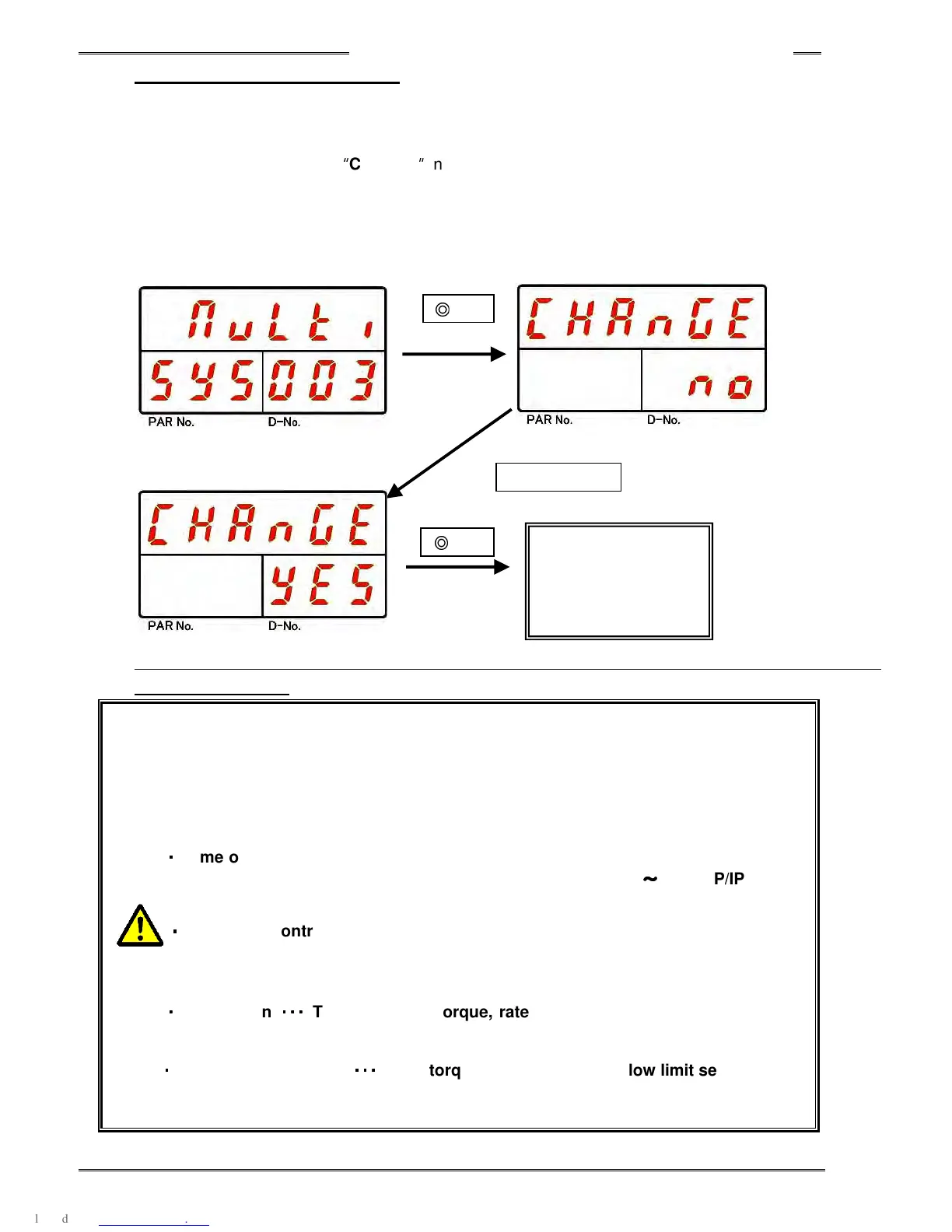
Parameter displayed with [SYS] in the PAR No. display is a System Parameter.
Press the [SET] push-button after editing the parameter. Once the SET push-button has been pressed
the [DATA] display will show
“
CHAnGE
”
and “no” will appear on the “D-NO” display. “yES” or “no” can
be selected by pressing the [▲] and [▼] buttons. If “yES” is selected, confirm the entered data by
pressing the [SET] button. The [SET] and [MODE] buttons will have no effect when “no” appears.
*If neither YES or NO is selected within 2 seconds, the new data will be ignored and the system will exit
the “Data Edit Mode”.
・
・・
・The changed value will be saved into the internal memory at the moment the
RUN/BYPASS switch is changed from BYPASS to RUN or when the BYPASS
signal turns from ON to OFF.
・
・・
・If the power is turned off when changing the set value in BYPASS mode, the
changed value will be canceled and will be set back to the original value.
・
・・
・
Some of the system parameters (PAR No.000) are not changed, until the control
power is rebooted. (D-No.003 Function Version, D-No.011
~
~~
~
016 TCP/IP Setting
etc.)
・
・・
・
When the Controller Tool No. (PAR No. “SYS,” D-
No. “200”) is changed, the
fastening parameter set value
s are subject to initialization and automatic
correction.
・
・・
・
Initialization
・・・
・・・・・・
・・・
The calibration torque, rate 1 -
3 high and low limits, full scale
current, high current limit, and the current limit are subject to initialization.
・
・・
・
Automatic Correction
・・・
・・・・・・
・・・
If the torque, speed, or current low limit set value falls
outside the high or low limit value of the tool of the tool No. for which the set
value was changed, this set value is subject to automatic correction.
System
Parameter
Change
▲ or ▼
◎
SET
◎
SET
Within 2 seconds
Within 2 seconds



 To Next Page