Chapter 8 System Operation
PAGE 8- 20
8-4-3 Parameter Edit Mode
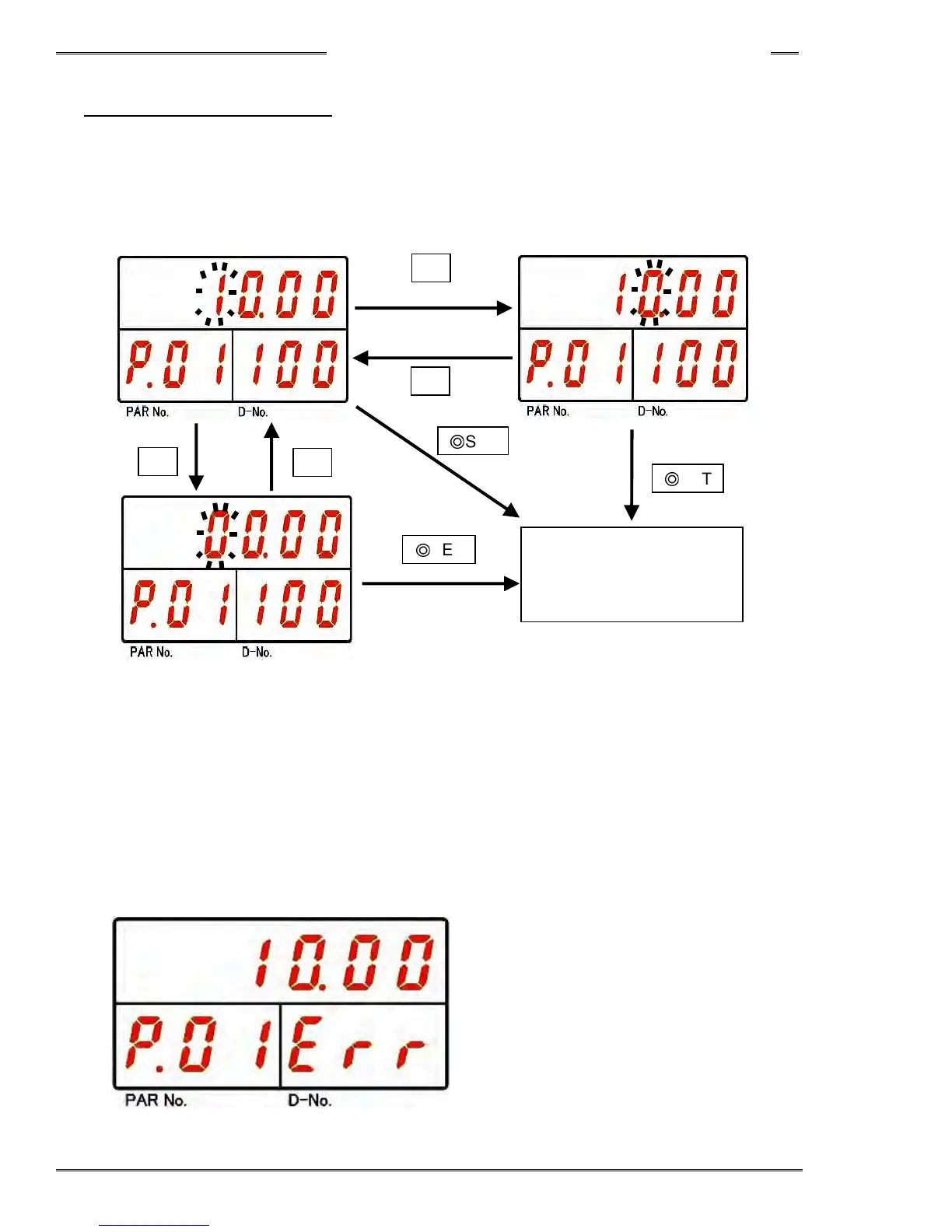
Immediately after entering “Parameter Edit Mode”, the cursor (blinking number) is displayed on the upper
digits of the DATA Display.
The value at the cursor (blinking character) can be changed by ±1 using the [▲] or [↓] push-button. The
cursor position (blinking character) can be moved left or right by ±1 digit using the [►] or [◄] push-button.
Pressing the [SET] push-button after editing the parameter will change the parameter and bring up the
Parameter Display Mode.
Pressing the [RESET] push-button in the “Parameter Editing Mode” will bring up the Parameter Display
Mode without changing the parameter.
If the changed parameter is out of the setting range, the parameter will not be changed and the display
below will show up.
►
◄
▲
▼
Fastening
Parameter Change
◎
SET
◎
SET
◎
SET



 To Next Page