Q.series
Gantner Instruments GmbH
139
6 Functional Procedures → Ethernet on the PC
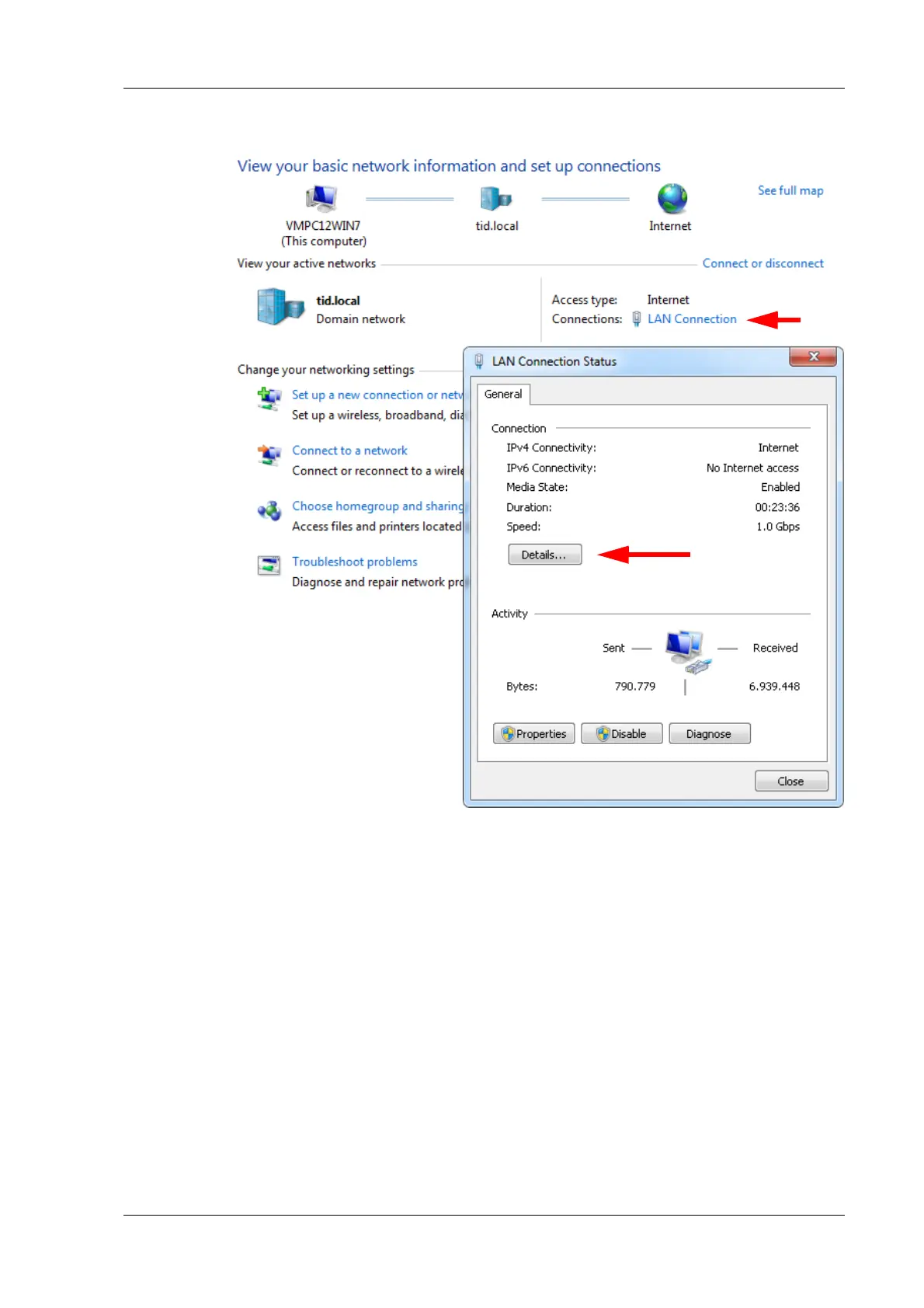
Fig. 6-4 Viewing/changing the IP address of the PC
Example 1 Subnet mask 255.255.255.0, IP address 192.168.100.26
Only addresses can be reached which start with 192.168.100, i.e.
the f
irst three groups of figures must be identical and only the
fourth may be different.
Example 2 Subnet mask 255.255.0.0, IP address 192.168.100.26
All addresses can be reached which start with 192.168, i.e. the
third group o
f figures may also be different between the PC and
Test Controller.
6.2.2 Setting the IP address on the PC
If you want to connect to a Test Controller, you must assign a
(temporary) IP address to the PC.


 To Next Page
 Loading...