11.3 HTTP Server Function
177
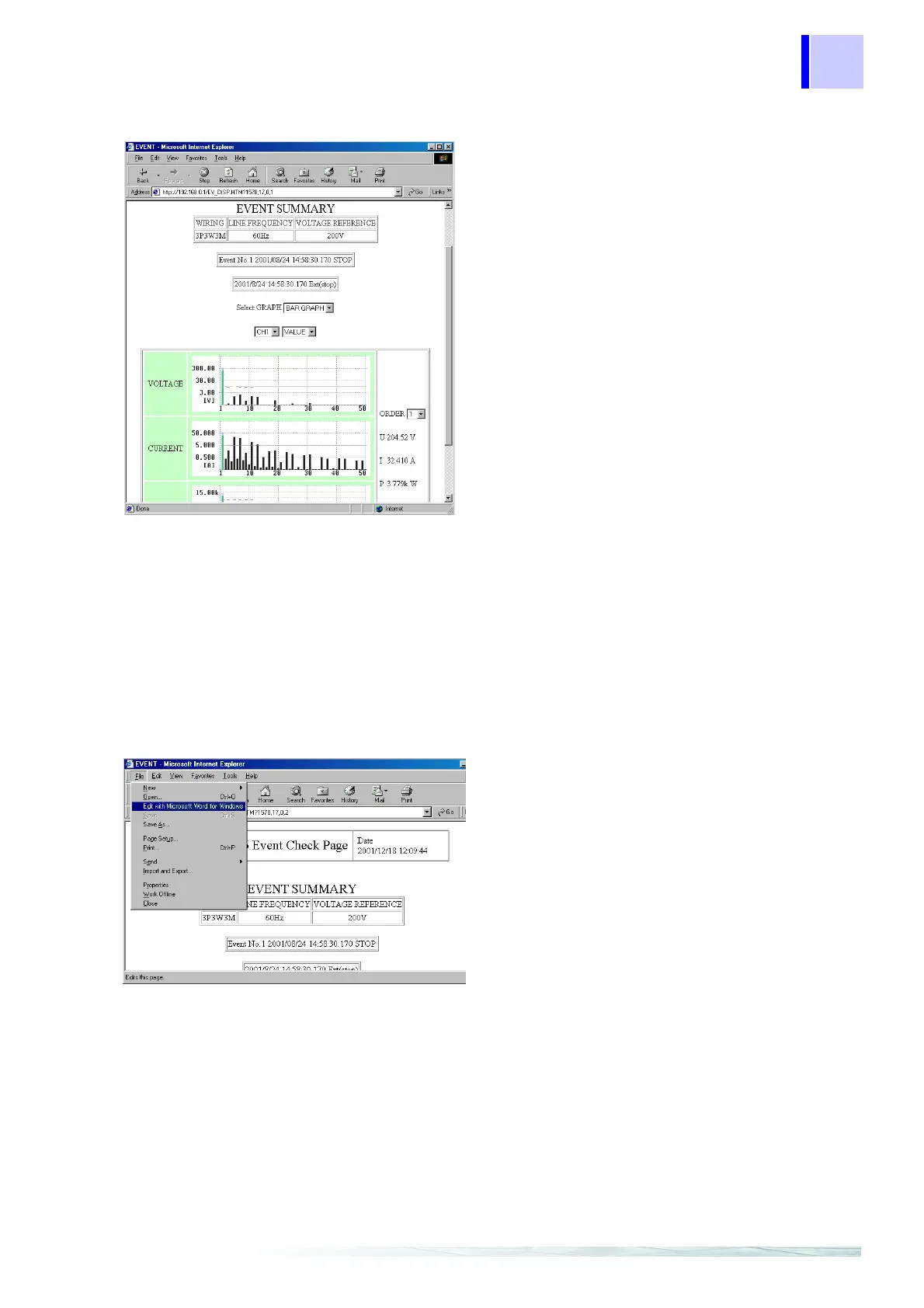
Event Harmonic Bar Graph Screen
Creating Reports
You can select the display channel, numeri
display, and order number.
You can select the display channel, numeric display, and order number.
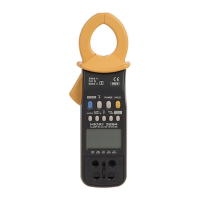
When using Internet Explorer as the Internet browser in the event details screen, you can cre
ate reports using MS-Word.
When the Internet Explorer HTML editor is se
to Word:
Displays the HTTP server function’s event lis
screen.
Select [Edit with Microsoft Word for Win
dows] from the [File] menu or toolbar.
MS-Word starts, and the data displayed i
Internet Explorer is pasted into MS-Word.
You can edit the data in MS-Word, and use it t
create an “event report.”
Note: MS-Word 97 or later must be installed o
your computer.
To set the Internet Explorer HTML editor t
Word:
Select [Internet Options] on Interne
Explorer’s [Tools] menu.
On the [Programs] tab in the window tha
opened, select [Microsoft Word for Windows
in [HTML editor].



 To Next Page