9 CHANNEL 2.4GHz AIRCRAFT COMPUTER RADIO SYSTEM
106
RUD-AIL (ACRO and GLID)
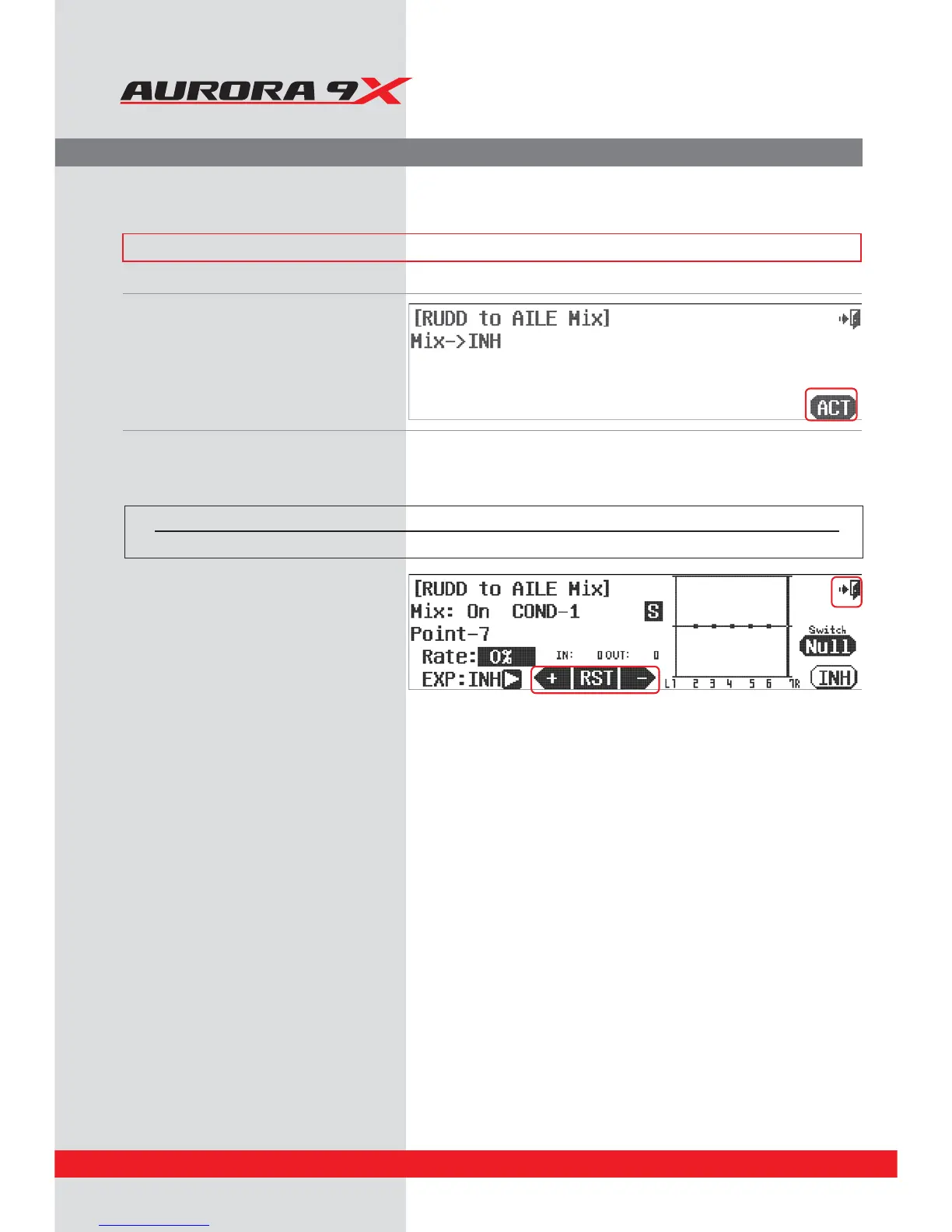
a. Select RUD-AILE from the model menu.
b. Press the ACT icon to enter the
rudder to aileron mix.
d. After moving to the desired position with the
rudder stick, the aileron control value that has
been changed using the -Rst+ icon is displayed
in the graph.
g. Press the Exit icon to exit back to the
model menu.
Switch type Function Trim link
2 position On or O Yes. T.APP
Switch Option and In–Flight Fine Trim Adjustment Switch Function
c. To select a 2 position switch that will turn the mix on and of, select an “in-ight” ADJUSTMENT switch, and choose to activate the trim
link, press NULL and follow the switch activation process.
Rudder to Aileron Mix.
If you wish to mix aileron into a rudder input, follow the directions below.
### This function can be inuenced by the ight condition feature ###



 To Next Page