9 CHANNEL 2.4GHz AIRCRAFT COMPUTER RADIO SYSTEM
Knife Edge Mix(ARCO)
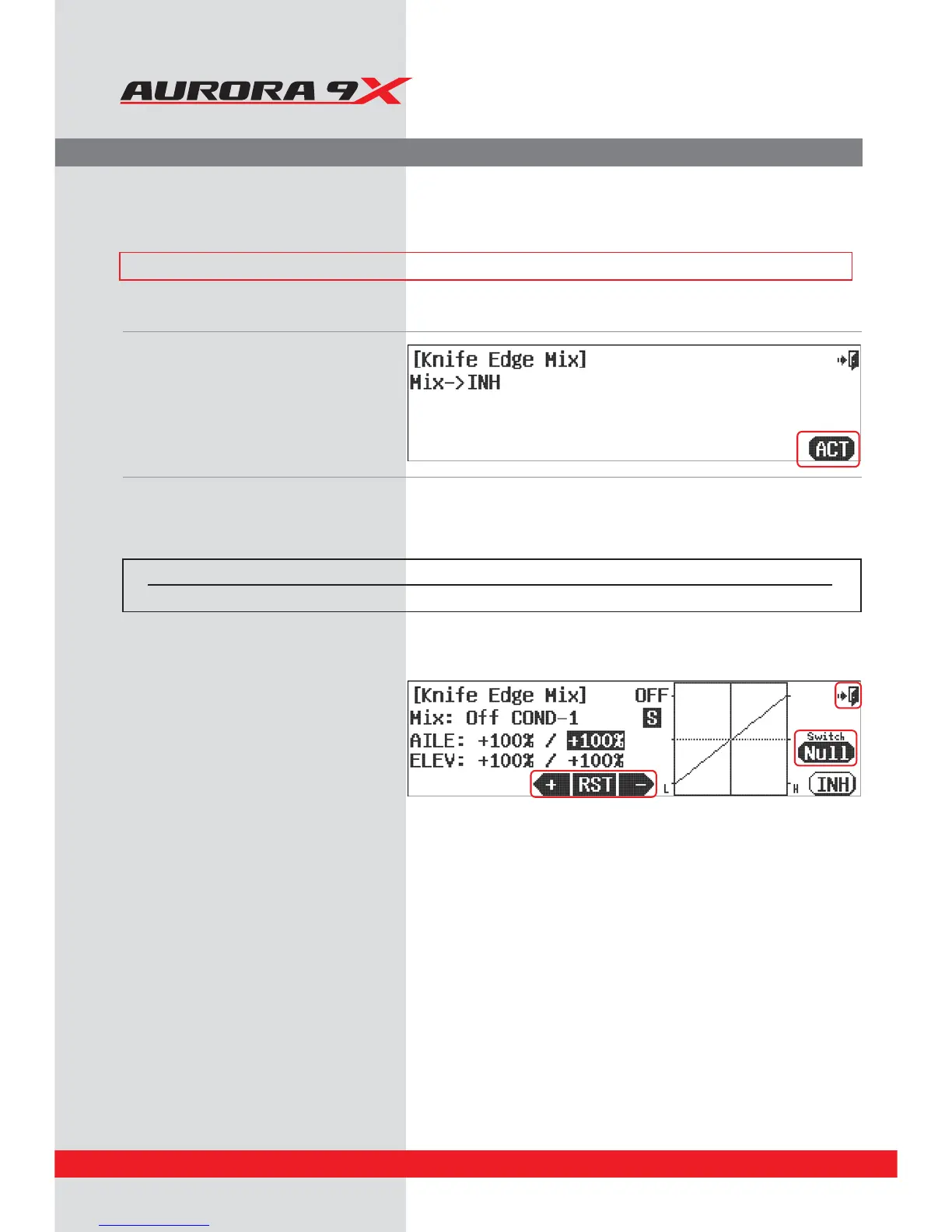
a. Select Knife Edge Mix from the model menu.
b.
Press ACT to activate the
Knife Edge Mix
function
menu.
Knife Edge Mix
This mixing is helpful function on ight when operating Knife function more easily.
d. Put the setting values of Aileron and Elevator by
using +Rst- icon.
e. Check the On/O position of selected mixing
switch.
f. Select the Exit icon and return to the model menu.
Switch type Function VR adjustment
2 or 3 position On or O Fine tuning control choice
Switch Option
c. To select a 2 or 3 position switch that will allow multiple mix values, press NULL and follow the switch activation process.
### This function can be inuenced by the ight condition feature ###
122



 To Next Page