9 CHANNEL 2.4GHz AIRCRAFT COMPUTER RADIO SYSTEM
115
Thro.Cut (ACRO)
The default throttle cut position is below 1/2 stick.
Change this cut position with the throttle cut feature explained in the switch section.
{{
Tip
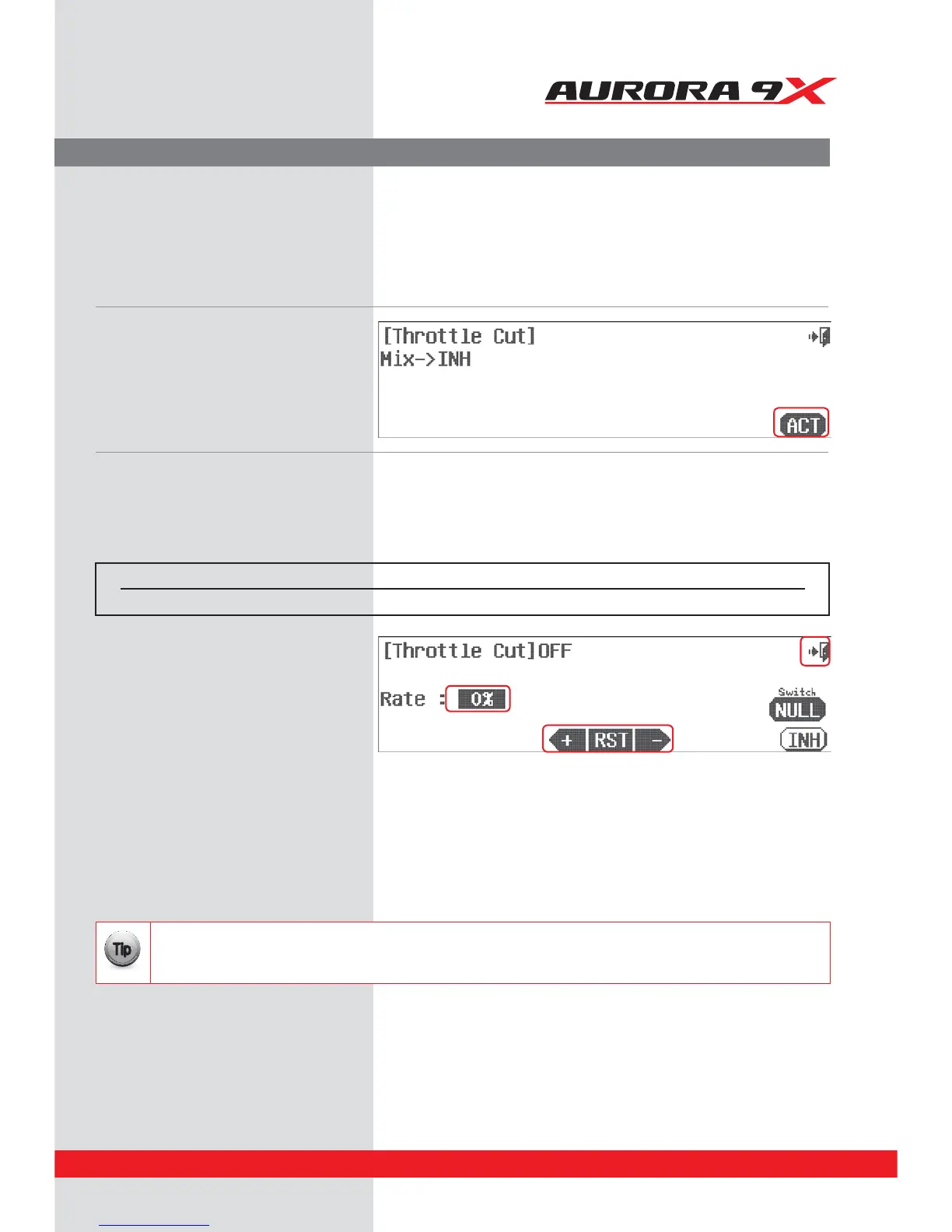
a. Press Thro. Cut in the model menu. Throttle Cut activation screen
b. Press ACT to activate the throttle cut menu.
d. Bring the throttle stick down to slightly below
1/2 stick.
e. While holding switch H forward so the throttle
cut is activated, carefully apply a rate value to
the RATE : 0% using the +RST- icon. Watch the
servo arm movement direction to see if a + or
– value is required to lower the throttle to a
position that will “kill” the engine. Do this
slowly and make sure the throttle linkage does
not bind and stall the servo. Often a manual
adjustment to the carburetor “idle stop” is
necessary.
f. Press the Exit icon to go back into the model
menu.
Throttle Cut Position.
Many would agree a throttle cut function is required to safely y glow and gas aircraft. The Aurora 9X’s throttle cut
feature will bring the throttle servo to a programmed position allowing the motor to drop to low idle or to kill the
power entirely. It’s your choice as to how you program it.
Switch Select
c. To select a switch that will allow you to activate the throttle cut function, select an “in-ight” ADJUSTMENT switch, and to link the
throttle trim to the switched throttle cut feature, press NULL and follow the switch activation process. Normally throughout the Aurora
manual, we don’t recommend a switch location. However, to trigger the throttle cut feature we believe the “dead man” switch H is the
most practical location for the throttle cut switch.
Switch type Function Trim link Cut position
2 position On or O Yes, Adjust to trim Cut control choice



 To Next Page