9 CHANNEL 2.4GHz AIRCRAFT COMPUTER RADIO SYSTEM
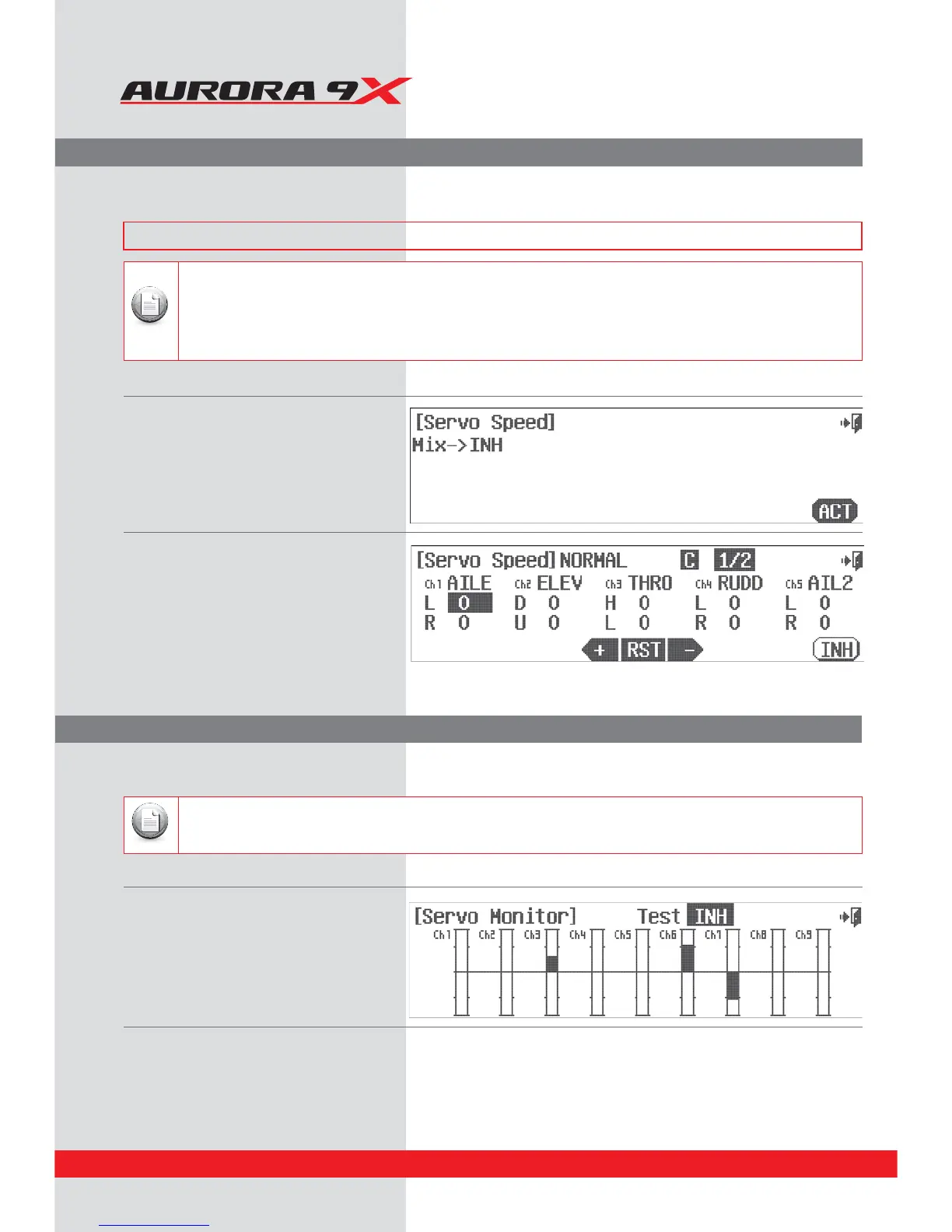
S. Speed (Servo Speed Adjustmemt)
Monitor (Control Movement Monitor)
a. Select S. Speed from the model menu.
b. Press ACT to activate the servo speed function.
c. Choose the channel to change by pressing its icon.
d. Press the + icon to select a value to slow the
servo transit time.
e. Press RST to return the value to zero.
f. When nished, press the Exit icon to return to
the model menu.
a. Select Monitor from the model menu.
b. Move the controls around and see the
bar graphs move.
c. Select the Exit icon to return to the
model menu.
Servo Monitor Auto Test function
a. At the servo monitor screen press the Test*/) icon.
b. This will cause an automatic cycle function for all active model control channels.
c. Use the throttle stick position to increase or lower the auto test speed.
d. Press Test ACT to return to the manual test mode.
e. Select the Exit icon to return to the model menu.
Only channels used for the active model are shown to move on the monitor screen.
Note
t4FSWPTQFFEDBOPOMZCFTMPXFS
t$IPPTFUPTMPXUIFUSBOTJUTQFFEPGUIFTFMFDUFEDIBOOFMJOPOFEJSFDUJPOPSCPUIEJSFDUJPOT
t5IFWBMVFBQQMJFEJTJOTFDPOET
t5IFTFSWPTQFFEGVODUJPOJTBUXPTDSFFONFOV/PUFUIFJDPO
t4FSWPTQFFEWBMVFTDBOCFDIBOHFEJOEJòFSFOUøJHIUNPEFT
Note
The servo speed menu will allow the manipulation of the servo speed through its travel. Servo speed can also be
modied in several other menus using the ACC (acceleration) feature and the Speed option.
The servo monitor function will display a graphic representation of all nine channels as they are manipulated with the
Auroras 9X’s controls. There is also an Auto test function that will cycle through the servo movement automatically.
### This function can be inuenced by the ight condition feature ###
88



 To Next Page