9 CHANNEL 2.4GHz AIRCRAFT COMPUTER RADIO SYSTEM
System Management Menu
The System Management menu allows you to choose;
t#BDLMJHIUUJNFPOPQUJPOT
t5PVDIMPDLTFUUJOH
t'FFECBDLTFUUJOHXIFOZPVUPVDI
t1PXFSPòGVODUJPO
t5PVDITDSFFO$BMJCSBUJPO
t'SFRVFODZXBSOJOH
t5ISPUUMFIJHIXBSOJOH
t'MJHIUDPOEJUJPOXBSOJOH
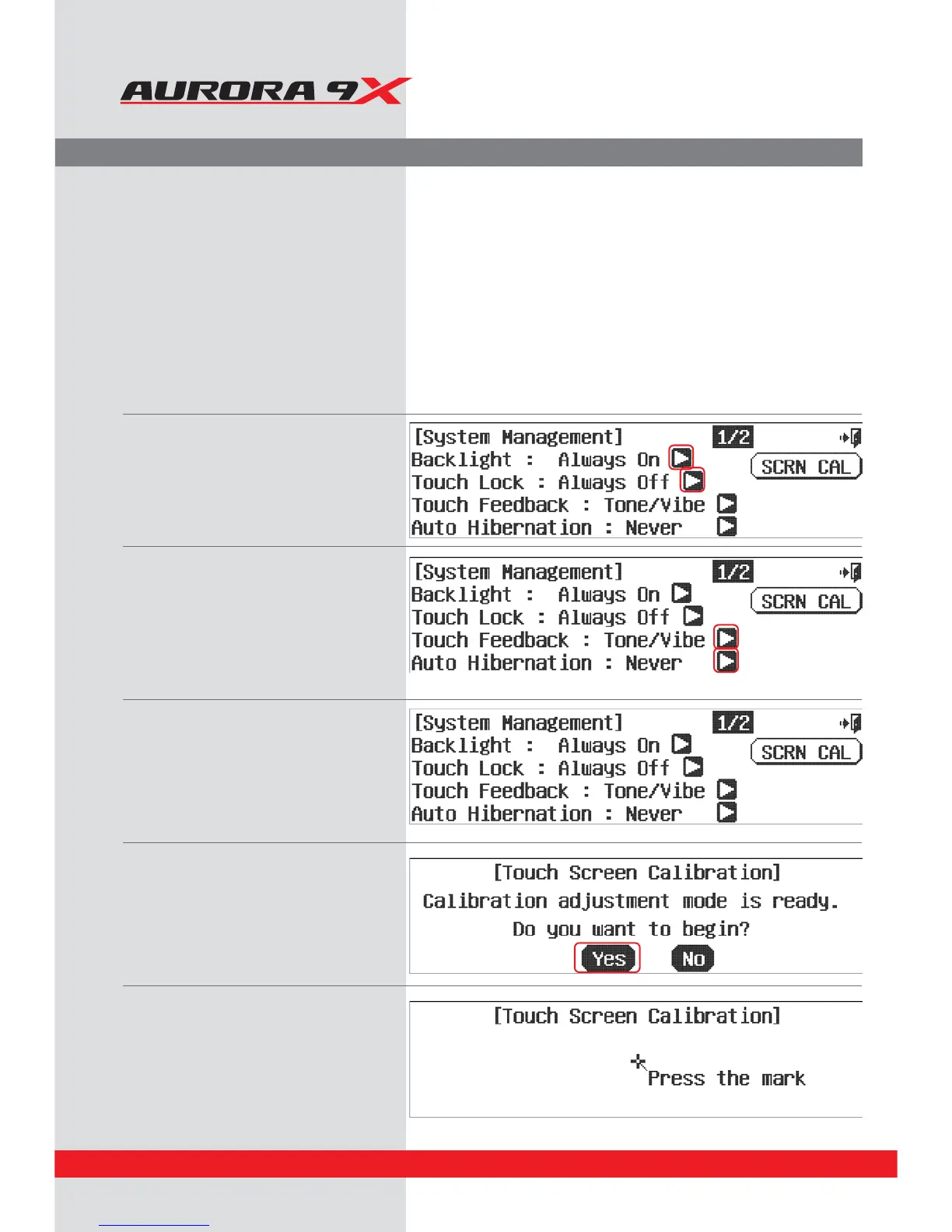
a. From the system menu, select System
Management.
b.
*GZPVDMJDLUIFBSSPXJDPOPOUIFSJHIUTJEFPG
the backlight, the backlight time can be set.
D*GZPVDMJDLUIFBSSPXJDPOPOUIFSJHIUTJEF
of the touch-lock, the touch-lock time can
be set.
E*GZPVDMJDLUIFBSSPXJDPOPOUIFSJHIUTJEF
of the touch feedback, you can set the type
of touch feedback.
F*GZPVDMJDLUIFBSSPXJDPOPOUIFSJHIUTJEF
of the auto power-o, the auto power-o
time can be set.
f. When you click the touch screen calibration
you can screen calibration.
g. Check once again if the touch screen is
calibration selected correctly.
h. Use the stylus to press and hold the mark
part for about 3 seconds.
68



 To Next Page