9 CHANNEL 2.4GHz AIRCRAFT COMPUTER RADIO SYSTEM
Spectra Control Menu
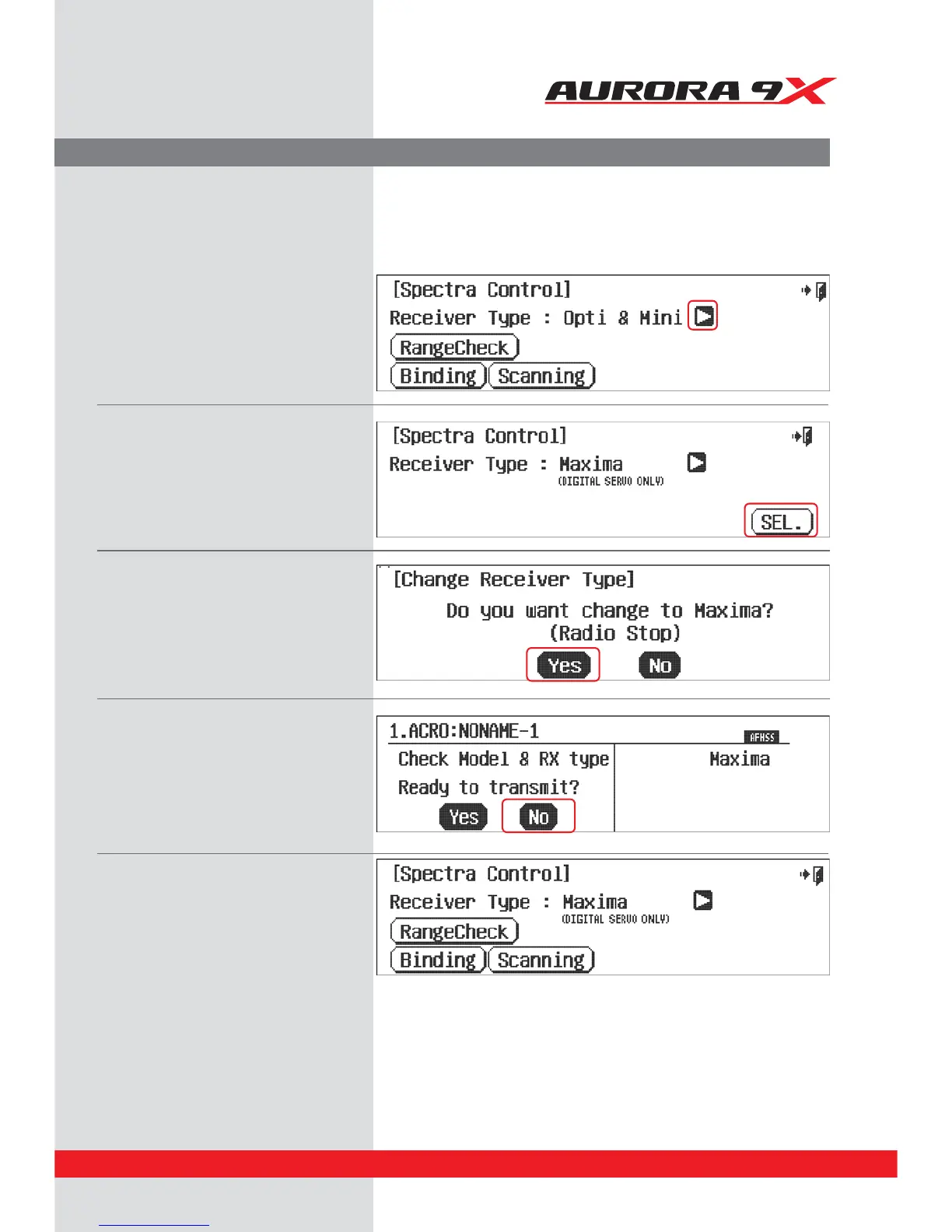
Selecting the receiver type.
a. Select Spectra from the system menu.
b. Select the arrow icon to change the type of the
receiver.
c. After changing to Maxima, press the “SEL” icon.
d. Press SET.
e. Please check again if the change is correct.
f. Press, Yes.
g. You are now prompted to transmit, or not.
h. Press, No
i. Click the “Exit” icon and go back to the
system menu.
67



 To Next Page