9 CHANNEL 2.4GHz AIRCRAFT COMPUTER RADIO SYSTEM
113
AILEVATOR (ACRO and GLID)
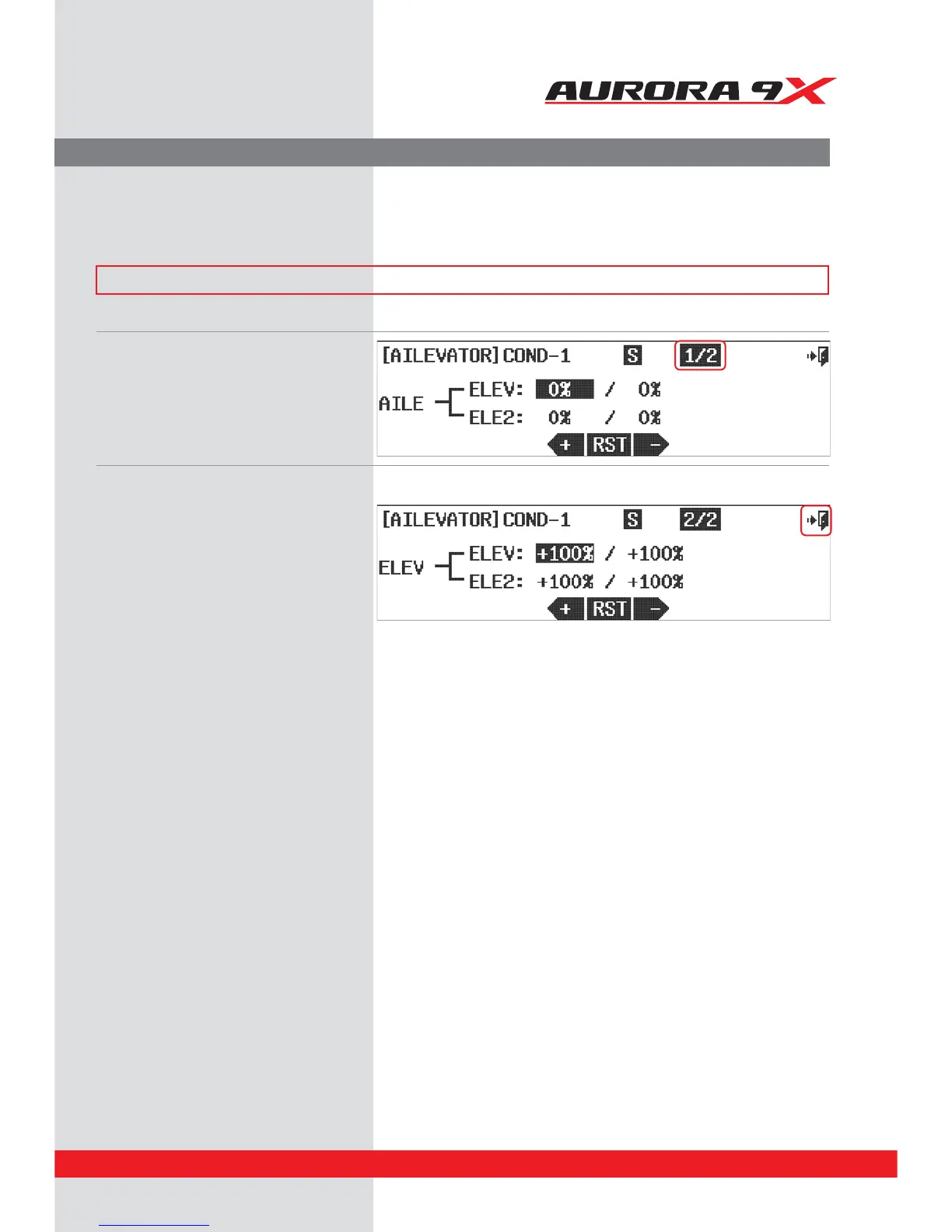
d. The second screen is for the elevator servo
movement. This eectively sets the end points
for the elevator servos.
e. Select between the screens and servos to
apply the rate values you want your model to use.
f. Select the
Exit icon to return to the model menu.
a. Select AILEVATOR from the model menu. The #1 Ailevator screen is for ailerons
b. There are two screens, the rst to adjust the
amount of elevator movement to be applied
when the ailerons are moved.
c. Press the 1/2 fraction icon to move to the
second menu screen.
Split Elevator and Aileron Mix Controls.
The ailevator feature allows the adjustment of a two servo or split elevator. It also features an “aileron to split elevator”
mix so when ailerons are applied, the elevators move in opposite directions. This is useful for advanced “taileron”
aircraft, notably jets.
### This function can be inuenced by the ight condition feature ###



 To Next Page