9 CHANNEL 2.4GHz AIRCRAFT COMPUTER RADIO SYSTEM
Gyro (HELI)
Governor (HELI)
t.PTUTJOHMFSBUFHZSPTXJMMCFJOBIFBEJOHMPDLNPEFXJUIUIFSBUFWBMVFTBUPSBCPWF
A rate value below 50% is used for a “non-heading lock” or “rate” setting.
t&YQMPSFSUIFiBEKVTUwGVODUJPOJOUIFTXJUDINFOVUPBQQMZBOJOøJHIUBEKVTUNFOUTXJUDIUPöOFUVOFZPVSIFMJHZSPTFUUJOH
t#FTVSFUPTFUBSBUFWBMVFGPSFBDIEJòFSFOUJEMFVQBOEIPMEDPOEJUJPOZPVIBWFQSPHSBNNFE
Note the C and S feature and how they might be used.
Note
To eectively set up the governor function, you should have the governor manufacturer’s instruction manual available to you.
Note
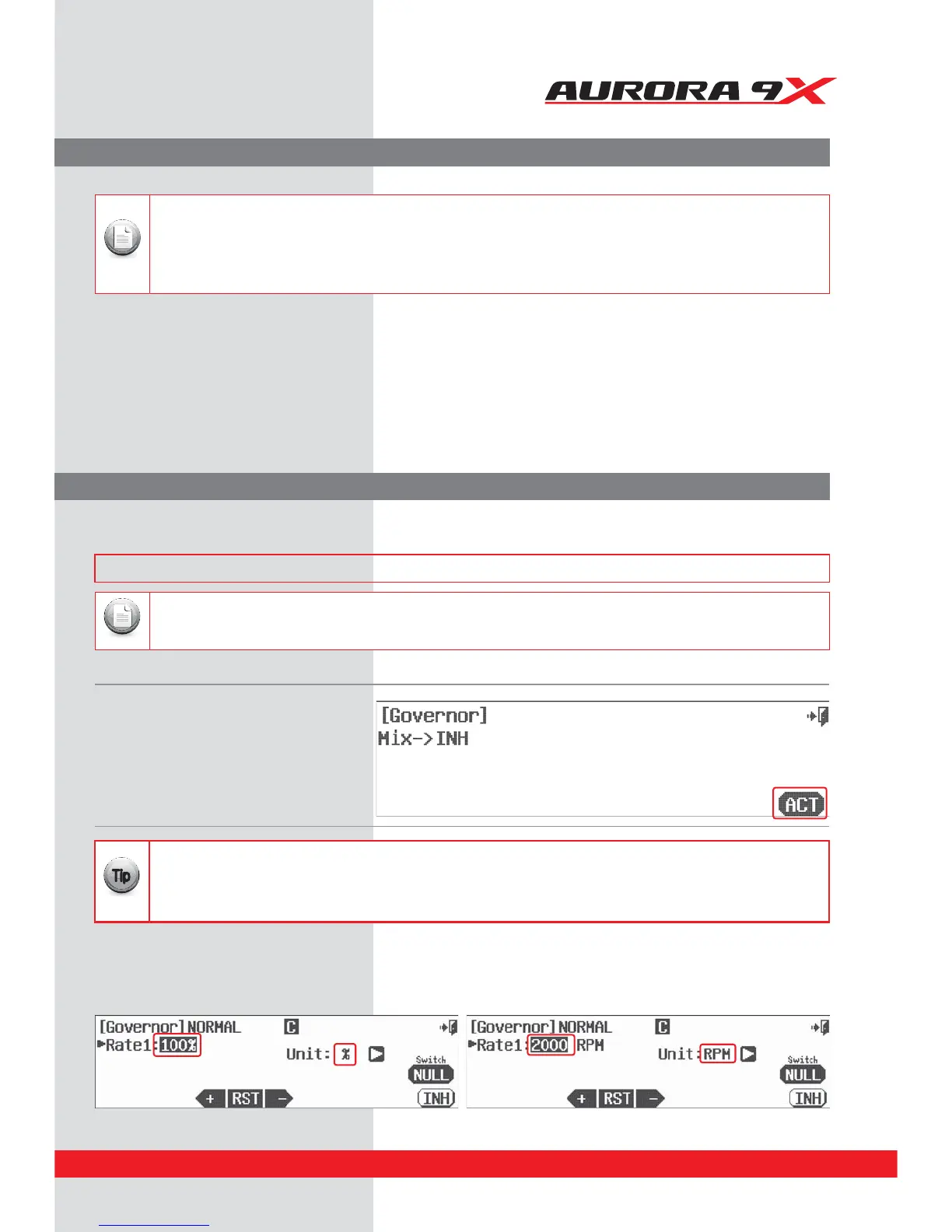
a. Select Governor from the model menu. Governor activation screen
b. Press ACT to activate the governor menu.
Governor screen
Switch Option
As noted previously in the gyro instructions, if you want to have a switch that oers a dierent rate value for each switch position.
See page 68 for the switch selection process instructions.
Unit of Value, RPM or %
a. There are two Units of Value in the governor menu. Change the “Unit of value” for the governor display menu screen to either RPM
value or % values by pressing the Unit: % arrow icon to cycle between RPM and %. Unless your governor manufacturer specically calls
for the RPM value, we suggest you use the % value.
RPM Governor Device Menu.
The Aurora 9X features up to three Governor and switch control rate values per model memory.
### This function can be inuenced by the ight condition feature ###
Without selecting a switch option, the governor rate can be dierent for all ight conditions or idle-up and hold settings. If
you choose to set the governor function on a switch, you can have a dierent rate value for each switch position, and the
screen will reect this with a rate value option for rate 1, rate 2 or rate 3. To simplify this example we will set the governor up
without a switch.
{{
Tip
141



 To Next Page