9 CHANNEL 2.4GHz AIRCRAFT COMPUTER RADIO SYSTEM
Motor Control Menu.
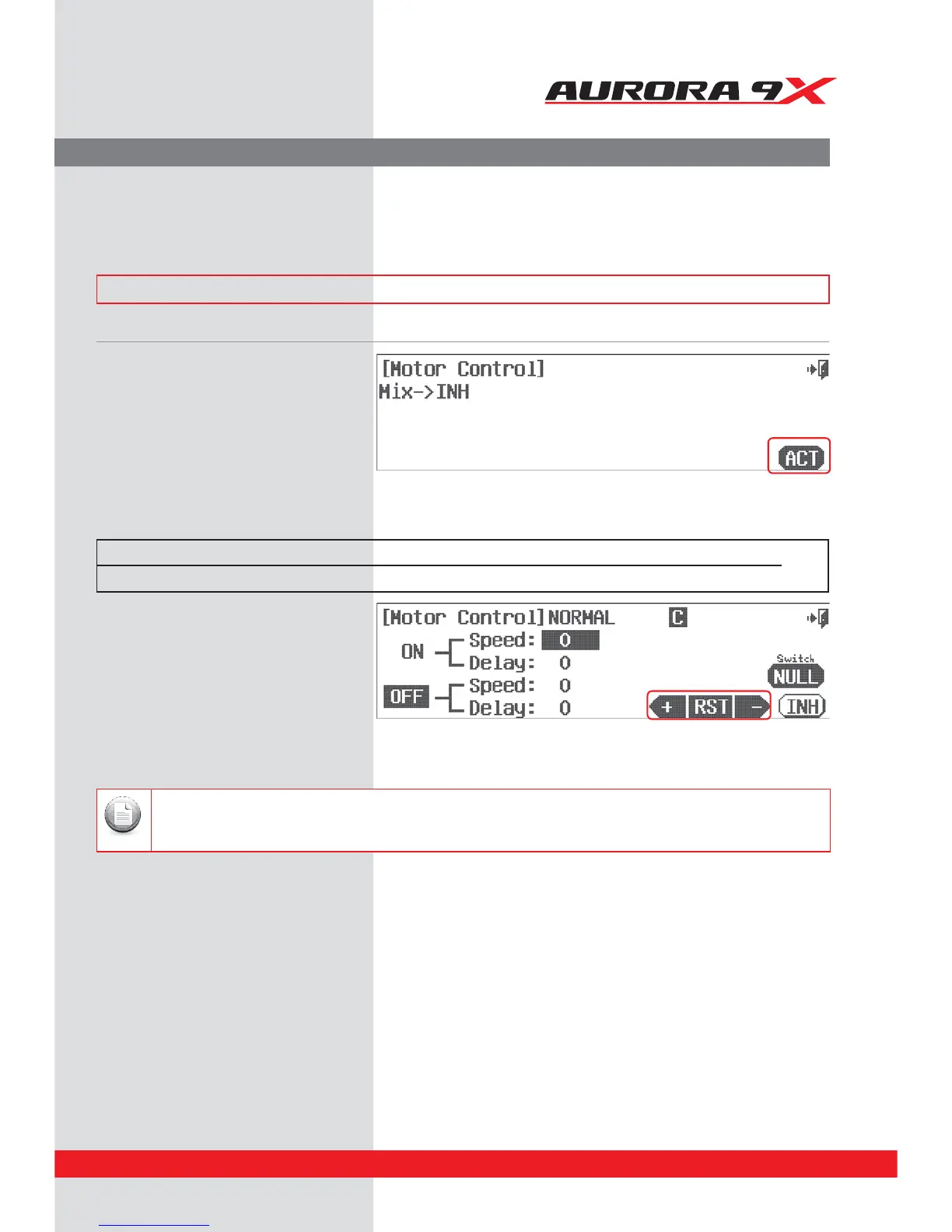
Use the motor function available in the GLID programming to turn an electric motor on or
o using a two position switch.
### This function can be inuenced by the ight condition feature ###
a. Select Motor from the model menu.
b. Press ACT to activate the
Motor Control feature menu.
d. Using the +RST- icons, set the motor speed and
delay values for both the “turning on and o
functions. Use the switch you selected to move
between on and o.
e. Press the Exit icon to return to the model menu.
Switch Option
c. To select a 2 position switch that will start and stop the motor, press NULL and follow the switch activation process.
Switch type Function Trim link
2 position On or O Yes, Adjust to trim
Both speed and delay values are in 0.1 second steps.
Note
Motor (GLID)
123



 To Next Page