9 CHANNEL 2.4GHz AIRCRAFT COMPUTER RADIO SYSTEM
P. Mixs (Programmable Mix Menu)
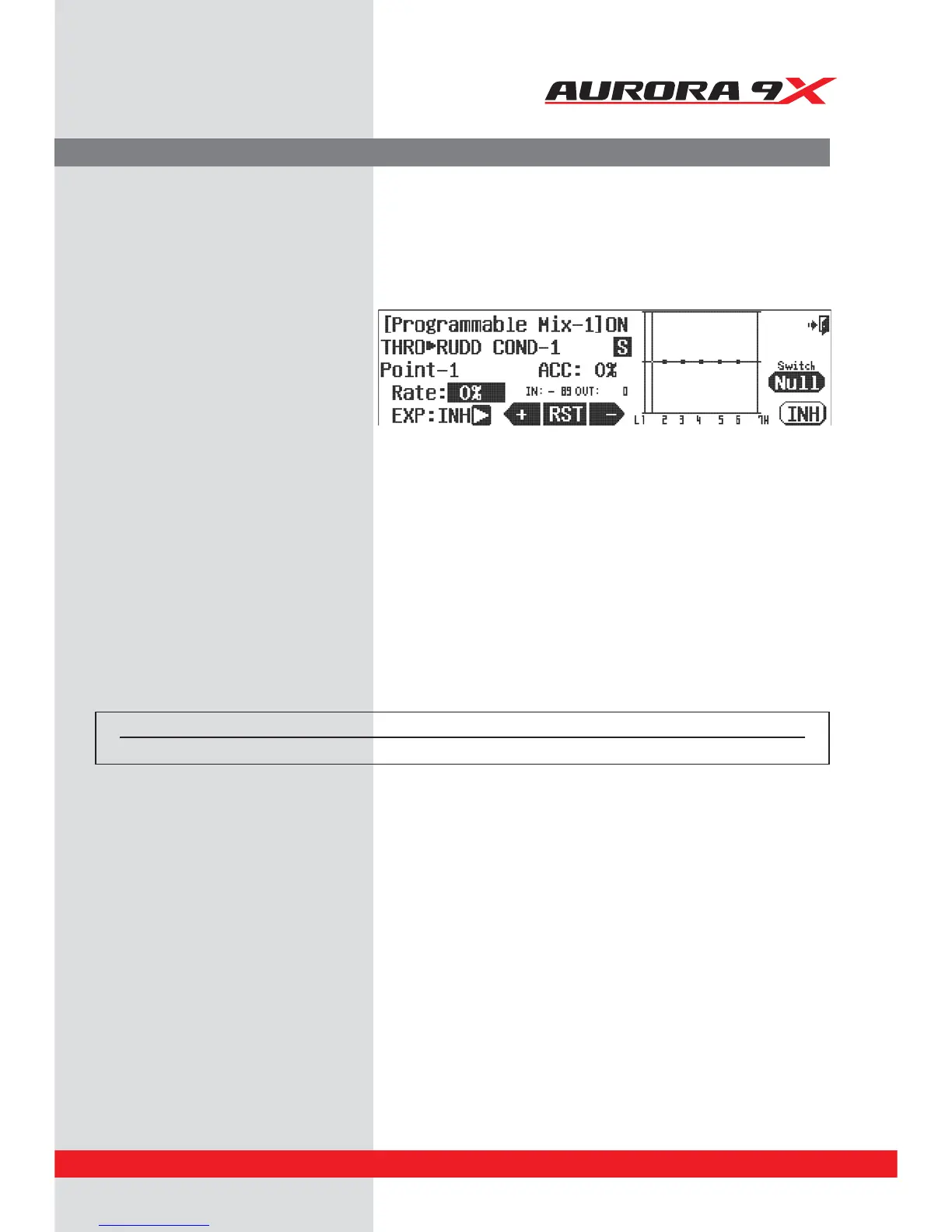
J*OPVSFYBNQMFUISPUUMFDPOUSPMJTUIFiNBTUFSw
if the throttle is moved the rudder will move.
We must add the amount or “rate” value we want
the rudder to move. Move the throttle stick up
and down, the H and L values will alternately be
highlighted and the throttle line will cross the
graph.
j. With the throttle at the low position, add +10%.
k. With the throttle at high position, add +10%.
l. Press the OST: 0% icon.
m. Give the OST function a +10 value, note the
line movement.
n. Use the ACC feature to change the speed of
the mix. Press the ACC: 0% icon. Experiment
with positive and negative values watching the
results on your model.
Our goal has been reached. Now as the throttle is advanced, a slight amount of rudder is automatically mixed in to
counteract the tendency the aircraft has to turn in the direction of the prop rotation.
Switch Option
o. We can choose a 2 position switch to switch the mix on or o and activate a trim link. Press NULL.
p. Select the Exit icon to return to the model menu.
Switch type Function Trim link
2 position On or O Yes, T.APP
91



 To Next Page