9 CHANNEL 2.4GHz AIRCRAFT COMPUTER RADIO SYSTEM
97
FLT.COND (ACRO)
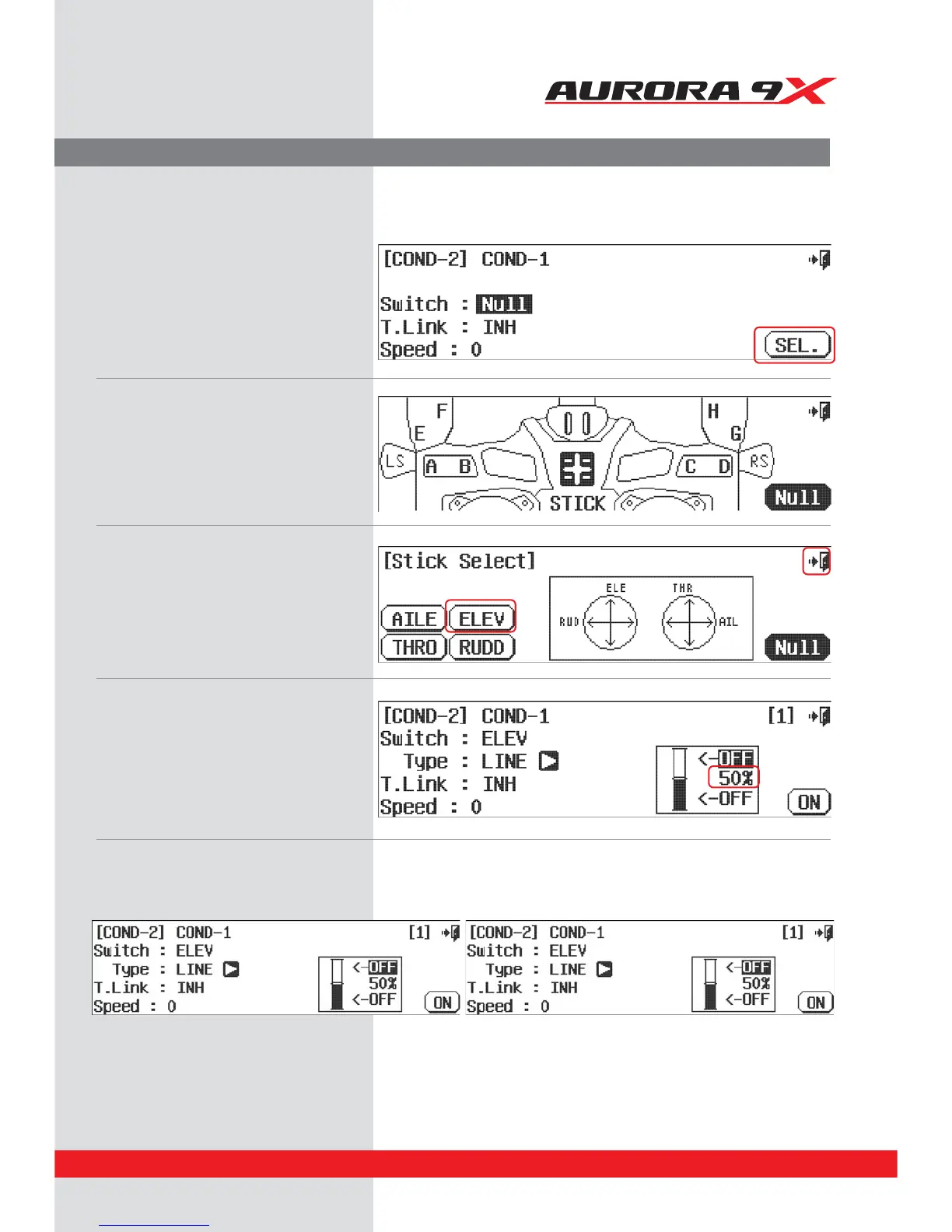
To set up by Switch
Set up the Flight condition On/O on elevator by Stick.
a. Select SEL
b. Select STIC icon
c. Select ELEV icon
d. Select the Exit to return to the ight condition
switch menu.
e. Select to move the elevator stick up and down.
The motion is displayed as a bar graph
f. Select the icon of 50% bar graph
g. Stop the elevator stick in the desired position and click the Set icon.
h. Select the On icon at right bottom
i. Select the On icon at right bottom
j. Type and Speed can be selected depending on your needs.



 To Next Page