9 CHANNEL 2.4GHz AIRCRAFT COMPUTER RADIO SYSTEM
119
SnapRoll (ACRO)
Automatic Snap-Roll Function.
The Snap-Roll feature will allow you to program an aileron, elevator and rudder travel rate for inside and outside snap
rolls in either the right or left direction.
There are four snap types the Aurora 9X can be programmed for;
R/U= right, inside snap
L/U= left, inside snap
R/D=right, outside snap
L/D=left, outside snap
### This function can be inuenced by the ight condition feature ###
There are two ways to accomplish the snap roll programming.
1. The Single, programming a master switch (usually H) for one snap “type”.
2. The Multi, programming a master switch (usually H) to activate the programming for two or more snap types that are programmed on
other switch positions.
The Single Snap Roll Option
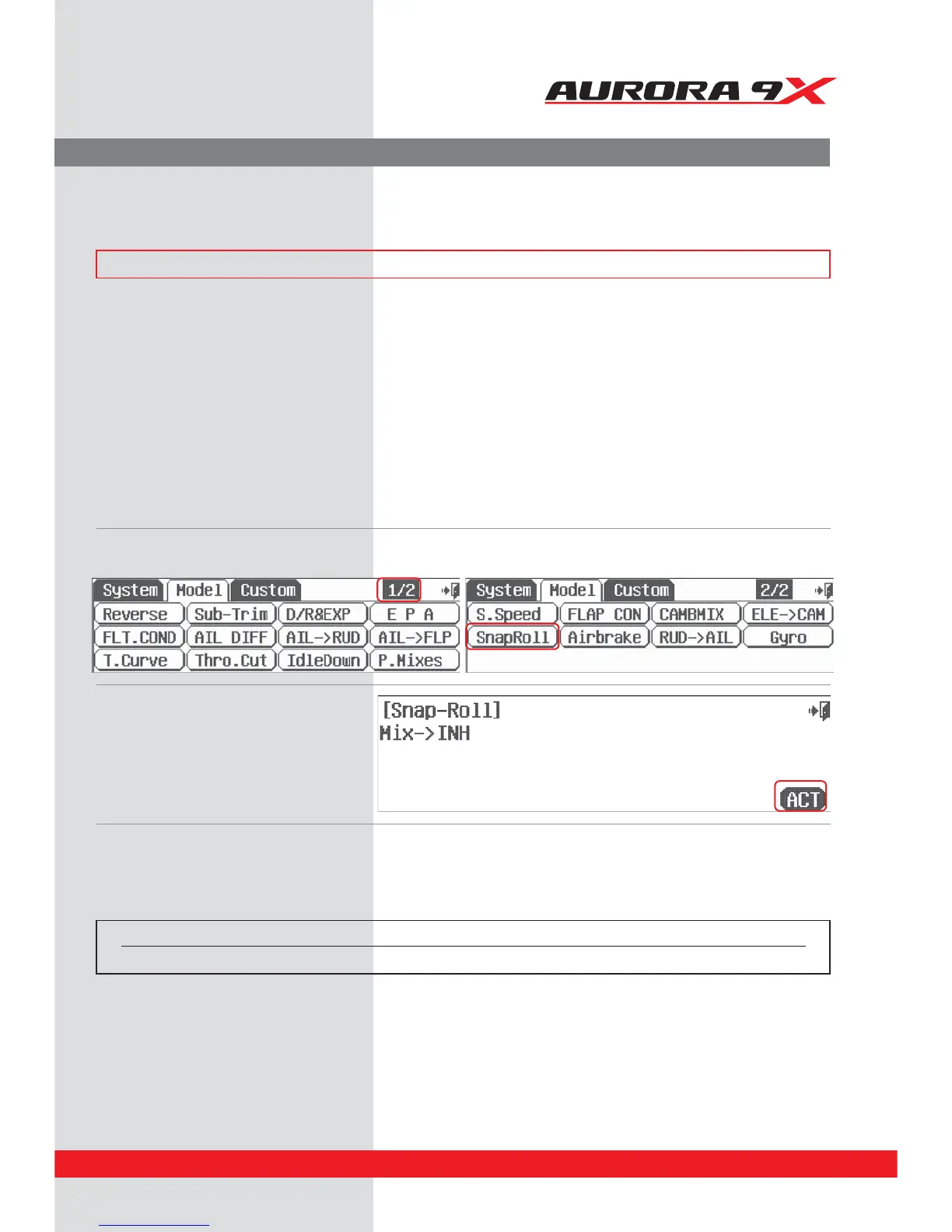
a. Select SnapRoll from the model menu. Snap-Roll activation screen
b. Press ACT to activate the
Snap Roll function menu.
Select a master snap roll switch
c. To select a switch that will allow you to activate the snap roll feature press NULL and follow the switch activation process.
Normally throughout the Aurora 9X manual we don’t recommend a switch location. However, to trigger the snap roll feature we
believe the “dead man” switch H is the most practical location for the snap roll master switch function.
For clarity, we will review the method to place one snap roll function on one switch using the Single option,
then show how to program several switches for dierent snap rolls using the Multi option.
Switch type Function
2 position On or O



 To Next Page