9 CHANNEL 2.4GHz AIRCRAFT COMPUTER RADIO SYSTEM
114
Elevon (ACRO and GLID)
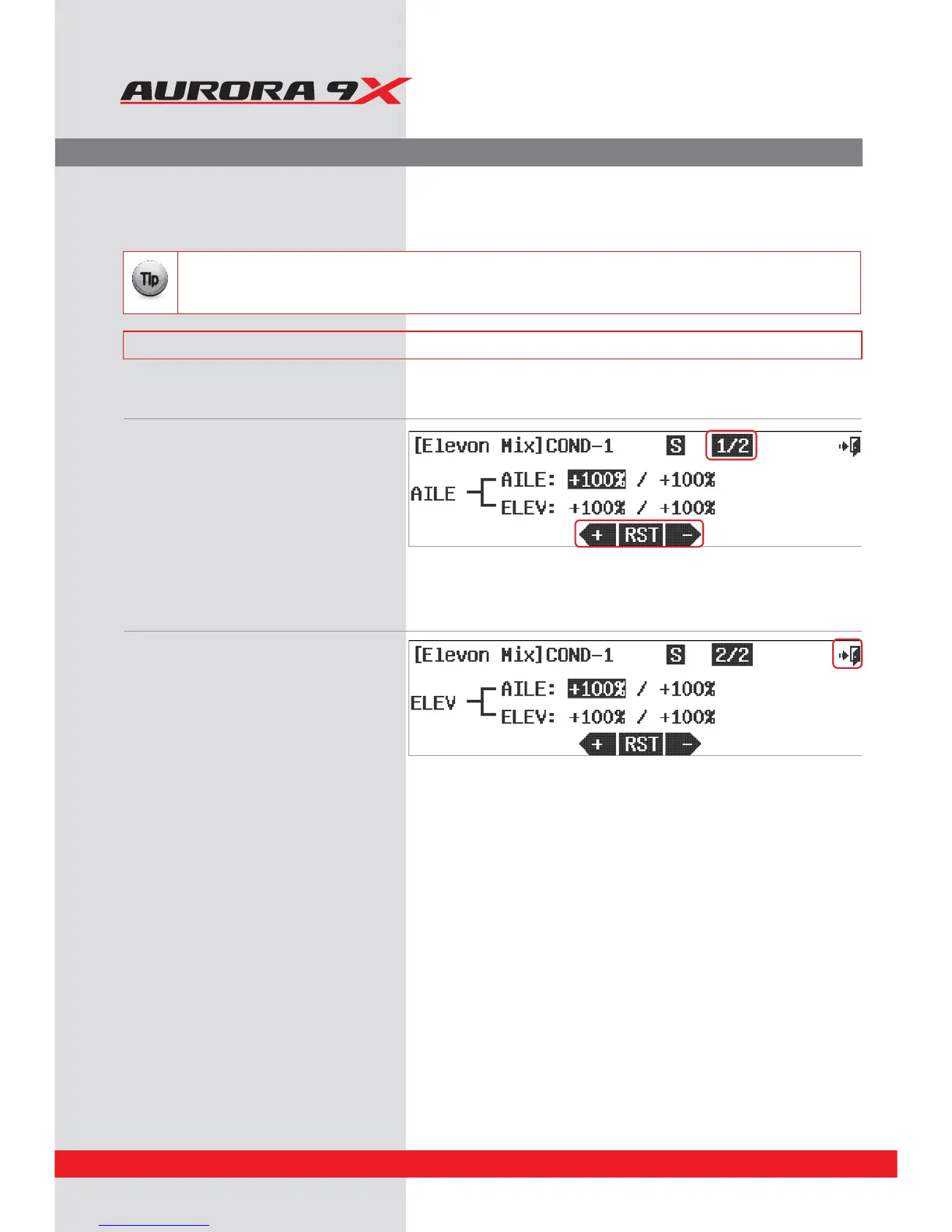
To change the end points on the elevon servos while they are performing the aileron and elevator functions:
a. Select Elevon from the model menu.
b. The rst screen allows adjustment of the
aileron function. Select the control and
direction you wish to change.
c. Press the +RST- icon to change the value.
Repeat for all rate values on this page you
want to change.
d. Press the 1/2 icon to access the next page
containing the same adjustment format on the
elevator control function.
e. Change the values on this page to obtain the
results you require.
f. Press the
Exit icon to back out to the model menu.
Flying Wing Mix.
Flying wing aircraft will most often be set up using elevons. The Aurora 9X mixes the aileron and elevator functions to
provide these controls in just one ight control surface per wing panel.
### This function can be inuenced by the ight condition feature ###
It is not necessary to access or change this menu to y a ying wing aircraft.
The default values are 100% movement in all directions.
{{
Tip



 To Next Page