9 CHANNEL 2.4GHz AIRCRAFT COMPUTER RADIO SYSTEM
Selecting a Switch
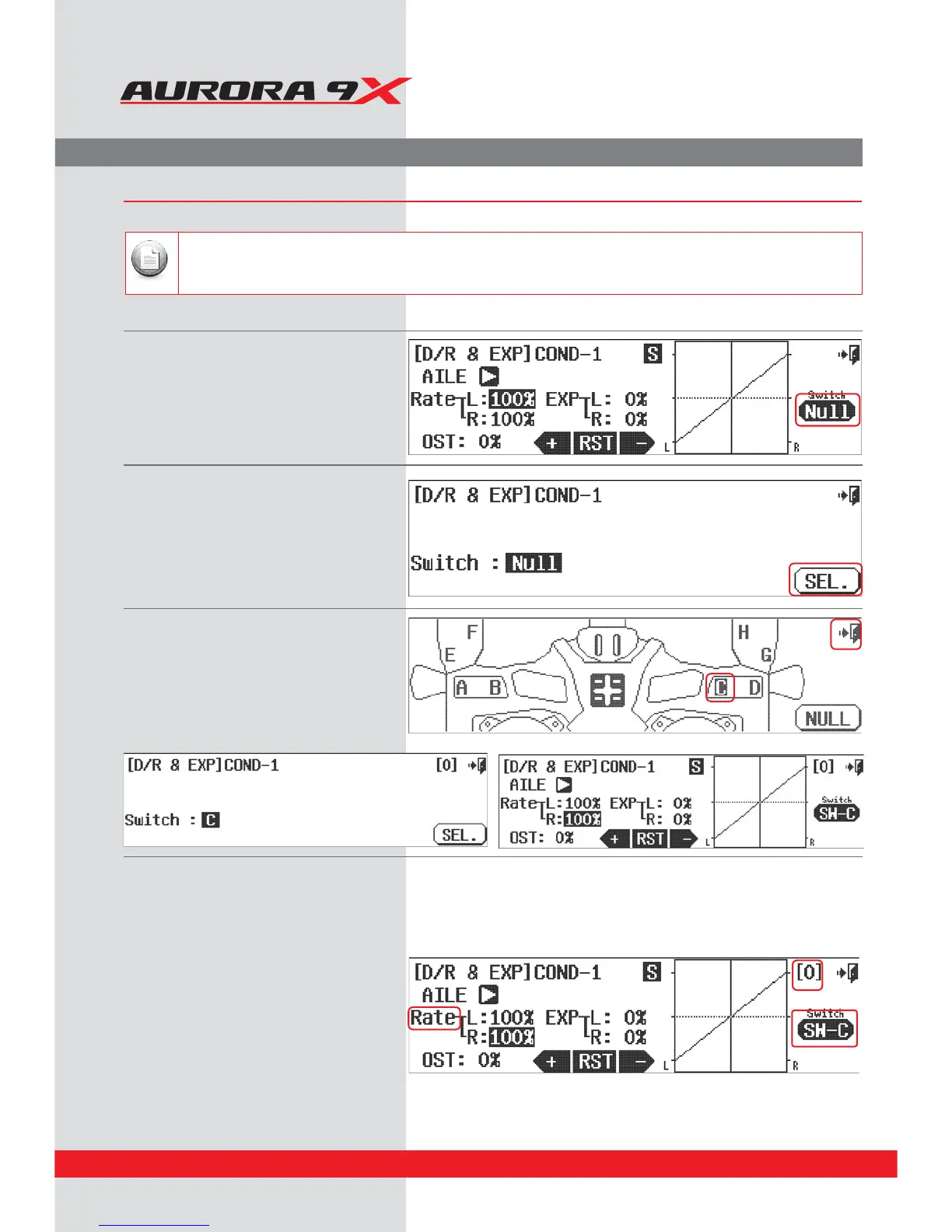
a. Select %3&91 from the model menu.
b. Press NULL.
Follow this method to set multiple values on any two position switch.
Note
For this example we will set three aileron movement value rates on a three position switch.
Three position switch multiple value set-up
c. Press SEL.
d. For our example select the switch C icon, or
simply move switch C.
e. Press the Exit to return to the
%3&91NFOVTDSFFO
f. With switch C in the [0] position, (all the way
back) press the Rate icon to highlight both
aileron control directions.
78



 To Next Page