9 CHANNEL 2.4GHz AIRCRAFT COMPUTER RADIO SYSTEM
Sensor Menu
Set-up for the HTS-SS Nitro and Blue sensor stations
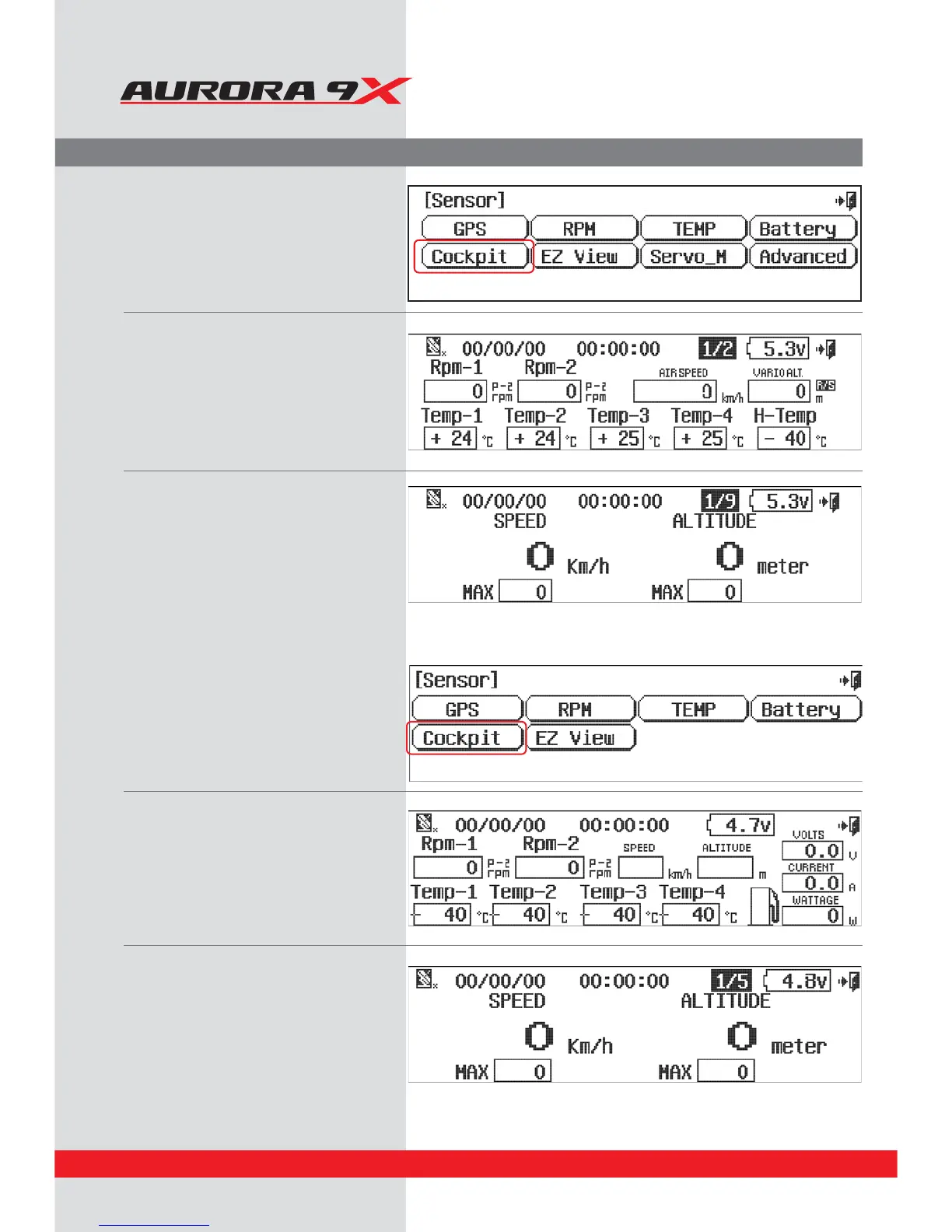
a. When the HTS-SS Blue is connected to the
Aurora 9X properly, select “Sensor” from
the system menu.
b. You can change the settings for each sensor
d. There is a special view mode in data
screen. Using this mode, you can
customize the data to your preferences.
e. Press Exit icon.
a. Once the HTS-SS advance is connected to the
Aurora 9X properly, select “Sensor” from
the system
b. You can change the settings for each
sensor.
D*OUIFEBUBTDSFFOUIFSFJTBDPNCJOBUJPO
mode which can see a variety data.
d. There is a special view mode in the data
screen. Using this mode, you can customize
the data to your preferences.
e. Press Exit icon.
D*OUIFEBUBTDSFFOUIFSFJTBDPNCJOBUJPO
mode screen on which you can view the
following data.
64



 To Next Page