9 CHANNEL 2.4GHz AIRCRAFT COMPUTER RADIO SYSTEM
Additional camber and launch mode adjust function menu (GLID)
5IFIFMJNPEFUISPUUMFBOEQJUDIDVSWFBEKVTUNFOUNFOVTPòFSTFWFSBMPQUJPOTGPSJOøJHIUBEKVTUNFOUPGIPWFSUISPUUMF
and pitch trim. The pitch curve also includes a high pitch adjust, and a low pitch adjust switch option.
We will rst describe the throttle hovering adjustment menu. All other throttle and pitch curve adjustment menus are
identical in the way they are programmed, so as to avoid repetition in the manual text, we oer the adjust function
process explanation just once.
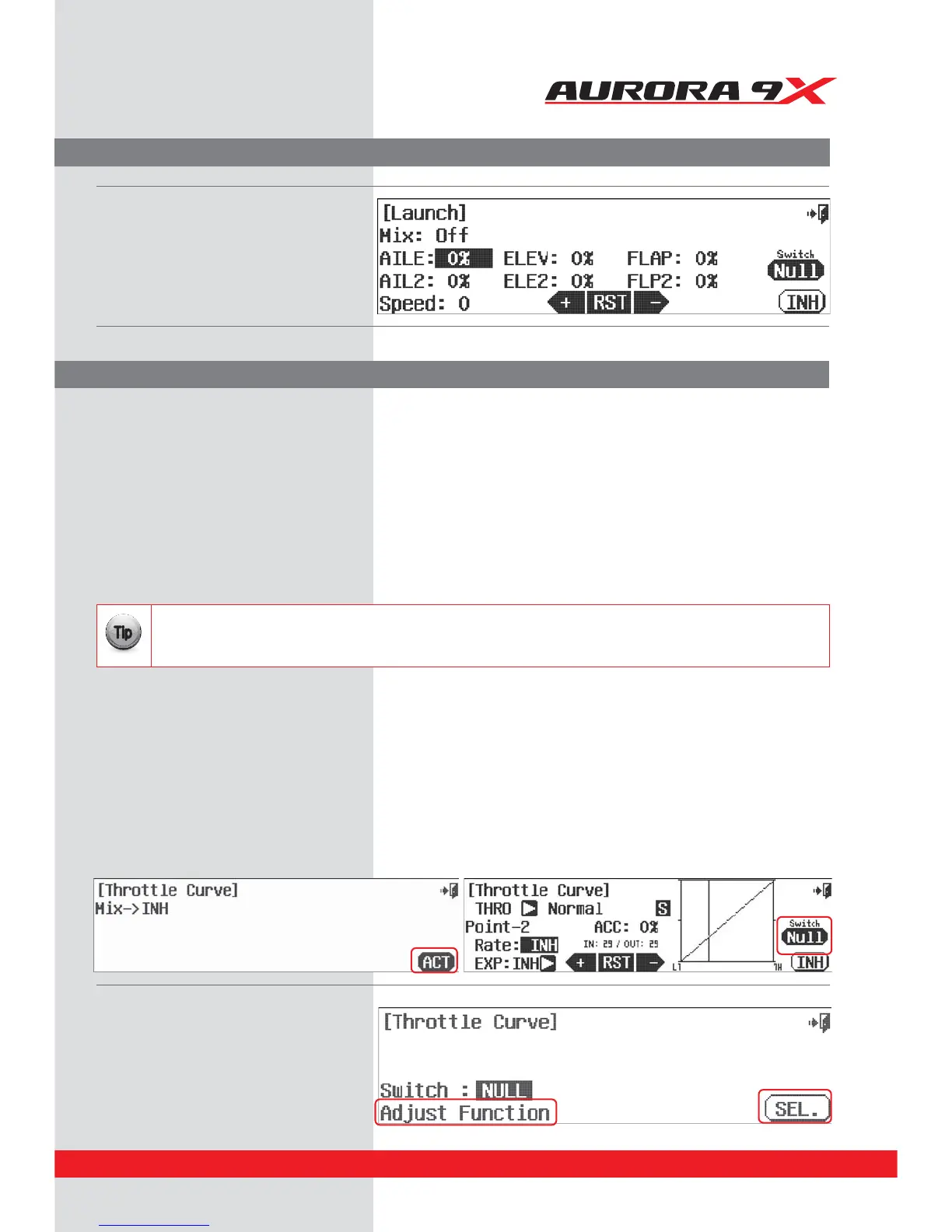
a. Press the ACT icon to activate the feature.
b. Enter the throttle curve switch menu by selecting NULL at the throttle curve menu screen.
In throttle curve adjust function menu you can choose:
t5ISPUUMFIPWFS
t5ISPUUMFXJUIQJUDIIPWFS
In the pitch curve adjust function menu you can choose:
t1JUDIIPWFS
t1JUDIDVSWFIJHIQJUDIBEKVTU
t1JUDIDVSWFMPXQJUDIBEKVTU
Throttle and Pitch curve adjust function programming
We will use the throttle curve adjust screen and hovering switch set-up for our example.
This is the Launch mix screen.
t$IFDLPVUBMMUIFUISPUUMFBOEQJUDIDVSWFBEKVTUGVODUJPOT-FBSOJOHUPVTFUIFTFGFBUVSFTDBOESBNBUJDBMMZ
improve the performance of your heli without the expense of hardware upgrades.
t6TFUIFNBMMPSTFMFDUCFUXFFOUIFN
{{
Tip
c. Press Adjust Function.
d. Press Set.
Helicopter throttle and pitch curve adjust functions, hover trim and more
81



 To Next Page