HT2000H_en_n.doc Page 111 of 167
7 HT2000H/HT2000HT Operations
7.1 Home screen
After the START UP procedure, the autosampler will move the turret to the central position, and the
touch screen shows the Home screen.
The Home screen is available in two modalities: Standard (see paragraph 7.1.1) and Quick Start
(see paragraph 7.1.2 “Home screen: Quick Start User Interface”).
The Quick Start modality is a simplified modality in which you can start working by simply tapping
“Start” (for details see paragraph 7.1.2 “Home screen: Quick Start User Interface”).
To modify the Home screen modality, set the User Interface (see paragraph 4.2.4.3 “Setup
configuration: Run”).
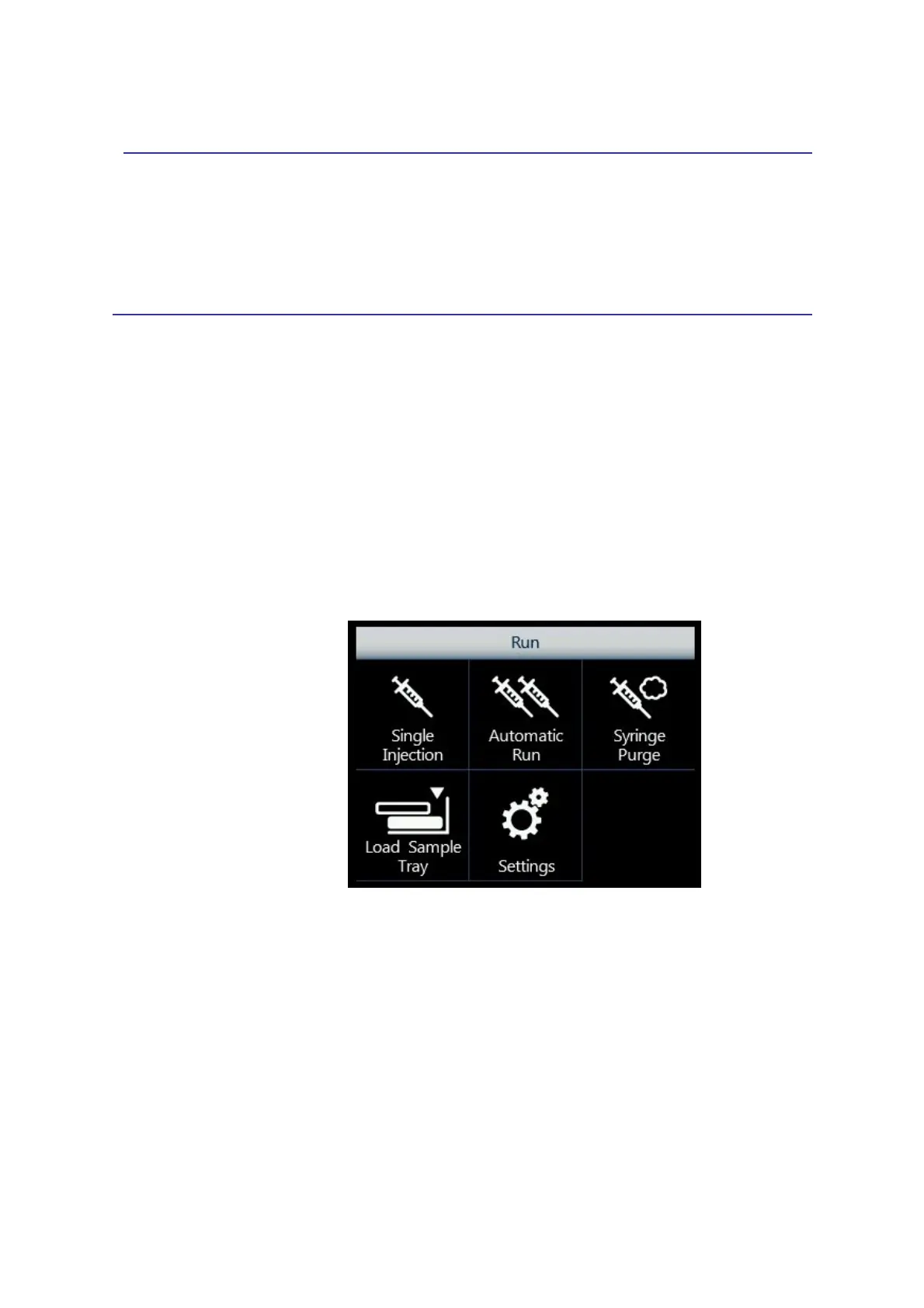
7.1.1 Home screen: Standard User Interface
Figure 100: Home screen: Standard user Interface
From here, it is possible to access the following functions:
• Single Injection: performs an injection from a specific sample vial (see paragraph 7.2);
• Automatic Run: performs an automatic cycle of injections from different sample vials (see
paragraph 7.3)
• Syringe Purge: flushes the syringe with gas (see paragraph 7.4);
• Load Sample Tray: opens the tray to load/unload the samples (see paragraph 7.5)
• Settings: accesses other autosampler functionalities and menus (see paragraph 7.6).



 To Next Page