HT2000H_en_n.doc Page 133 of 167
8.17 “HTA Autosampler Manager” troubleshooting
8.17.1 Autosampler and PC do not communicate (connection by
LAN)
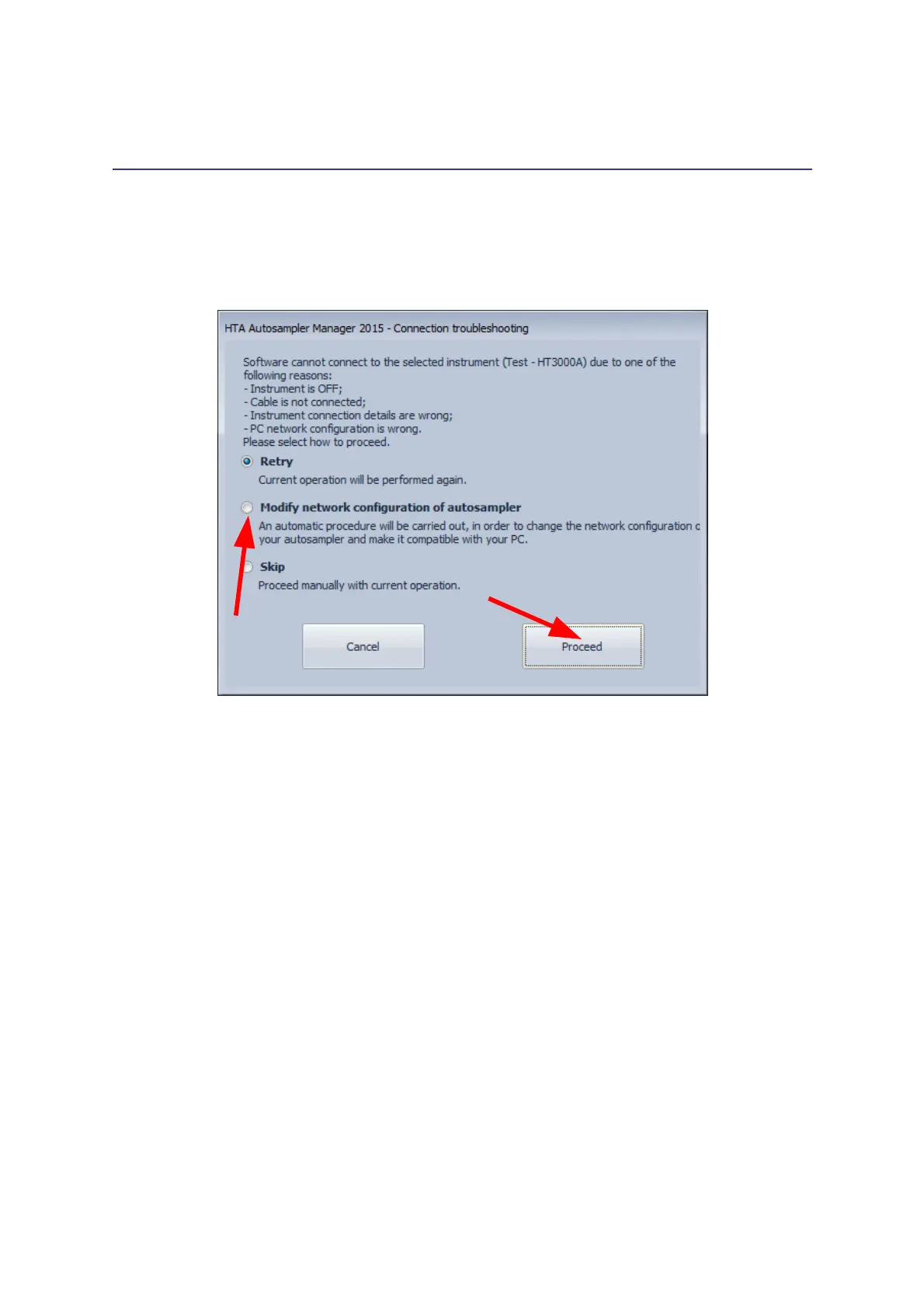
Error screen:
Figure 106: Connection troubleshooting
Causes:
The autosampler can not communicate with the PC.
Solution:
Proceed as follow:
1. Preliminary checks:
• Check that the autosampler is switched on, all the cables are correctly installed,
and that all instructions were carefully followed.
• The IT/ network administrator must also verify that any software firewall installed on
the PC is: disabled or enabled but it is not blocking the “HTA Autosampler
Manager” application and the ports 20101 (TCP), 20102 (TCP) and 20201 (UDP).
• If one of these conditions was missed, fix it and simply click on “Retry”, otherwise
go ahead with step 2).
2. Click on “Modify network configuration of autosampler” and then on “Proceed”. In this way
an automatic procedure start to change the network configuration of your autosampler and
make it compatible with your PC. The following screen appears:



 To Next Page