HT2000H_en_n.doc Page 42 of 167
• “CONTINUE” to confirm,
• “STOP” or “ABORT” to interrupt the procedure
• etc...
Tap the relevant command to perform the task.
2.4.2.6 Screen type 6: Status Information
Screen type 6
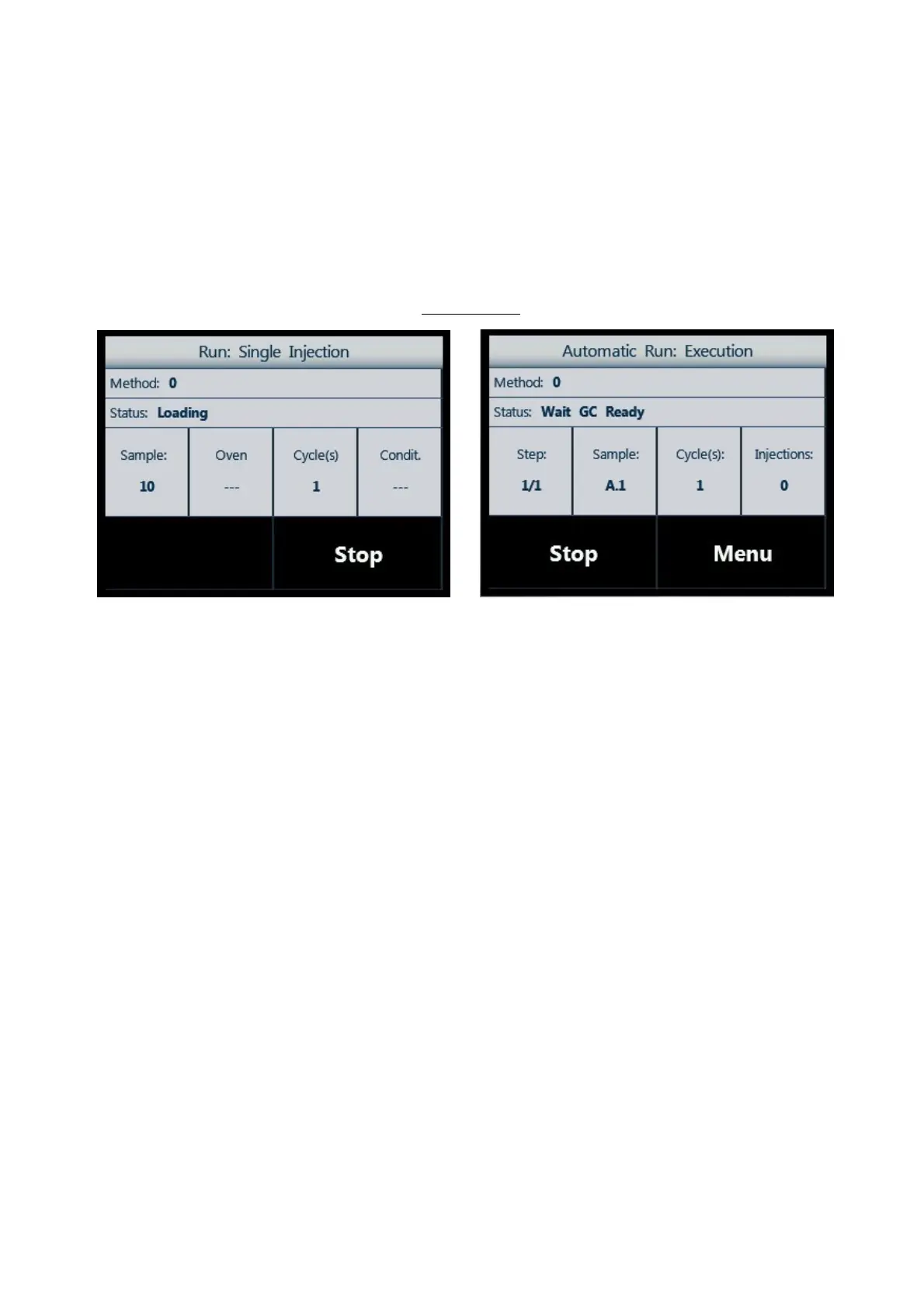
Figure 35: Screen type 6_example A Figure 36: Screen type 6_example B
This screen type describes the status of the autosampler when it is running (injection or wash). The buttons
in the lower part of the screen can show:
• “STOP” to stop the running operation;
• “MENU” to access additional options.
2.4.3 Limited Warranty
Due to technology constrains, the touch screen display may have a minor defect. A minor defect refers to a
defect which is not considered to be able to substantially degrade the product application or a defect that
deviates from existing standards almost unrelated to the effective use of the product or its operation, such
as black spot, white spot, bright spot, pinhole, black line, white line, contrast variation, glass defect,
polarizer defect, etc.. The minor defects do not give right to repair or part substitution under warranty,
unless the number of minor defects substantially degrades the product application.



 To Next Page