HT2000H_en_n.doc Page 140 of 167
• Only for HT2000H/HT2000HT enter “manual operations” and close the oven cover (see
paragraph 4.2.3 “Setup: Manual operations”).
9.1.4 Touch screen display cleaning
Wet a soft, lint-free or microfibre cloth with distilled water. Wring out as much water as you can.
Make sure the cloth is damp but not wet. Wipe the screen in a gentle motion to remove dust, oil, or
fingerprint smudges.
Another option is to use a screen cleaner kit that includes antistatic wipes.
Finish cleaning the touch screen with a dry lint-free cloth to wipe away any excess moisture, then
turn it back on.
9.1.5 Syringe replacement in the syringe warmer assembly
9.1.5.1 Standard version syringe: 1ml to 1ml syringe replacement/ 2.5ml to 2.5ml
syringe replacement/ 5ml to 5ml syringe replacement
Syringes should be replaced according to sample throughput and sample dirtiness/matrix.
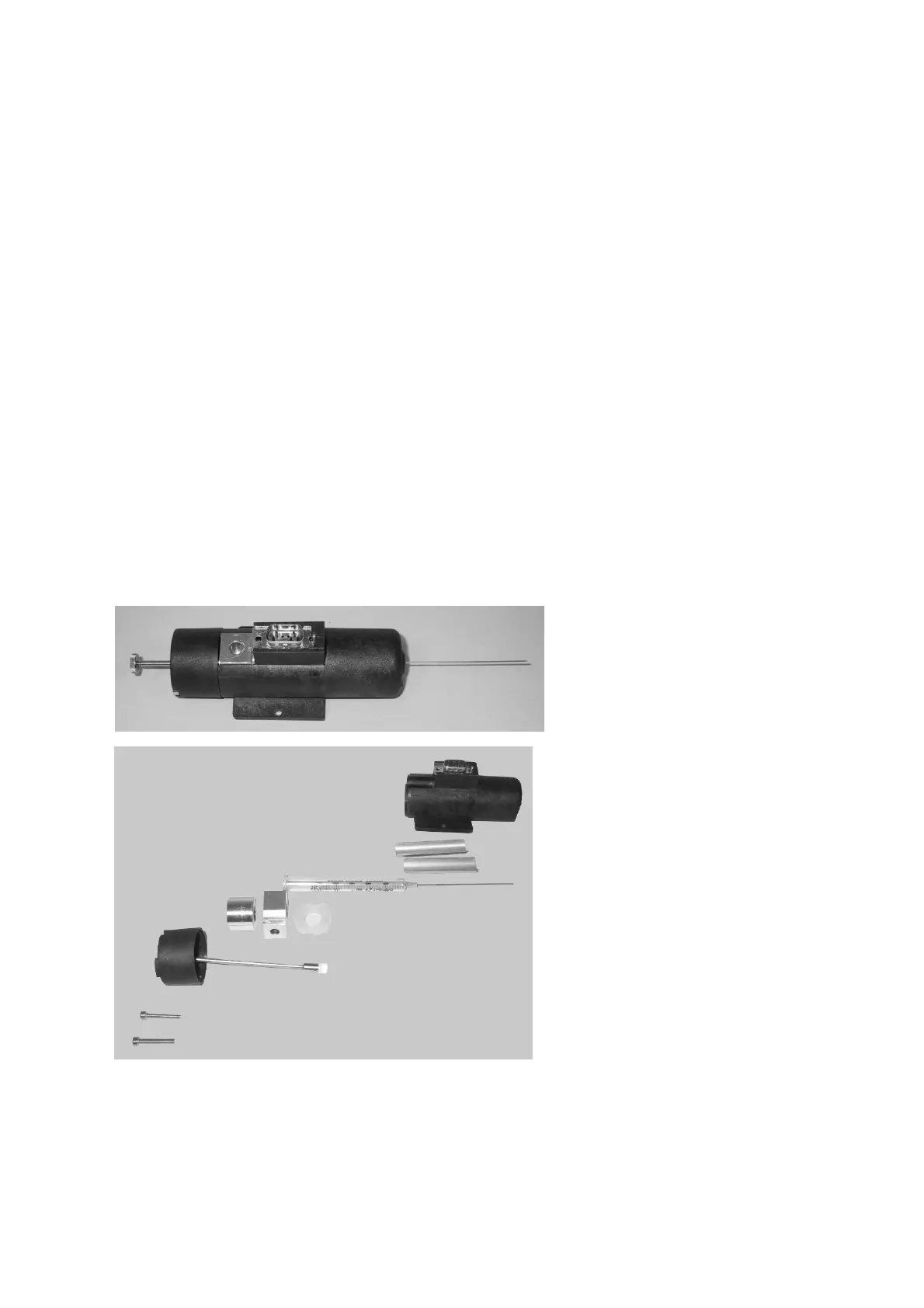
To replace the syringe, it is necessary to disassemble and reassemble the syringe warmer
assembly that contains the syringe. In the following picture, the syringe warmer assembly is
shown.
Figure 108: Exploded view of the syringe warmer assembly



 To Next Page