HT2000H_en_n.doc Page 153 of 167
6. Raise the vial locator;
7. Tighten the left lock;
8. Lift up the sledge manually (see Figure 54);
9. Lower the sliding lid;
10. Switch off the autosampler;
11. Unplug the external power supply from the main power and then remove the power cord
from the autosampler;
12. Disconnect the interface cable from the autosampler port and from the analyzer;
13. Disconnect the pneumatic connection;
14. Disconnect, if present, the Ethernet cable from the autosampler and from the Ethernet
connector of the PC or of the Switch;
15. Disconnect, if present, the RS232C cable from the autosampler port and from the serial
port of the PC;
16. Unlock the autosampler from the bracket that fixes it to the analyzer (3.3.1.1 “Unlock the
autosampler from the mounting kit”)
17. Raise the autosampler from the bracket and place it in a vertical position.
10.2
Autosampler shipping
The autosampler can only be shipped in the original packaging. If the autosampler has
already been installed you must perform the following:
1. Perform the uninstalling procedure described in paragraph 10.1 “Autosampler uninstalling”.
2. Repack the accessories in the accessory boxes. Seal the accessory boxes with a suitable
adhesive tape.
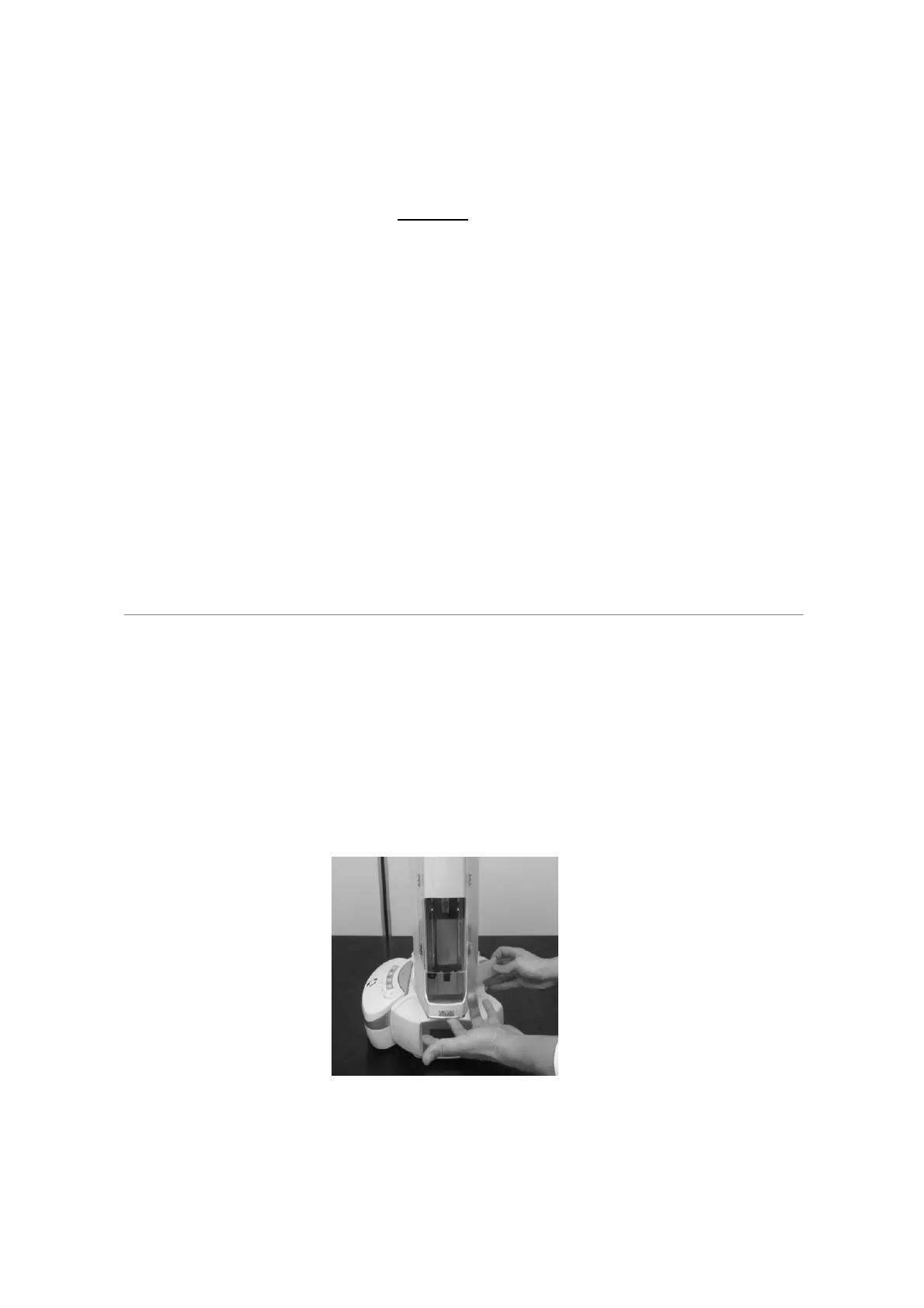
3. Apply the tower protection.
Figure 122: Apply the tower protection
4. Apply the polythene bag and the protection belt to the autosampler tower.



 To Next Page