HT2000H_en_n.doc Page 58 of 167
1) Connect the autosampler to your lab LAN (see paragraph 3.3.3 “Electrical connections”);
2) The IT/ network administrator must verify that the firewall protection does not prevent
communication between the software application “HTA Autosampler Manager” and the
autosampler (see paragraph 3.5.1.1 “Default IP address”).
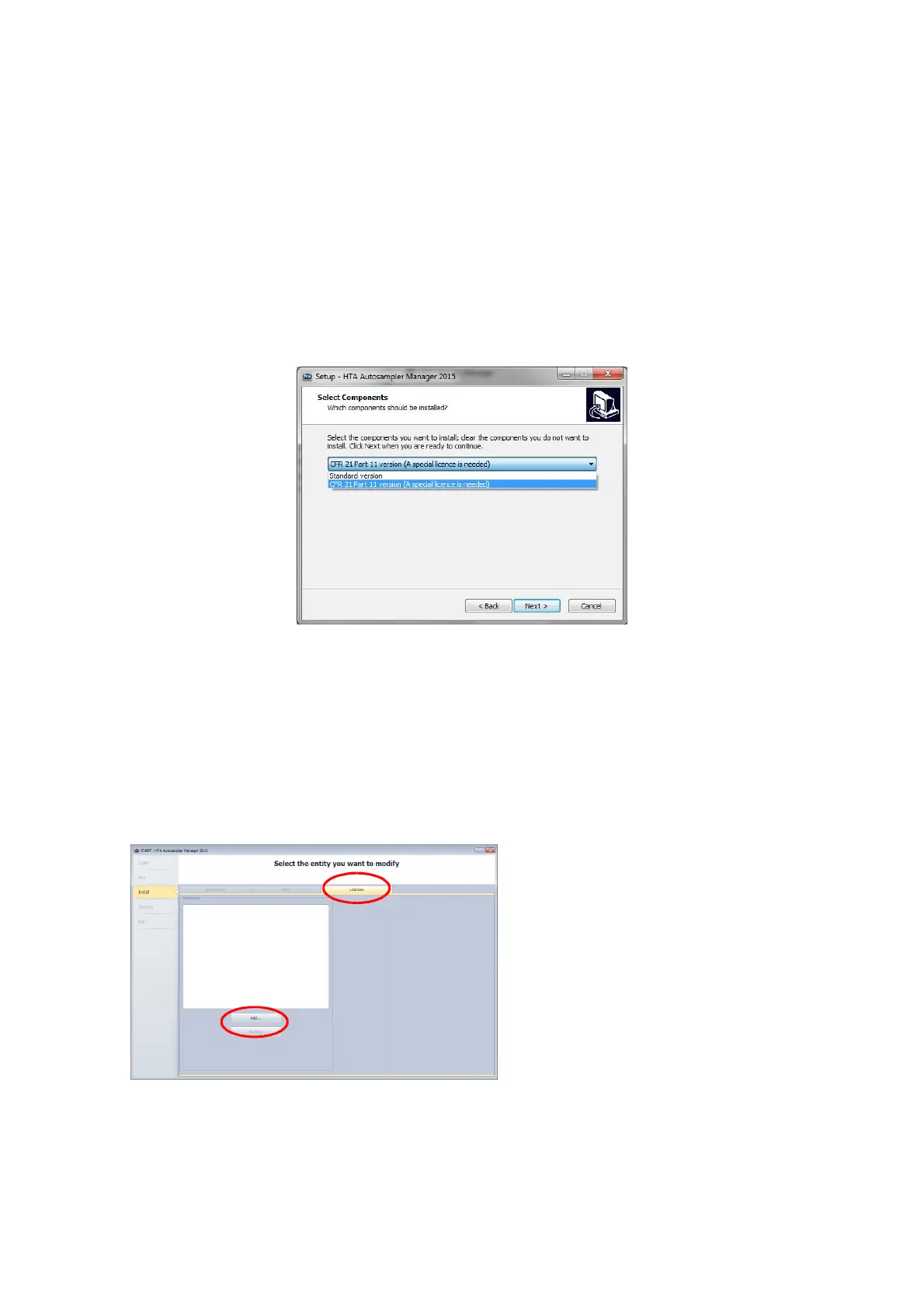
3) Install “HTA Autosampler Manager” on the PC. "HTA Autosampler Manager" is provided on
the CD supplied with the instrument. Follow the wizard to install the software (self-
explaining). Make sure to select proper version (Standard version or CFR 21 Part 11
version).
Figure 60: Software versione selection
4) Run the software.
5) (For HTA Autosampler Manager CFR 21 Part 11 version only). At the first access of the
software the activation licence is required (click on “Add” from figure “a”, tab “Licences”
enabled). Then Administrator creation is required (click on “Add” from figure “b”, tab
“Users” enabled). The screen “c” appears to add the administrator, then it will be possible
to create the other users.



 To Next Page