HT2000H_en_n.doc Page 90 of 167
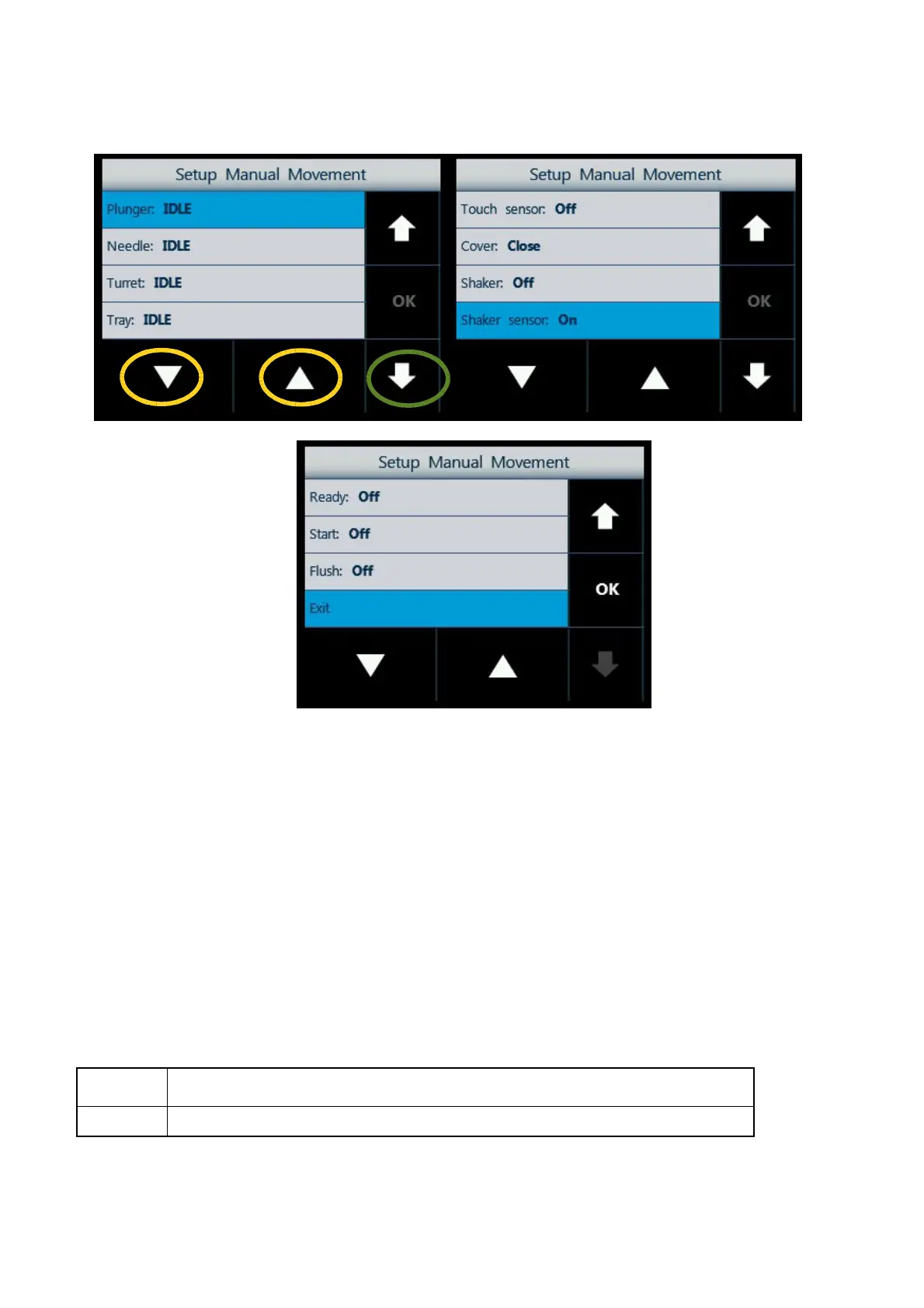
Figure 99: Screen type 7
Select a motor using the arrows on the right (green circle), and use the ▲▼ (yellow circle) arrows to:
• raise (▲) or lower (▼) the plunger;
• raise (▲) or lower (▼) the syringe holder (needle motor);
• rotate the turret to the right hand side (▲) or to the left hand side (▼);
• move the tray towards the open (▼) or towards the closed position (▲) (operation not possible for
HT2100H version);
• open () or close () the oven cover for HT2000H/HT2000HT or the elevator for HT2100H
(closed position is the incubation position);
• increase () or decrease () the shaker;
• increase and start () or decrease and stop () the fan. Besides the plunger, needle, turret and
tray motor, it is written its status:
Run
When the motor is moving
Idle
When the motor is not moving



 To Next Page