4 - 77
<Step 5>
The information specified in Common Output Items is other than the test definitions and the
testing results in Output Items displayed in Correspondence Definition.
The contents registered in this item is attached to the Bookmarks corresponded with.
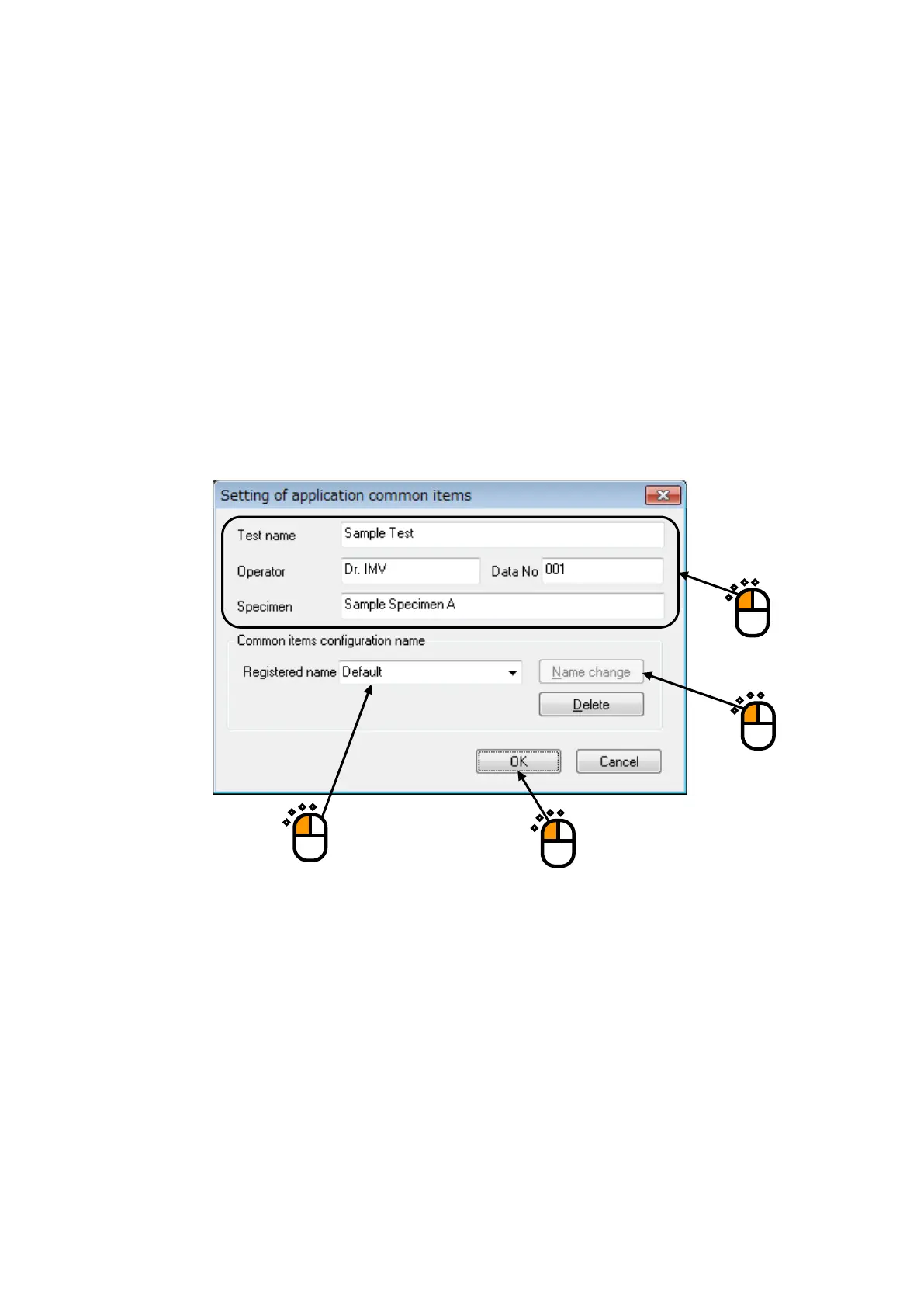
The characters and the numeral values are set to the Output Item to be needed (①).
Specify a registration name of ‘Common Item set’ to register the set Common Output Item (②).
And, press the [Name change] button (③).
When the set Common Output Item is registered in this item, it can be selected in ‘Select by
registered name’ at <Step 4> (or <Step 7>).
Press [OK] after completing of the necessary settings (④).
①
③
②
④



 To Next Page