4 - 78
<Step 6>
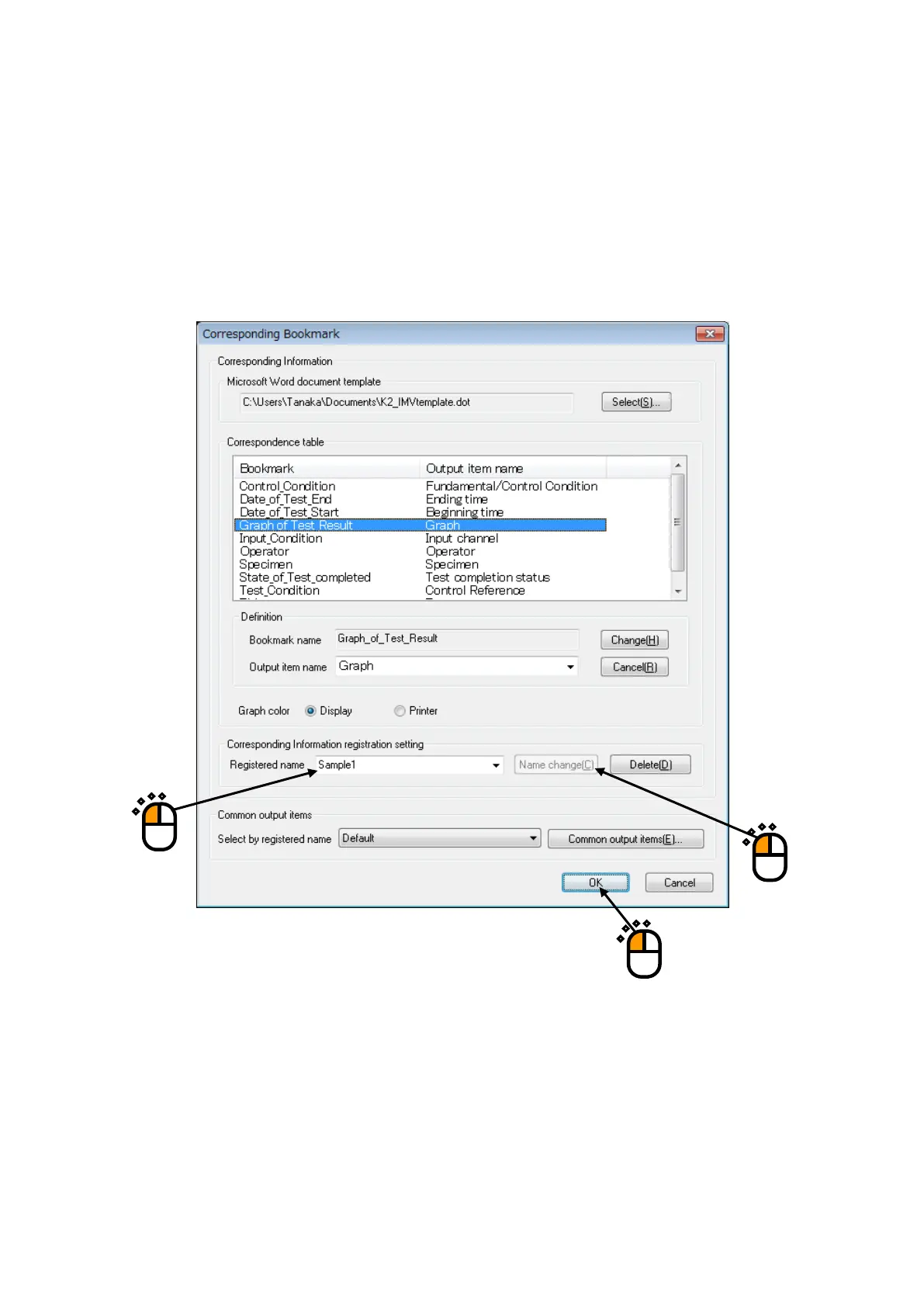
Specify a registration name of ‘Correspondence Definition Registration’ to register the set
Correspondence(①). And, press the [Name change] button(②).
When the set Correspondence Item is registered in this item, it can be selected in ‘Select by
registered name’ at <Step 2>.
Press [OK] after completing of the necessary settings (③).
①
②
③



 To Next Page