EasyManua.ls Logo

Insightec Exablate 2100V1 - 7.2. Treatment Stage Main Screen Elements

Default Icon
164 pages
Print Icon
To Next Page IconTo Next Page
To Previous Page IconTo Previous Page
Loading...
TREATMENT STAGE
Manual Part Number
101
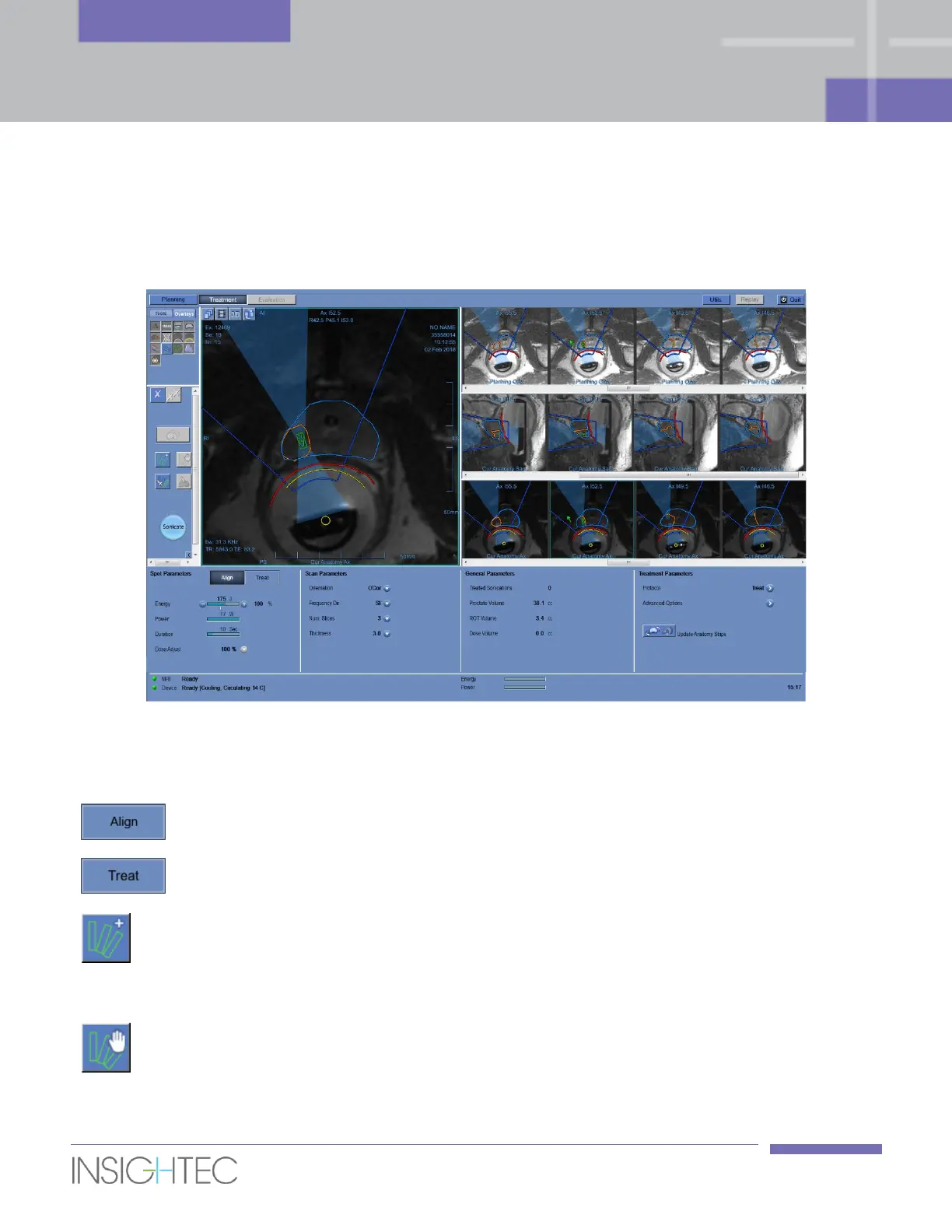
7.2. Treatment Stage Main Screen
The Treatment stage contains the following new elements (see Chapter 5 for an explanation of the Imaging
tools previously used).
Figure 7-1: Treatment Stage Main Screen
7.2.1. Action Tools
Align Mode
Select the Align Mode to perform a geometrical location
verification.
Treat Mode
Select the Treat Mode to perform thermal dose verification and
therapeutic sonications.
Add Sonication Spot
Use this button to add a sonication spot; the spot is added at
the location clicked on the MR image.
For Macro-spots, the location clicked within the ROT will define
the Macro-spot direction.
Stop Planner
Click to stop the Macro-spot planning process.

Table of Contents